
Laser fiber damage can happen for many reasons. Most of these reasons can be stopped. Problems may come from physical stress or contamination. Power or heat issues can also cause damage. Gas or changes in the environment may hurt the fiber. Bad parts or wrong handling are other causes. Some common triggers are poor cutting of shiny materials. Overheating can happen if chillers do not work. Nozzles can get clogged and cause trouble. High settings can make heat damage worse. Working too close can also be a problem. Knowing these causes helps you keep your equipment safe. Each cause has easy tips to help you avoid expensive repairs.
Key Takeaways
- Be careful with laser fibers so they do not bend. Use big spools and soft curves to keep them safe.
- Keep your workspace tidy so nothing dirty gets in. Check and clean the termini end-face often for best results.
- Watch power settings and temperature all the time. Use the right levels to stop overheating and damage.
- Control gas flow and static electricity in your workspace. Use flow control valves and ESD-safe steps to keep parts safe.
- Do regular checks and maintenance. Checking often helps find problems early and makes your laser fiber last longer.
Physical Stress And Vibration
Laser fibers can get damaged by physical stress and vibration. These problems can make your equipment work less well. It is important to know how bending, flexing, and vibration can hurt the fiber. This helps you keep your system working right.
Bending And Flexing
Bending or flexing a laser fiber puts stress on it. This stress can cause cracks or breaks inside the fiber. Smaller-diameter fibers break more easily when bent. For example, the otologic fiber loses more energy if you bend it. If you use CO2 laser fibers in surgery, bending can lower power output. You might see your fiber work worse if you do not handle it gently.
- Bending lowers power output, especially during surgery.
- Smaller fibers break easier when bent.
- More bending means more energy loss.
- Try not to bend the fiber sharply. Keep it straight.
Tip: Put your laser fibers on wide spools. Do not coil them tightly. Use gentle curves when you set up fibers.
Mechanical Vibration Effects
Vibration can also damage laser fibers. When equipment shakes, the fiber gets stress at both ends and in the middle. This stress can wear out the fiber over time. The fiber may stop working well or even break if vibration keeps happening.
- Mechanical vibration causes the fiber to wear out.
- The most stress happens at the ends and middle.
- The fiber does not last as long if vibration is strong or often.
Tip: Keep your laser fiber safe while using it. Put it on a steady surface. Do not move the equipment when the fiber is working.
If you handle your laser fibers carefully and keep them still, you can stop most damage. This helps you save money and keeps your system working well.
Contamination And Debris
Laser fiber damage often starts when things get dirty. Dust, dirt, and tiny bits can land on your equipment. These things block the laser path and make it work worse. You might see weaker beams or sudden stops. Even a little water or hydrocarbons can mess up your laser. Metal dust can scratch or hurt the optical parts. If particles pile up on the termini end-face, your whole system could stop working.
Dust And Particle Buildup
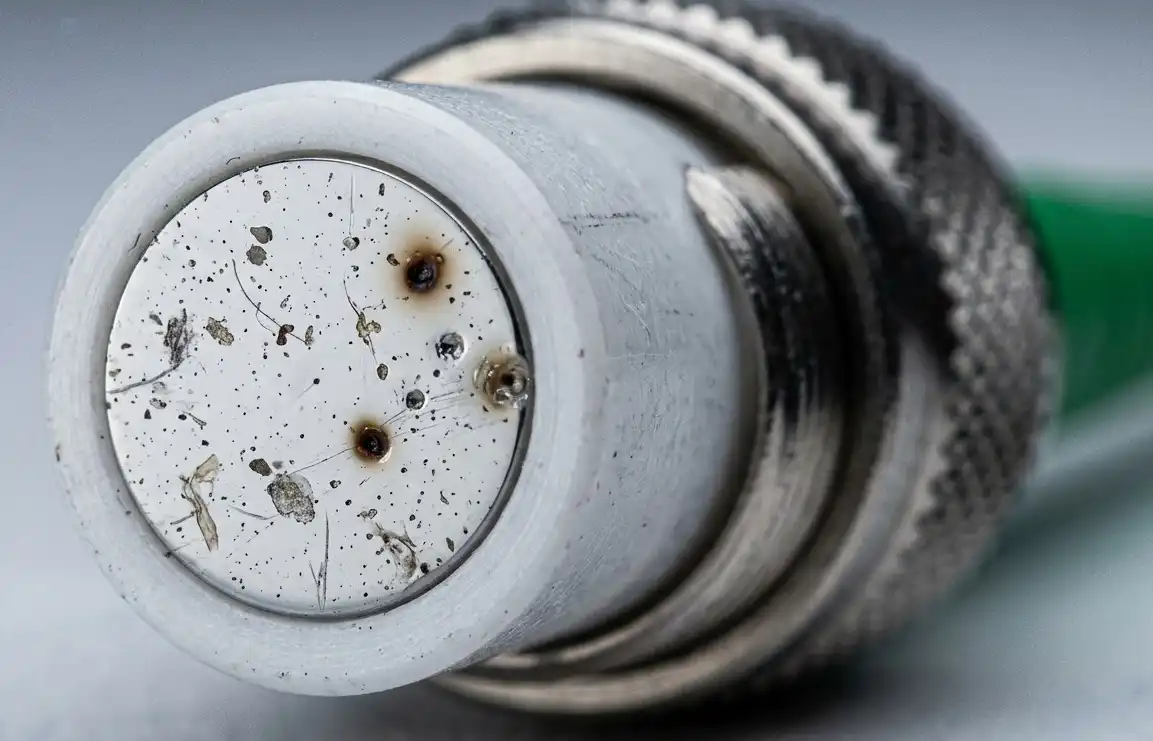
You deal with many kinds of dirt in factories. Some of the most common are:
- Moisture, oxygen, and hydrocarbons can make the beam worse.
- Metal dust can hurt optical parts and controls.
- Tiny particles on the termini end-face can cause bad connections.
- Any dirt on the termini end-face can make your system stop.
You must keep your workspace clean. Dust and dirt can build up fast, especially when you cut or weld metal. If you skip cleaning, laser fiber damage is more likely.
Tip: Use covers or shields to keep your laser fiber safe from dust in the air.
Cleaning To Prevent Laser Fiber Damage
Cleaning the right way keeps your laser fiber working well. You should use the right cleaners and tools for each part. For the machine bed and rails, diesel gets rid of oil and dirt. When you clean the focusing lens, use special paper cotton balls with acetone or pure alcohol. Always be gentle and do not touch the end-face with your hands.
Here are some good ways to clean and take care of your equipment:
- Clean the machine bed and rails with diesel to get rid of oil and dirt.
- Use acetone or pure alcohol with paper cotton balls for the focusing lens.
- Check the termini end-face for dirt before each use.
- Clean your equipment often to stop dirt from building up.
Note: Never use rough cloths or the wrong chemicals. These can scratch or hurt the sensitive parts.
If you do these things, you lower the chance of laser fiber damage. Clean equipment works better and lasts longer.
Power And Thermal Issues
Laser fiber systems need steady power and cool temperatures. If power is too high or things get too hot, damage can happen. You should know how these things affect your equipment. Learn ways to keep power and heat under control.
Excessive Power Settings
Too much power makes the laser fiber get very hot. This heat lowers how well the beam works. The beam can lose its sharpness. Using high power for a long time makes the laser wear out faster. It can also be unsafe. The fiber might melt or even catch fire.
Here is a table that shows what happens if you use too much power:
| Impact | Description |
|---|---|
| Performance Degradation | Too much heat makes the beam weaker and less accurate. |
| Shortened Lifespan | High heat makes parts age faster and not last as long. |
| Safety Hazards | Overheating can melt the fiber or cause fires and other dangers. |
Tip: Always use the power settings that are recommended. Start with low power and only go higher if you need to. Watch for signs of overheating. These signs include a weak beam or sudden stops.
High Temperature Damage
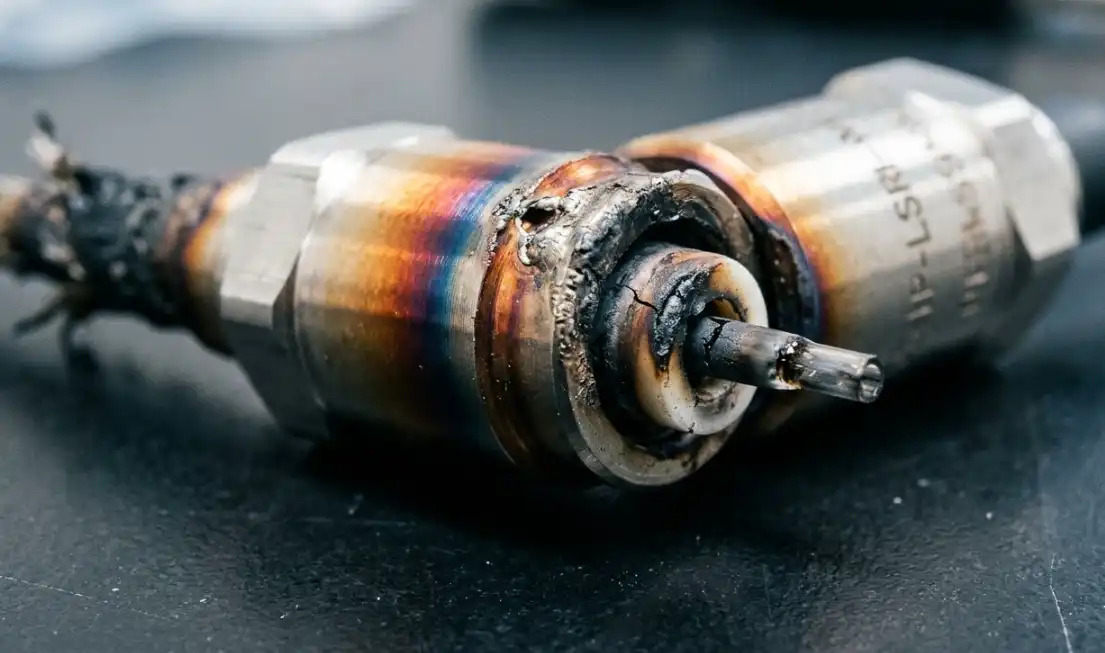
Keeping the temperature right is very important. If things get too hot, the fiber and other parts can break. You need to keep the workshop, chiller water, and control cabinet at safe temperatures.
Here is a table with the best temperature ranges for each part:
| Component | Recommended Temperature Range | Key Insights |
|---|---|---|
| Workshop | 15°C – 30°C (Ideal: 22°C ± 2°C) | The room temperature helps control heat for everything. |
| Chiller Water | Laser: 20°C – 22°C Cutting head/Fiber: 28°C – 30°C | Two cooling systems help keep both the laser and cutting head cool. |
| Control Cabinet & Drivers | Below 40°C | Cabinets get hot fast. Use fans to keep them cool. |
You should know the highest safe temperatures. If the fiber is much hotter than the air, damage can happen. The risk depends on how much power you use and how hot things get.
- You can figure out the damage risk by looking at the temperature difference and power.
- If the temperature goes up too quickly, the fiber can melt or crack.
Note: Check temperature sensors often. Clean the cooling system and look for leaks. If you see water drops or fog, fix the temperature right away.
If you keep power and temperature safe, your laser fiber will last longer. You will not have to pay for expensive repairs.
Gas And Environmental Factors
Laser fiber systems can have problems from gas flow and static electricity. If you do not control these, your system may stop working well. Sometimes, it can even fail completely. You should know how these things cause trouble and learn ways to stop them.
Fluctuating Assist Gas
Assist gas helps clear away melted stuff and keeps the area clean. If the gas flow changes a lot, your laser fiber may not work right. Unsteady gas flow can make cuts uneven. It can also cause overheating or block the fiber. These issues can damage your laser fiber.
You can keep gas flow steady by using good equipment. Flow control valves help manage low-pressure, high-flow gases. Some valves, like the 607 Flowtronic D, work well for this. The 614 Sentronic Plus valve gives you exact pressure control and reacts fast to changes. You can change these valves with software to fit your needs. This setup helps you get clean cuts and keeps your fiber safe.
Tip: Check your gas lines and valves often. Make sure there are no leaks or clogs. Use flow control valves for better results.
Electrostatic Discharge (ESD)
Static electricity can build up in your workspace. When it releases, it can hurt sensitive parts of your laser system. Laser diodes are at high risk. As these parts get smaller and faster, they get even more sensitive to ESD. Damage can happen when making or using the equipment. The risk is always there.
You can lower ESD risk by doing these things:
- Work at static-safe stations.
- Use air ionizers to remove static.
- Stay at least 1 meter away from static-sensitive spots.
- Discharge static before touching the fiber.
- Wear antistatic clothes.
- Check your ESD safety steps often.
- Teach your team about ESD dangers.
- Set up ESD control plans and use grounding.
- Pick ESD-safe tools and materials.
- Use anti-static wrist straps and mats.
- Control humidity with HVAC systems.
- Move slowly and avoid rubbing things together.
Note: Even small static shocks can cause big trouble. Take ESD safety seriously to protect your laser fiber.
If you control gas flow and stop static, your laser fiber system will last longer and work better.
Component And Material Defects
Laser fiber systems have many small parts that must work together. If one part breaks, laser fiber damage can happen. You should look for problems with connectors, couplings, and laser diodes.
Connector And Coupling Issues
Connectors and couplings link the fiber to the laser source. If these parts are loose or dirty, your system may lose power or stop. Here are some common problems that can hurt your fiber:
- The fiber and laser source do not line up right.
- Dirt or dust is at the fiber connection.
- Laser power or pulse settings are too high.
- Laser energy bounces back into the fiber.
- The connector is screwed on too tight.
- The fiber gets weaker as time passes.
You can stop many of these problems by checking connectors before you use them. Clean the ends with the right tools. Do not force connectors together. If you see dirt or damage, change the part right away. Always follow the maker’s rules for cleaning and tightening.
Tip: Keep extra connectors in a clean, dry spot. Handle them gently so they do not get dusty or scratched.
Material Defects In Laser Diodes
Laser diodes make the light that goes through your fiber. If a diode has a flaw, it may break early or make weak light. You can find problems by using special checks. Here are some common ways to check for defects:
| Testing Protocols | Purpose |
|---|---|
| Fabrication Testing | Makes sure the process works well and checks things like output power and emission color. |
| Production Burn-In | Finds and removes diodes that might break soon because of tiny flaws, so they last longer. |
| Quality Control | Checks during product making and testing to keep quality high. |
You should check diodes when you set up and after any trouble. Change any diode that does not pass these checks. Regular checks help you find problems before they get worse.
Note: If you keep checking and replace bad parts, your laser fiber system will last longer and work better.
Preventing Laser Fiber Damage
You can stop most laser fiber damage with easy steps. Regular checks and good habits help your equipment last longer. Taking care of your laser system saves money and keeps it running.
Routine Inspection Tips
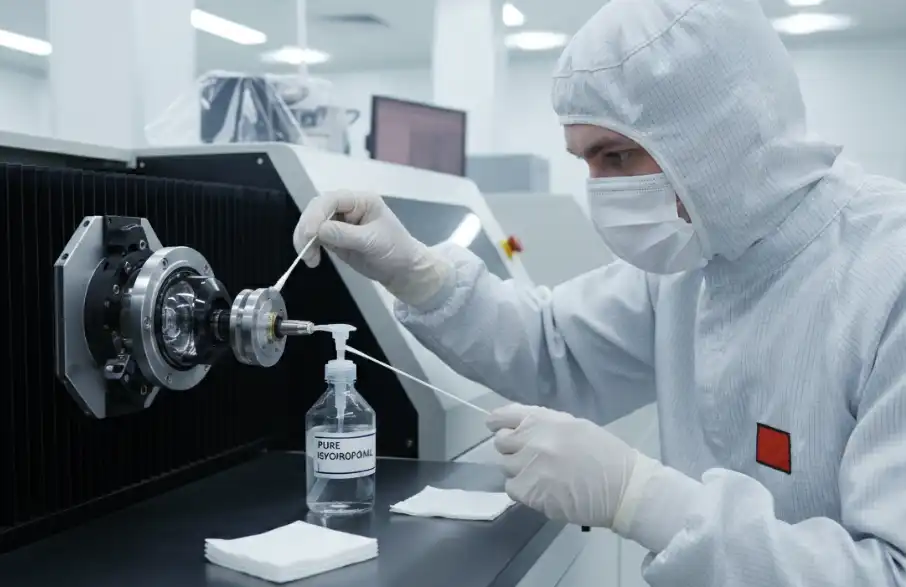
Make a plan to check your laser system often. Do some tasks every day, week, and month. This helps you find problems early. Use this table to help you remember what to do:
| Frequency | Task Description | Procedure |
|---|---|---|
| Daily | Inspection of Optical Components | Clean the lens and mirrors with a soft cleaner and lint-free cloth. Check if things line up using tools. |
| Weekly | Lubrication and Electrical Checks | Add oil to moving parts if needed. Look at wires and tighten them. |
| Monthly | Examine and Replace Consumables | Look at nozzles and ceramic rings for damage. Check protective windows for cracks or color changes. Change them if needed. |
Tip: Keep a notebook for your checks. Write down what you look at and any problems you see.
Training And Best Practices
Training helps you and your team avoid mistakes. When you know how the laser works, you can use it safely. You can also fix small problems before they get big. Good training teaches you the basics and safe ways to use the machine.
- Training makes work safer and faster.
- You learn how to handle and clean the fiber the right way.
- You learn about laser science and how to use the controls.
Experts say you should also do these things:
- Keep the room at 20–25°C and humidity at 40–60% RH.
- Use air filters and dust covers to keep the laser clean.
- Store extra parts in closed boxes in cool, dry places.
- Change old parts before they break.
- Oil moving parts as the maker says.
- Update software and plan regular checkups.
🛠️ Taking care of your system can stop 90% of small problems and make your optics last 40% longer. If you check and clean your system often, you stop most problems before they start.
You have learned six big reasons why laser fiber gets damaged. These are physical stress, contamination, power issues, gas problems, faulty parts, and poor handling. Doing regular maintenance can help you stop most of these problems. If you keep your system clean and check it often, you can stop dust, worn parts, and overheating. Research shows that laser pulse width, machining direction, and heat flow all change how fiber gets damaged:
| Key Findings | Description |
|---|---|
| Laser Pulse Width Impact | Different pulse widths change how well the laser cuts. |
| Anisotropic Machining | The way you cut changes how much damage happens. |
| Thermal Conduction Effects | Heat moves in different ways, so damage looks different each time. |
- Clean away dust and debris to stop things from getting too hot.
- Oil moving parts so they do not wear out fast.
- Change old parts to help the laser cut better.
- Make sure the cooling system works to stop heat damage.
If you follow these tips, your laser fiber will last longer and work better every day.
FAQ
What is the most common cause of laser fiber damage?
You often see damage from bending or flexing the fiber. Sharp bends break the fiber inside. Always handle fibers gently and keep them straight to avoid this problem.
How often should you clean your laser fiber?
You should clean your laser fiber before each use. Dust and dirt build up quickly. Regular cleaning keeps your system working well and helps prevent damage.
Can high power settings ruin your laser fiber?
Yes, high power settings make the fiber very hot. Too much heat can melt or crack the fiber. Use the recommended power levels and watch for signs of overheating.
What should you do if you see a weak laser beam?
Check for dirt on the lens or fiber end. Look for loose connectors. Clean the parts and tighten connections. If the problem continues, inspect for damage or replace faulty components.
See also
The influence of laser head structure design on cleaning effect
Laser cleaning: which is better, air cooled or water-cooled