
oceanplayer

Oceanplayer Industrial Laser Equipment | Cleaning, Welding, Marking, Automation Sample Testing | Global Shipping | OEM/ODM Support
After-Sales Service

Keep your Oceanplayer laser machine running with reliable support

Get service support for installation guidance, operator training, troubleshooting, maintenance, spare parts and process questions after your laser machine is delivered.
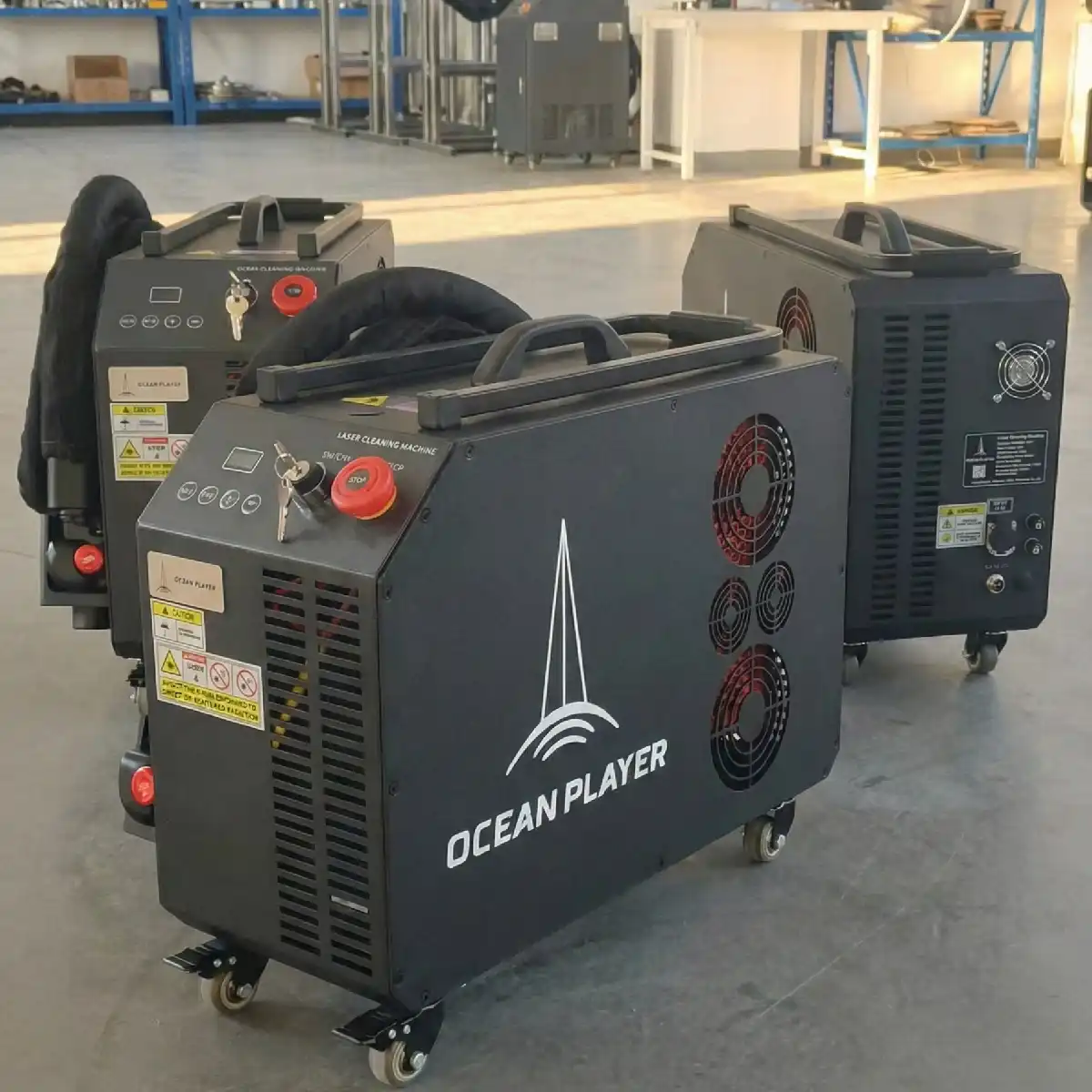
  • Installation guidance
  • Remote troubleshooting
  • Spare parts and maintenance
Oceanplayer after sales service for laser machines
Service support Cleaning, welding, marking and automation systems
SetupInstallation guidance
CareMaintenance support
PartsConsumables advice
Remote SupportGet help with settings, operation and troubleshooting.
Operator TrainingSupport for daily use, safety and process adjustment.
Maintenance GuidanceKeep optics, cooling and motion parts in better condition.
Parts SupportConfirm suitable consumables and replacement parts.
Service Coverage

After-sales support for the full laser machine lifecycle

From first setup to daily maintenance, Oceanplayer support helps your team use the machine with more confidence.

Setup

Installation guidance

Review machine placement, power connection, cooling, air supply, software setup and basic operation steps.

Training

Operator training

Support daily operation, parameter adjustment, safety checks and process habits for stable use.

Process

Application support

Help adjust cleaning, welding or marking settings when materials, thicknesses or results change.

Care

Maintenance guidance

Support maintenance planning for optics, cooling systems, nozzles, lenses and machine condition checks.

Support Workflow

How after-sales service requests are handled step by step

A clear description, photos and videos help the service team identify the issue faster and provide more practical support.

Step 01

Submit details

Share machine model, serial number, issue description, photos, videos or alarm information.

Step 02

Review the situation

The support team reviews machine status, operation method and possible process-related factors.

Step 03

Guide troubleshooting

Receive checking steps for settings, optics, cooling, software, wiring or consumable condition.

Step 04

Confirm the action

Decide whether the issue needs parameter adjustment, maintenance, replacement parts or deeper inspection.

Step 05

Follow up result

Review whether the machine is working normally and whether additional training or parts are needed.

Remote support helps solve many daily operation questions faster.

For operation, software, parameter and process questions, remote support can help your team check the issue without waiting for an on-site visit.

OperationStart-up, shutdown, safety checks and daily workflow guidance.
ParametersCleaning speed, welding power, marking focus and process settings.
SoftwareBasic file setup, marking content, control interface and alarm review.
TrainingOperator habits, maintenance schedule and result evaluation.
remote support and operator training for laser machine
Machine Support

Service support by laser machine category

Different machines need different support priorities, from optics and cooling to wire feeding, marking software and automation fixtures.

Machine Type Common Support Topics Helpful Information Service Goal
Laser Cleaning MachineCleaning speed, focus, lens condition, scan width, surface effect and dust controlMaterial, contamination type, before-after photos and power settingsStable cleaning result with suitable heat input and surface quality
Laser Welding MachineWeld seam quality, wire feeding, gas, nozzle, lens, cooling and penetrationMaterial, thickness, joint type, weld photos and parameter detailsCleaner welds, stable operation and better fit for the production task
Laser Marking MachineFocus, contrast, code readability, software files, lens selection and fixture alignmentMaterial, mark size, desired contrast, sample photos and file contentReadable, durable marks with suitable speed and quality
Robotic / Automated SystemFixture, robot path, safety enclosure, communication, sensor and cycle time checksWorkflow video, alarm message, part drawing and production sequenceRepeatable processing and smoother production integration
Maintenance Checklist

Simple maintenance habits help protect machine performance

Regular inspection can reduce unexpected downtime and keep cleaning, welding or marking results more stable.

1

Check optical parts

Inspect protective lenses, focusing lenses, mirrors and windows for dust, spatter, burn marks or contamination.

2

Review cooling condition

Check water level, temperature, airflow, filters and cooling alarms according to the machine configuration.

3

Keep the work area clean

Remove dust, metal spatter and smoke residue from the working area, fixtures and moving parts.

4

Record process changes

Keep notes on material changes, parameters, consumable replacement and repeated issues for faster support review.

When the result changes suddenly, check consumables and settings first.

Many changes in cleaning quality, weld seam appearance or marking contrast come from lens condition, focus position, gas, cooling, material variation or parameter changes.

Spare Parts

Confirm suitable spare parts and consumables for your machine

Correct consumables help protect the laser system and keep the process result consistent.

laser machine optics and protective lens spare parts

Optical parts

Protective lenses, focusing lenses, mirrors, windows and optical accessories for different laser heads.

laser welding nozzles wire feeder and consumables

Welding accessories

Nozzles, copper tips, wire feeder parts, gas accessories and items related to weld seam stability.

laser marking fixtures rotary attachment and accessories

Marking fixtures

Rotary attachments, fixtures, lenses and setup accessories for stable marking position and readability.

Faster Troubleshooting

Prepare these details before contacting service support

Clear information helps the support team understand the issue and guide the next step more quickly.

Machine details

Machine model, serial number, laser power, purchase information and current operating environment.

Issue evidence

Photos, videos, alarm messages, software screenshots, part samples or before-and-after result changes.

Process details

Material, thickness, surface condition, gas, speed, power, focus, cleaning width or marking file information.

Service Request

Need help with your Oceanplayer laser machine?

Send your machine model, issue description, photos or videos. Oceanplayer can review the service request and help guide the next step.

01

Share machine information

Provide model, serial number, issue description and operating condition.

02

Send photos or videos

Show alarms, machine status, process result and key parts related to the issue.

03

Review the solution

Receive checking steps, maintenance advice or spare parts guidance based on the situation.

After-Sales FAQ

Common questions about after-sales service

These answers explain what information to provide, how support works and what daily maintenance topics matter for laser machines.

What after-sales support can Oceanplayer provide?
Oceanplayer can support installation guidance, operator training, remote troubleshooting, process adjustment, maintenance guidance, spare parts confirmation and service request review for laser cleaning, welding, marking and automation systems.
What information should I provide for a service request?
Please provide the machine model, serial number, issue description, photos, videos, alarm messages, operating environment and current process settings. This information helps the support team understand the issue faster.
Can remote support help with machine operation issues?
Yes. Many operation, software, parameter, maintenance and process questions can be reviewed remotely when clear photos, videos and machine details are available.
What spare parts or consumables may need regular attention?
Common parts include protective lenses, focusing lenses, nozzles, copper tips, wire feeder parts, marking fixtures, cooling-related parts and other accessories depending on the machine type.
Why did my cleaning, welding or marking result suddenly change?
Result changes can come from lens contamination, focus shift, parameter changes, material variation, gas condition, cooling issues, consumable wear or operator workflow changes. Support review can help narrow the cause.
Can Oceanplayer help with process settings after delivery?
Oceanplayer can review application details and help guide process adjustment for cleaning effect, weld quality or marking contrast. Actual results depend on material, machine configuration and operating conditions.