oceanplayer

Oceanplayer Laser Equipment | Cleaning, Welding, Marking, Automation Sample Testing | Global Shipping | OEM/ODM Support
20W / 30W / 50W Fiber Laser Marker

20W, 30W and 50W Fiber Laser Marker for Permanent Metal Codes, Logos and Traceability.

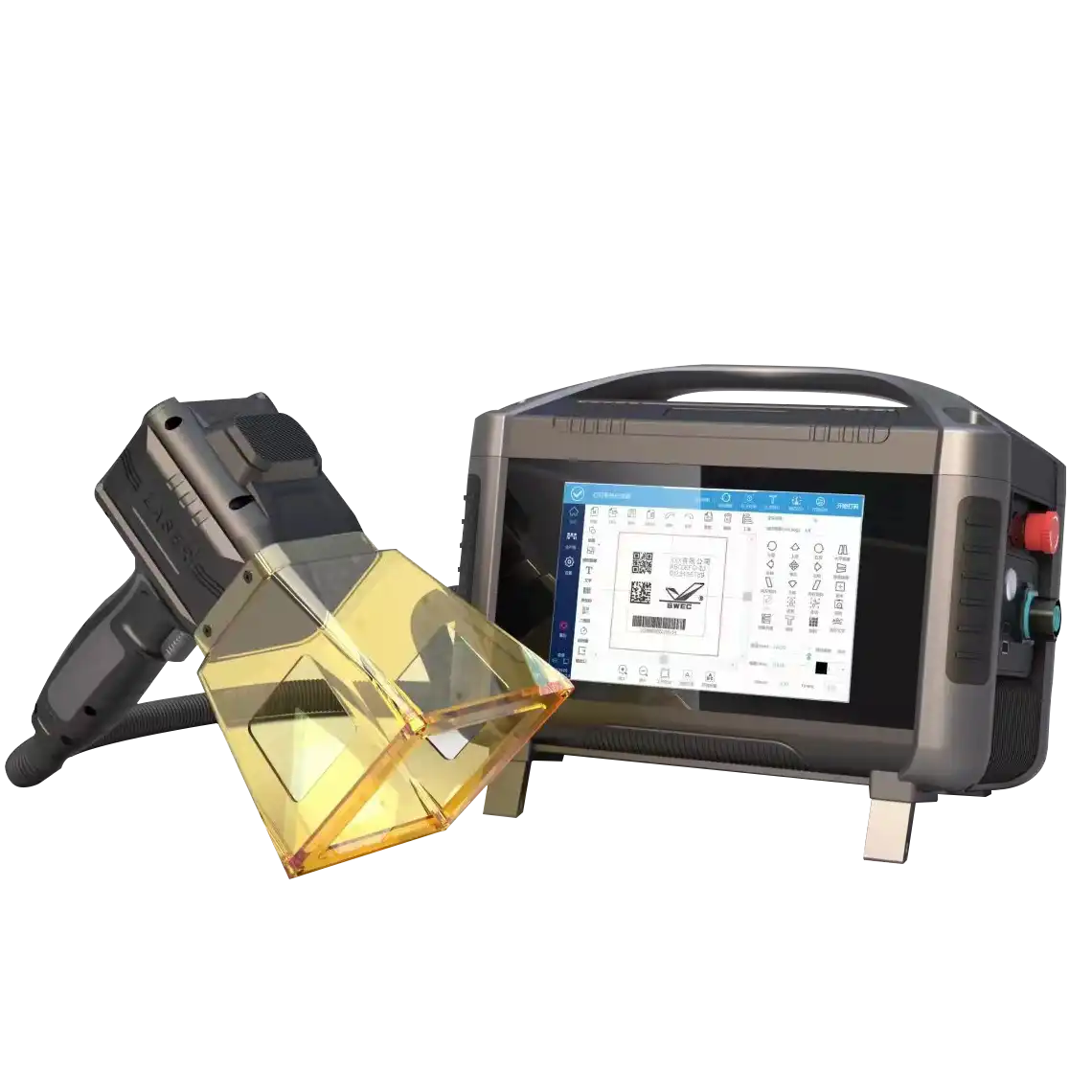
Oceanplayer 20W, 30W and 50W fiber laser markers create permanent, high-contrast marks on metal and selected plastics. Choose the right power for logos, QR codes, serial numbers, nameplates, tools, hardware, electronic parts and production traceability.
  • 20W / 30W / 50W options
  • Metal logo and QR code marking
  • Sample marking test available
Oceanplayer 20W 30W 50W fiber laser marker for metal logo QR code and serial number marking
Choose the right powerMatch marking speed, depth and material before ordering
20WGeneral marking
30WFaster daily use
50WDeeper metal marks
Permanent MarksLogos, QR codes and serial numbers that stay on the product
Power MatchingChoose 20W, 30W or 50W based on speed and depth needs
Low ConsumablesNo ink, label, screen plate or chemical etching process
Factory SupportSample testing, export packing and remote setup guidance
Why Fiber Laser Marking

Make product identification clear, durable and easy to trace

Fiber laser marking is a practical choice when ink, labels or engraving methods cannot provide the durability, speed or fine detail your products need.

Permanent Identification

Mark logos, batch codes, serial numbers and product data directly on metal parts, helping reduce missing labels and fading ink.

Readable QR and Barcodes

Fine laser marking supports traceability codes for inventory, warranty, quality control and part tracking.

Fast Production Workflow

Fiber marking is fast, clean and low maintenance, making it suitable for workshop marking stations and production line identification.

Power Selection

Choose between 20W, 30W and 50W based on your marking result

The best power depends on material, mark depth, cycle time, contrast target, marking area and whether you need deeper engraving on metal.

Entry Power

20W Fiber Laser Marker

Suitable for general surface marking, logos, small text, QR codes and serial numbers on common metal parts.

  • You need standard product identification
  • Your mark is mainly surface-level
  • You want a lower starting budget
Deeper Marking

50W Fiber Laser Marker

Better for deeper metal marks, higher marking speed and industrial parts that need stronger engraving or longer service readability.

  • You need deeper marks on metal
  • Your cycle time matters
  • You mark tools, molds or harder parts
Material Guide

Match fiber marker power to material, speed and mark depth

Actual marking results depend on material grade, coating, surface finish, lens size and parameter settings. Sample marking helps confirm the best power before purchase.

Laser PowerBest FitTypical MaterialsCommon Applications
20W FiberGeneral surface markingStainless steel, aluminum, coated metals, selected plasticsLogos, serial numbers, QR codes, tags and light nameplates
30W FiberFaster daily marking and clearer contrastHardware, tools, anodized aluminum, electronics, steel partsProduction marking, barcode marking, batch code and traceability
50W FiberDeeper marks and higher marking speedSteel, aluminum, brass, copper, molds and hard metal partsDeep serial numbers, tool marking, molds, industrial parts and tags
Rotary OptionRound product markingRings, cups, tubes, bearings, cylindersLogo, scale, serial number and circular text marking
Application Range

Built for metal product marking, traceability and branding

Choose a 20W, 30W or 50W fiber marker when your product needs a clean, permanent mark that can support branding, tracking and quality control.

  • Stainless steel tools, hardware, knives, cups, panels and nameplates
  • Aluminum parts, anodized aluminum housings, tags and electronic shells
  • Carbon steel, galvanized steel, bearings, gears and machinery parts
  • Brass, copper, titanium, coated metal parts and industrial components
  • QR codes, barcodes, serial numbers, date codes, logos and rating plates
  • Round parts with optional rotary fixture, including rings, tubes and cylinders
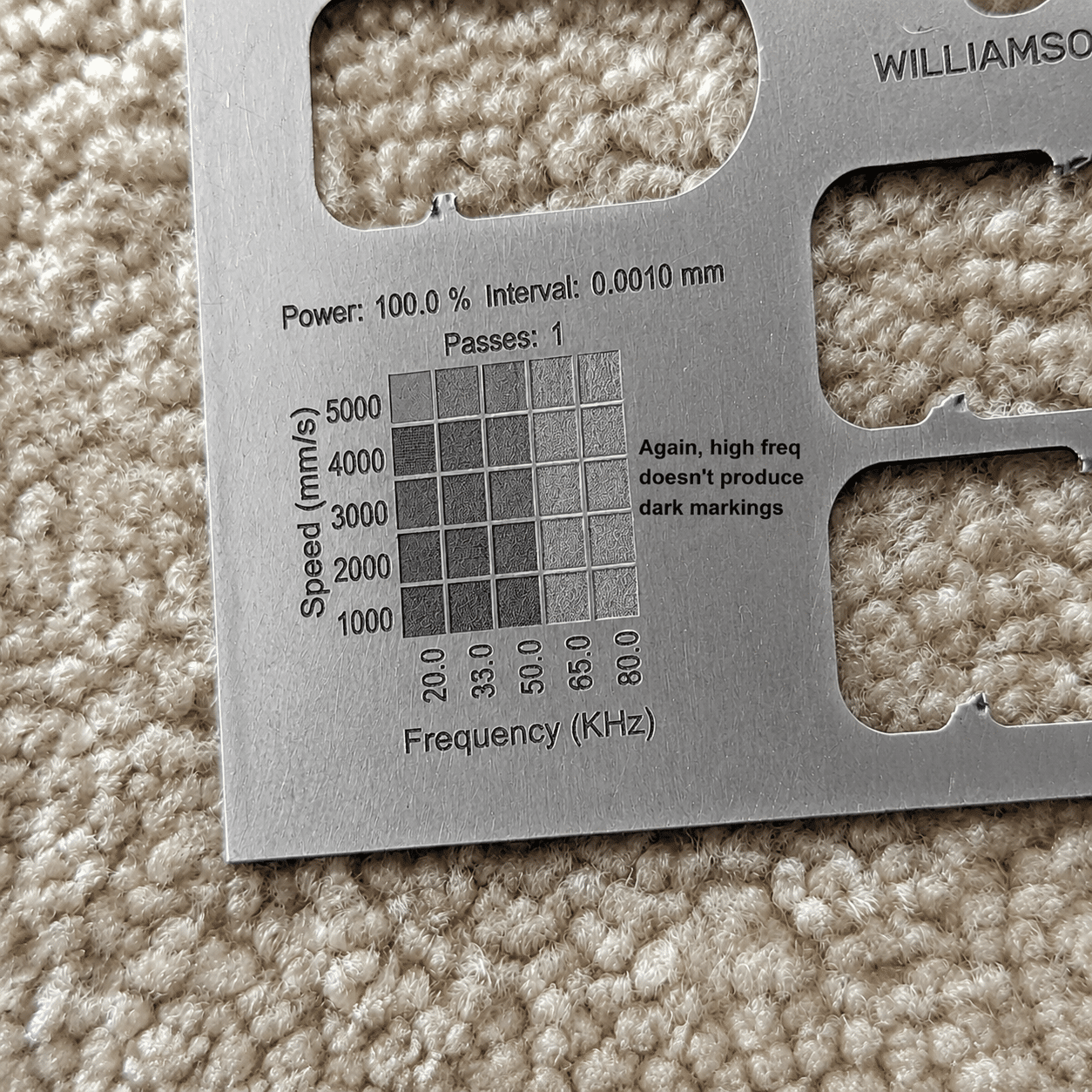
20W 30W 50W fiber laser marker application for metal parts QR code logo and nameplate marking
Marking Results

Confirm marking contrast and depth on your real product

Sample marking shows how 20W, 30W and 50W compare on your material, including contrast, speed, line width, QR readability and surface depth.
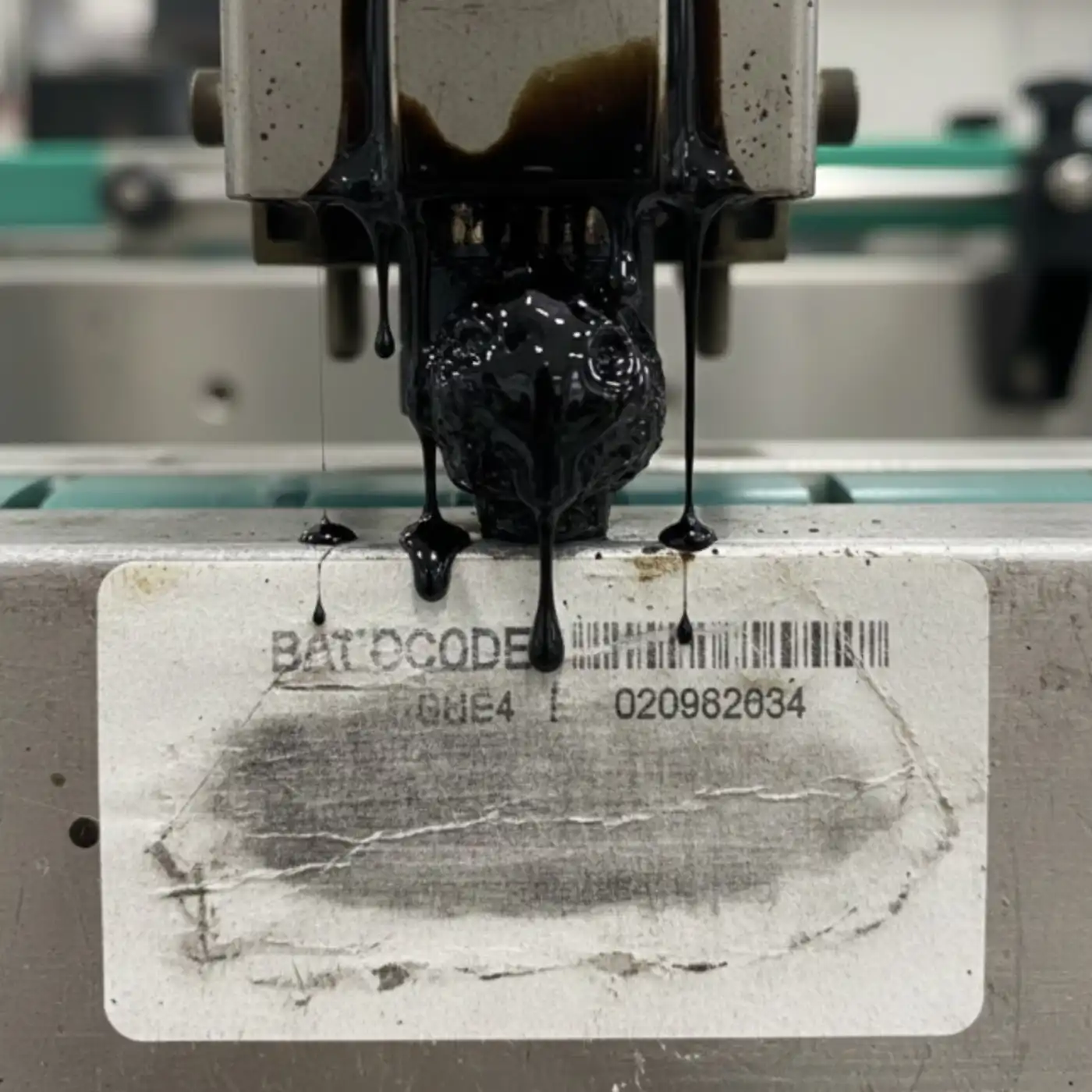
Ink or label marking before fiber laser marking on metal product
Ink or Label

Surface codes can fade, peel or be removed

Labels and printed marks may not be durable enough for tools, metal parts, outdoor products or items exposed to cleaning and handling.
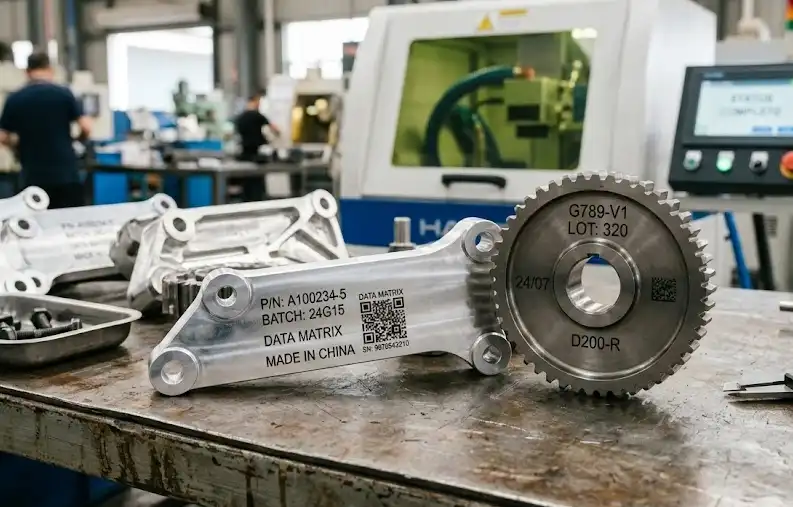
Fiber laser marker result with permanent QR code and logo on metal part
Fiber Laser Marking

Permanent marks stay with the product

Fiber laser marking creates durable product information directly on the surface, supporting traceability, warranty and branding.

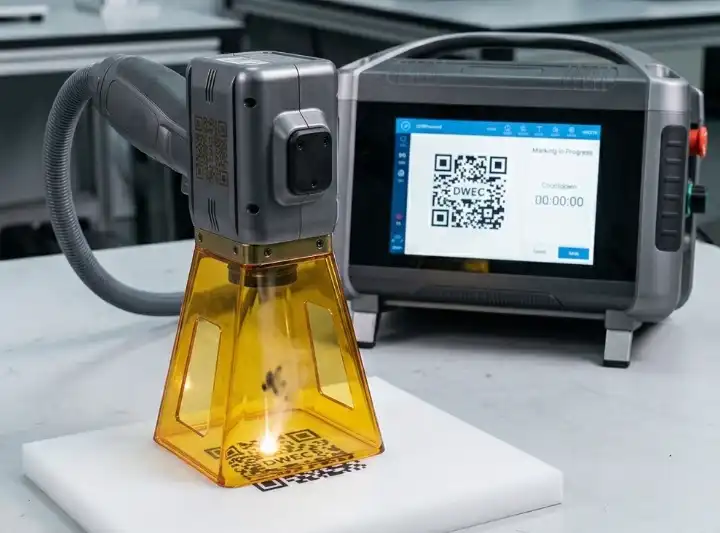
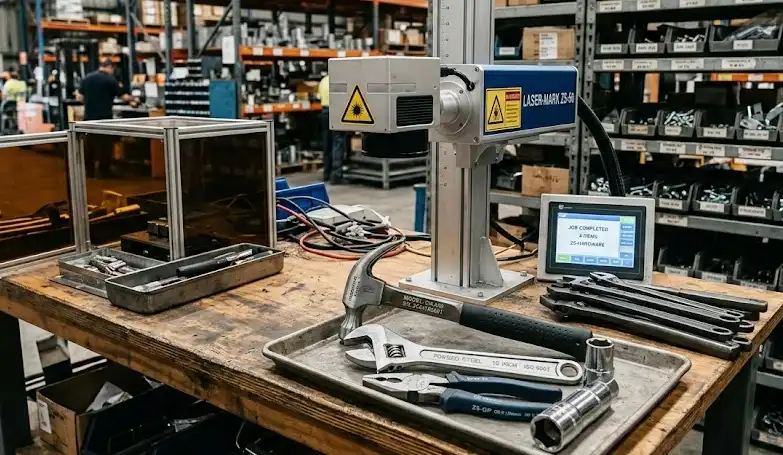
Marking Gallery

Review typical marks from 20W, 30W and 50W fiber markers

Clear sample photos help you judge contrast, detail, depth, readability and whether the mark appearance fits your product.
Decision Questions

Check the details that decide which power is right

A good fiber marker should match your material, mark size, contrast target, depth requirement, fixture needs and daily marking volume.

How deep should the mark be?

Surface logos and QR codes often work with 20W or 30W. Deeper tool marks and harder metal parts usually benefit from 50W.

How fast is your cycle time?

Higher power can improve marking speed on many metal parts, especially when marking larger logos, deeper lines or bigger batches.

Do you mark round parts?

Rings, cups, tubes, cylinders and bearings usually need a rotary fixture for consistent marking around the curved surface.

Configuration Options

Build the fiber marker around your product shape and workflow

Choose desktop, enclosed, split portable or online marking based on product size, safety needs, marking area and production volume.

Desktop

Desktop Fiber Marker

Suitable for small parts, tools, tags, plates and workshops that need a stable marking station.

  • Good for fixed workstation marking
  • Easy to position small parts
  • Common for logo and serial number marking
Flexible Use

Portable or Online Marker

Suitable for large parts, production lines, equipment plates and products that are difficult to move to a desktop station.

  • Useful for large or heavy parts
  • Can support conveyor marking needs
  • Good for flexible production layouts
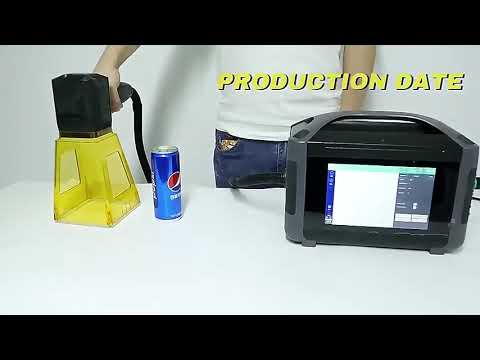
Video Demonstration

Watch 20W, 30W and 50W fiber marking performance

Marking videos help you check speed, contrast, depth, line detail and QR readability before choosing the final power.
Machine Specifications

Key specifications for the 20W / 30W / 50W fiber laser marker

Review the main configuration options before requesting a quote. The final setup can be matched to material, mark size, depth, speed and production layout.

Fiber Marking System

Laser TypeFiber laser marking system
Laser Power20W, 30W, 50W options
Marking ContentLogo, text, QR code, barcode, serial number and date code
Best MaterialsStainless steel, aluminum, carbon steel, brass, copper and coated metals
Marking AreaCommon lens options for small, medium and larger marking fields

Optional Configuration

Machine StyleDesktop, enclosed, split portable or online marking setup
Rotary AxisAvailable for rings, cups, cylinders, pipes and round parts
Fixture SupportPositioning fixtures help improve repeatability for batch marking
Safety OptionsProtective enclosure, viewing window and smoke extraction options
SupportSample marking, parameter guidance and remote setup support
20W vs 30W vs 50W

Which power gives the best value for your marking work?

Choose Lower Power When

  • You mainly mark logos, text and QR codes on metal surfaces
  • Your daily marking volume is moderate
  • You want a lower starting budget
  • You do not need deeper engraving on hard metal parts
VS

Choose Higher Power When

  • You need faster cycle time or deeper marks
  • You mark tools, molds, parts or harder metal surfaces
  • Your production volume is higher
  • You want more power margin for future marking jobs
Sample Marking Test

Send your material before choosing 20W, 30W or 50W

A sample marking test helps compare marking contrast, speed, depth, QR readability and lens size on your actual product surface.

01

Share Your Product

Send material, surface finish, mark size, artwork and target contrast or depth.

02

Test Different Power

Our engineers compare 20W, 30W or 50W parameters based on your marking result.

03

Confirm Setup

Receive recommended power, lens, machine style, fixture and process direction.

Oceanplayer 20W 30W 50W fiber laser marker factory support and export packing
Factory Support

Oceanplayer helps match power, lens and fixture before shipment

Get support for sample marking, parameter comparison, machine configuration, rotary fixture selection, export packing and remote setup guidance.

3 Power20W / 30W / 50W options
RotaryRound part marking support
OEMLogo and enclosure options
RemoteSoftware and parameter guidance
FAQ

20W / 30W / 50W Fiber Laser Marker FAQ

How do I choose between 20W, 30W and 50W?
Choose 20W for general surface marking, 30W for faster daily production and better flexibility, and 50W for deeper metal marks, higher speed and harder industrial parts.
Can these fiber laser markers mark stainless steel and aluminum?
Yes. They can mark stainless steel, aluminum, anodized aluminum, carbon steel, brass, copper, titanium and many coated metals after parameter testing.
Can 20W mark QR codes clearly?
Yes. 20W can mark clear QR codes on many metal surfaces when the mark size, lens and parameters are matched correctly. Sample testing confirms readability.
When should I choose 50W?
Choose 50W when you need deeper marking, faster cycle time, stronger contrast on harder metals, or more power margin for industrial marking work.
Can Oceanplayer test my material before I order?
Yes. You can send material photos, samples, artwork and marking size. Oceanplayer can test marking parameters and recommend the right power, lens and machine configuration.