oceanplayer

Oceanplayer Laser Equipment | Cleaning, Welding, Marking, Automation Sample Testing | Global Shipping | OEM/ODM Support
Aluminum Laser Marking

Aluminum Laser Marking for Clean Logos, Serial Numbers, QR Codes and Durable Part ID.

Oceanplayer laser marking solutions help create permanent, readable marks on aluminum parts, anodized aluminum panels, housings, tags, tools, electronics components and precision machined parts. Choose the right fiber, MOPA or UV laser setup based on aluminum grade, surface finish, contrast requirement and production volume.
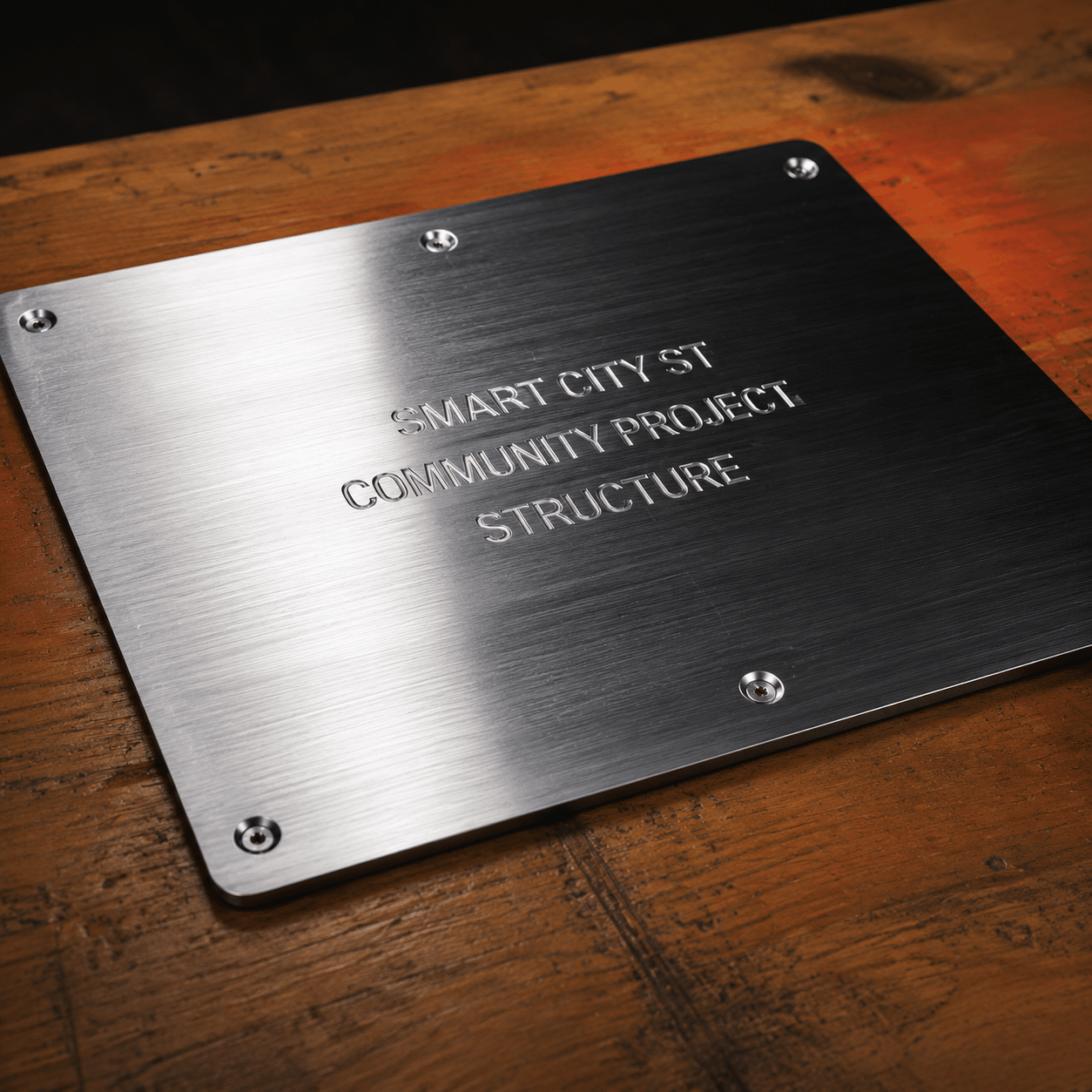
  • Anodized aluminum marking
  • QR codes, logos and serial numbers
  • Sample marking test available
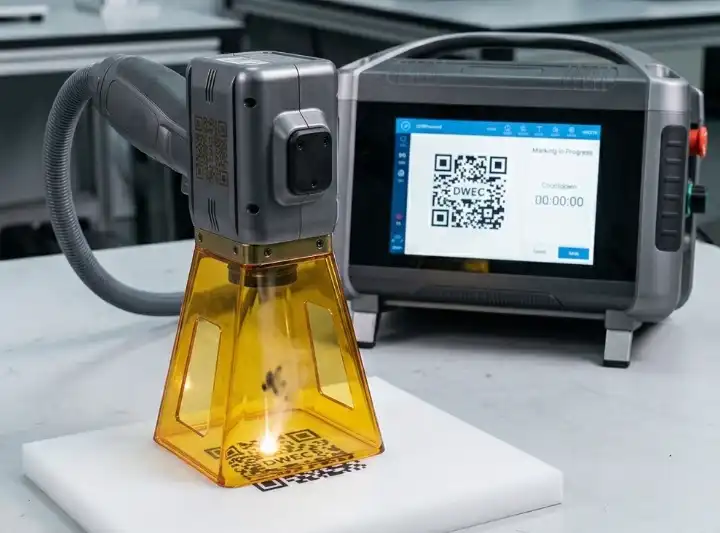
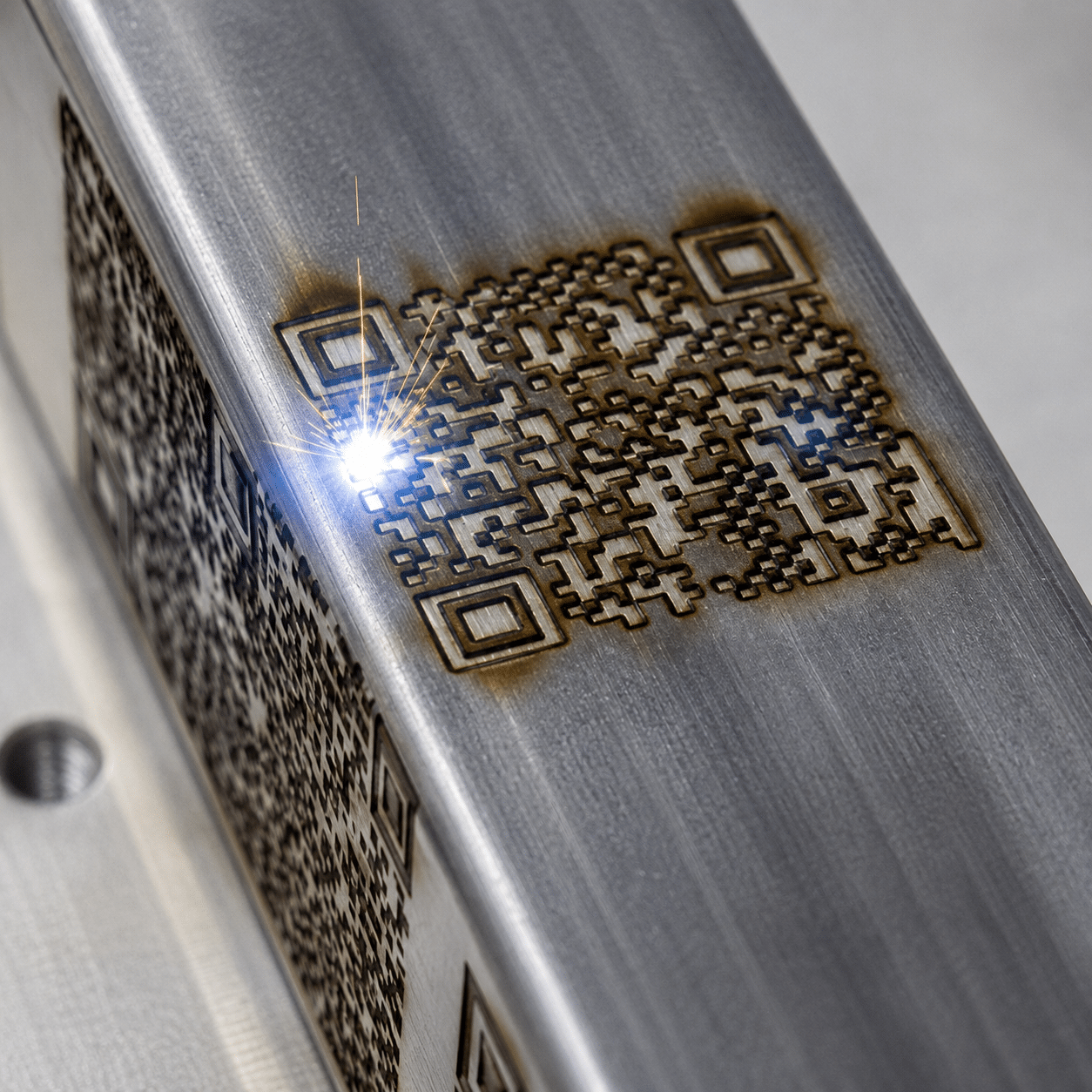
Aluminum laser marking machine marking logo QR code and serial number on aluminum parts
Readable aluminum marks For anodized panels, machined parts, tags and product ID
QR Traceability
MOPA Pulse control
UV Fine detail
High Readability Sharp codes, text and part numbers on aluminum surfaces
Surface-Specific Results Match settings to raw, coated or anodized aluminum
Low Consumables No ink, labels or chemical etching in daily marking
Sample Proof Check contrast, speed and surface impact before purchase
Customer Concerns

Aluminum parts often need marks that are clear, durable and surface-safe

Aluminum can be bright, reflective, anodized, coated or thin. A good marking setup should balance readability, appearance, speed and heat control.

QR codes must scan reliably

Laser marking can create crisp QR codes and serial numbers for aluminum parts used in production tracking, warranty control and inventory management.

Contrast varies by surface finish

Raw aluminum, brushed aluminum, coated aluminum and anodized aluminum respond differently, so sample testing helps confirm the final mark before batch production.

Thin parts need heat control

For thin panels, precision parts and finished products, the laser settings should reduce discoloration, warping risk and unwanted surface roughness.

Application Range

Where aluminum laser marking helps in real production

Laser marking is useful when aluminum parts need permanent identification, clean branding, traceable codes or compact product information without labels.

  • Machined aluminum parts, CNC components, tooling plates and precision housings.
  • Anodized aluminum panels, nameplates, tags, control panels and product labels.
  • Electronics enclosures, heat sinks, automotive parts and aerospace components.
  • QR codes, barcodes, serial numbers, model numbers, batch codes and logos.
  • Aluminum tubes, cylinders, caps, connectors and curved parts with rotary fixtures.
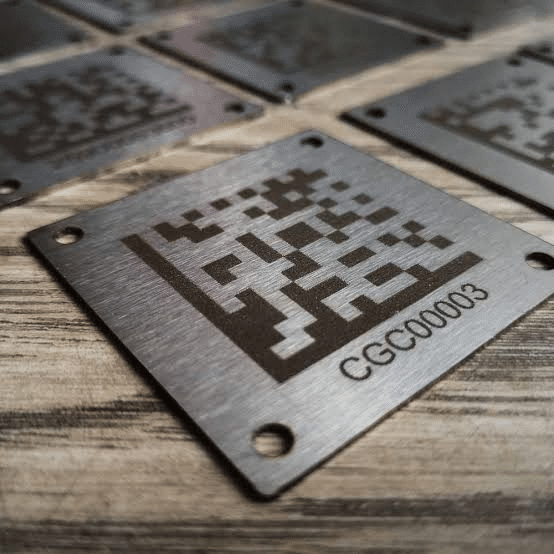
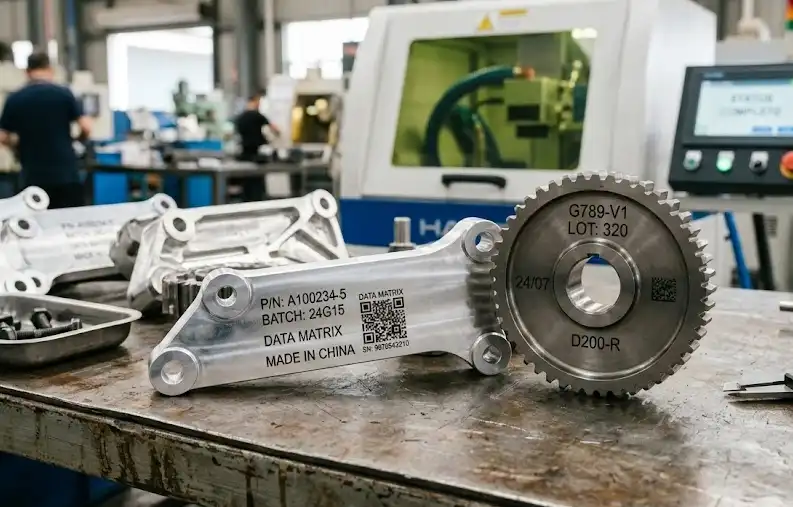
Aluminum laser marking applications for anodized panels machined parts QR codes and nameplates
Marking Effects

Choose the aluminum marking effect that fits your part and surface

Different aluminum finishes need different marking strategies. The goal may be dark contrast, bright engraving, coating removal or fine code readability.

Raw Aluminum

Permanent text and serial numbers

Suitable for machined parts, tooling components and industrial products where the mark must stay with the part.

  • Contrast depends on alloy and finish
  • Good for part ID and production tracking
  • MOPA settings can help improve control
Fine Marking

Small codes and delicate details

Useful for small aluminum products, electronics parts and compact labels where code size and edge quality matter.

  • Shorter focal length lenses improve detail
  • UV may be considered for sensitive parts
  • Fixture stability improves repeatability
Machine Guide

Select Fiber, MOPA or UV by aluminum marking requirement

The best choice depends on aluminum alloy, anodized layer, desired contrast, part thickness, code size, marking speed and automation needs.

Marking Requirement Common Laser Choice Best Use What To Check
Anodized aluminum logos Fiber or MOPA laser marker Nameplates, panels, tags and product branding Anodized color, coating thickness and final contrast
QR codes and serial numbers MOPA or fiber laser marker Traceability, inventory control and part identification Code size, scan distance and readability grade
Fine detail on small parts UV or MOPA laser marker Electronics, small housings and compact aluminum labels Heat sensitivity, lens size and fixture accuracy
Deep engraving on aluminum 30W/50W fiber laser marker Tools, tags, industrial parts and durable IDs Depth, burr risk, cycle time and surface texture
Batch production marking Automated laser marking system Serial numbers, QR codes, fixtures and conveyor lines Data input, positioning method and loading process
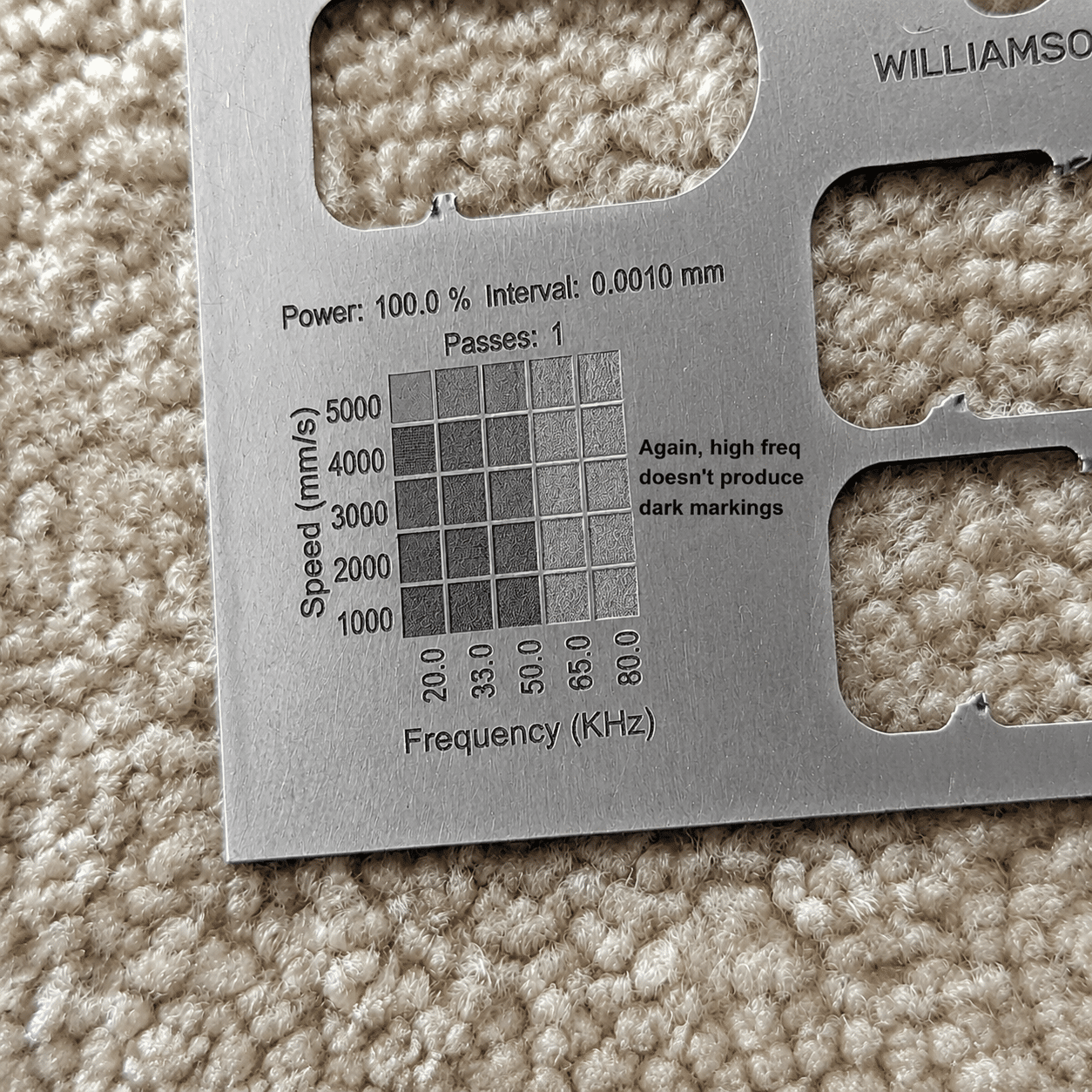
Marking Results Gallery

Review aluminum laser marking results across common part types

Compare marks on anodized aluminum, machined parts, nameplates, panels, tubes and QR code traceability samples.
Machine Configuration

Build the aluminum marking setup around your parts and workflow

Part size, marking area, production volume and safety requirements determine the right laser source, lens, fixture and workstation type.

MOPA Laser Marker

Recommended when aluminum marking needs better pulse control, improved contrast or more careful surface management.

Fiber Laser Marker

A strong general choice for logos, serial numbers, nameplates, part IDs and many anodized aluminum applications.

UV Laser Marker

Considered for fine detail, heat-sensitive parts, compact codes and selected aluminum products with delicate surfaces.

Rotary Attachment

Useful for aluminum tubes, caps, cylinders, round housings and curved components that require aligned marking.

Enclosed Marking Station

Improves operator protection and workshop cleanliness for production, labs and finished product marking areas.

Automated Marking System

Supports fixtures, conveyors, serial number rules, QR code data and repeatable batch marking for aluminum parts.

Before You Choose

Confirm these details before selecting an aluminum laser marker

Clear part information helps recommend laser type, power, lens, fixture, rotary device, enclosure and automation level.

Aluminum type and finish

Share raw aluminum, anodized aluminum, coated aluminum, brushed finish, polished finish or painted surface details.

Required mark effect

Confirm logo marking, black or light contrast, QR code, serial number, coating removal or deeper engraving.

Part size and shape

Flat plates, housings, tubes, caps, curved parts and small parts may need different lenses or fixtures.

Code readability target

For QR codes and barcodes, code size, scanning distance and lighting conditions should be confirmed before production.

Surface protection needs

Finished products, thin panels and precision parts may require lower heat input, better fixturing or special marking settings.

Production volume

Daily quantity helps decide manual workstation, enclosed system, rotary setup or automated marking system.

Sample Marking Test

Send your aluminum sample and get a practical marking recommendation.

Share aluminum grade, surface finish, marking content, target contrast, marking size and daily output. Oceanplayer can recommend fiber, MOPA, UV, rotary, enclosed or automated marking options.

01

Share Part Details

Send material finish, marking size, target effect and sample photos.

02

Test Marking Effect

Check contrast, scan readability, speed and surface impact.

03

Choose Configuration

Select laser source, lens, fixture, rotary option and workstation type.

FAQ

Aluminum Laser Marking FAQ

Can aluminum be laser marked?
Yes. Aluminum can be laser marked for logos, serial numbers, QR codes, barcodes, nameplates and permanent part identification. The result depends on aluminum alloy, surface finish and laser settings.
What laser is best for anodized aluminum marking?
Fiber and MOPA laser markers are commonly used for anodized aluminum. MOPA can offer better pulse control when the mark contrast, edge quality or surface finish is more demanding.
Can laser marking create high-contrast QR codes on aluminum?
Yes, especially on anodized aluminum and properly prepared surfaces. For QR codes, sample testing should check code size, scanning distance, mark contrast and readability.
Will laser marking damage thin aluminum parts?
With the right settings, laser marking can reduce unnecessary heat input. Thin aluminum panels or finished products should be tested to confirm surface quality and part stability.
Can aluminum laser marking be automated?
Yes. Aluminum marking can be integrated with fixtures, rotary attachments, conveyors, serial number rules, QR code data and vision positioning for batch production.