oceanplayer

Oceanplayer Laser Equipment | Cleaning, Welding, Marking, Automation Sample Testing | Global Shipping | OEM/ODM Support
MOPA Laser Marking Machine

MOPA Laser Marking Machine for Black Marking, Color Marking and Fine Surface Control.

Oceanplayer MOPA laser marking machines provide adjustable pulse width for more flexible marking effects on stainless steel, anodized aluminum, plastics and precision parts. They are ideal for black marking, color marking, fine logos, QR codes, serial numbers and high-end product identification.

  • Adjustable pulse width
  • Black and color marking
  • Sample marking test available
Oceanplayer MOPA laser marking machine for black marking color marking and fine logo marking
Pulse width controlFine tune contrast, color, depth and surface finish
MOPAAdjustable pulse width
Black MarkAluminum and stainless steel
ColorStainless steel effects
Better Surface ControlAdjust pulse width for contrast, color and heat effect
Premium Marking EffectsGood for black marks, color marks and fine product branding
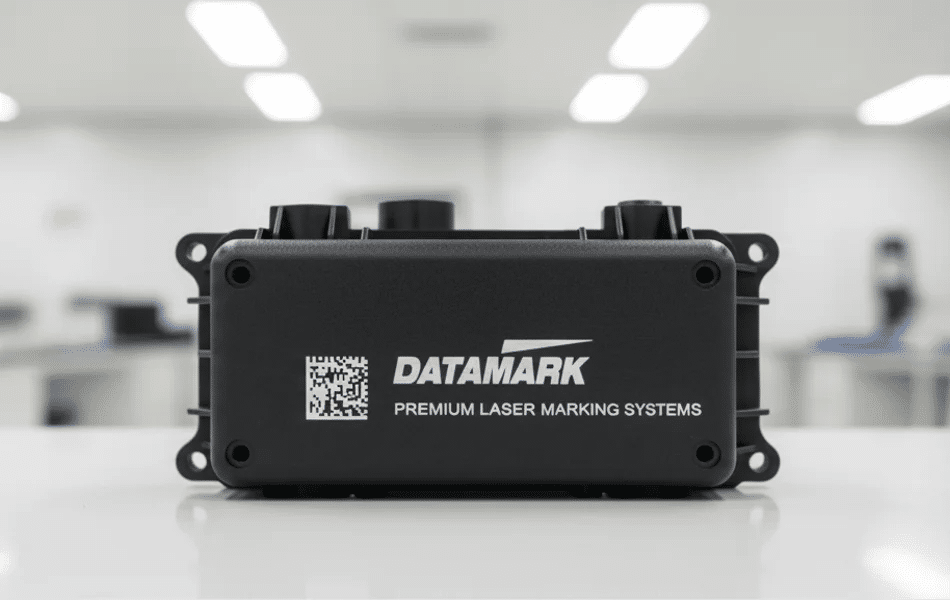
Traceability ReadyClear QR codes, serial numbers and batch codes for production
Factory SupportSample testing, export packing and remote parameter guidance
Why MOPA Laser Marking

Get more control over marking color, contrast and surface quality

MOPA fiber lasers offer adjustable pulse width, giving more process flexibility than standard fiber marking when the final surface appearance matters.

Adjustable Pulse Width

Fine tune pulse width, frequency and speed to control heat input, mark depth, contrast and surface texture on sensitive products.

Color and Black Marking

Create black marking on anodized aluminum and selected stainless steel surfaces, and produce color effects on stainless steel after testing.

Fine Detail Traceability

High-quality QR codes, micro text, serial numbers and logos help improve product traceability, branding and quality control.

Application Range

Designed for products where the marking result must look controlled and premium

MOPA marking is especially useful when your product needs strong contrast, color consistency, low surface damage and fine visual detail.

  • Black marking on anodized aluminum housings, panels and electronic parts
  • Color marking on stainless steel logos, tags, cups and decorative products
  • Fine QR codes, serial numbers and barcodes for traceability systems
  • Plastic marking on selected ABS, PC, PA and engineering plastics
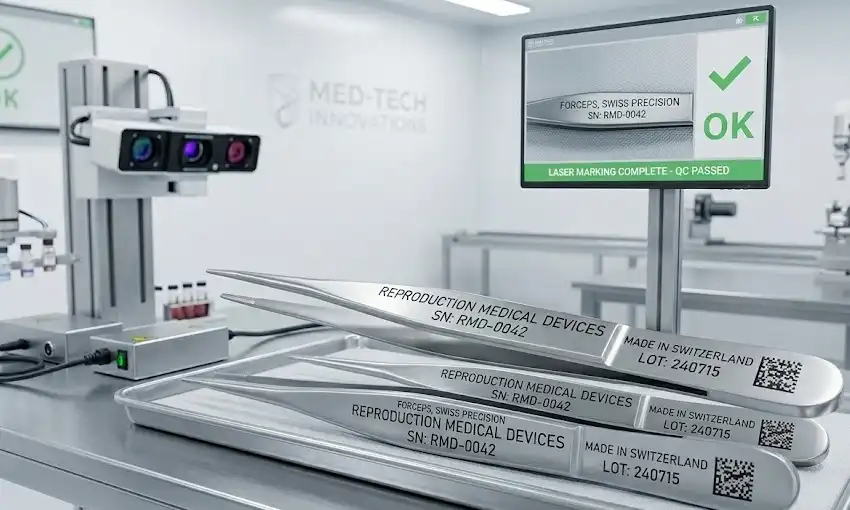
  • Medical tools, precision hardware, watch parts and high-end accessories
  • Battery parts, electronic components and products sensitive to heat input
MOPA laser marking application for black marking color marking QR code and precision parts
Effect Selection

Match MOPA settings to your desired marking effect

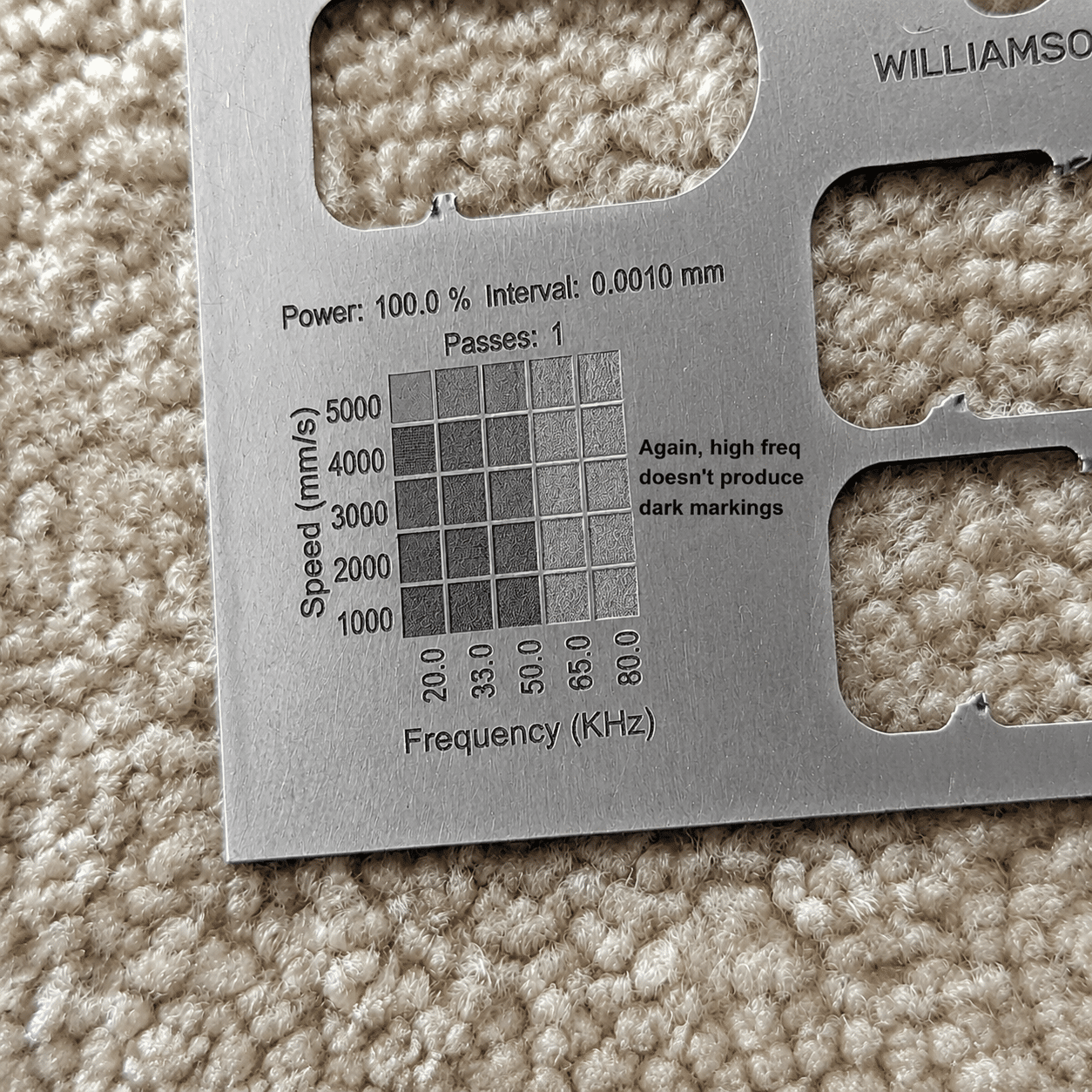
Different materials and surface finishes respond differently. Sample marking helps confirm the right power, pulse width, frequency, speed and lens size.

Marking NeedBest Material FitMOPA AdvantageCommon Products
Black markingAnodized aluminum, selected stainless steelAdjustable pulse width supports darker high-contrast marksElectronics, panels, nameplates, tools
Color markingStainless steelParameter control helps create different oxide color effectsCups, tags, decorative plates, branded products
Fine plastic markingSelected ABS, PC, PA and engineering plasticsLower heat control can improve edge detail and reduce burningElectronic housings, connectors, switches
High-resolution QR codeMetal and selected coated surfacesFine pulse control supports cleaner edges and better readabilityTraceability parts, tools, labels, serial plates
Marking Results

Compare standard marking with MOPA controlled marking

MOPA is valuable when a normal mark is readable but not visually good enough. It can improve contrast, surface smoothness and premium product appearance.
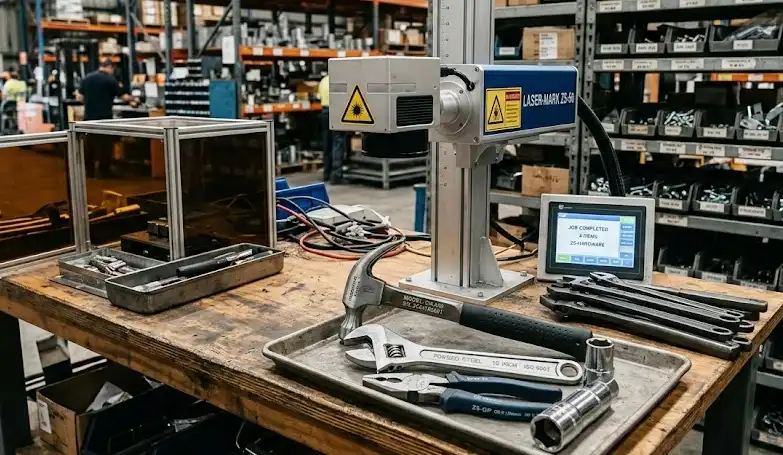
Standard fiber laser marking result on metal product
Standard Fiber Marking

Readable marks may not always meet appearance goals

Standard fiber marking is practical for many industrial parts, but premium products may need darker, smoother or more controlled visual effects.
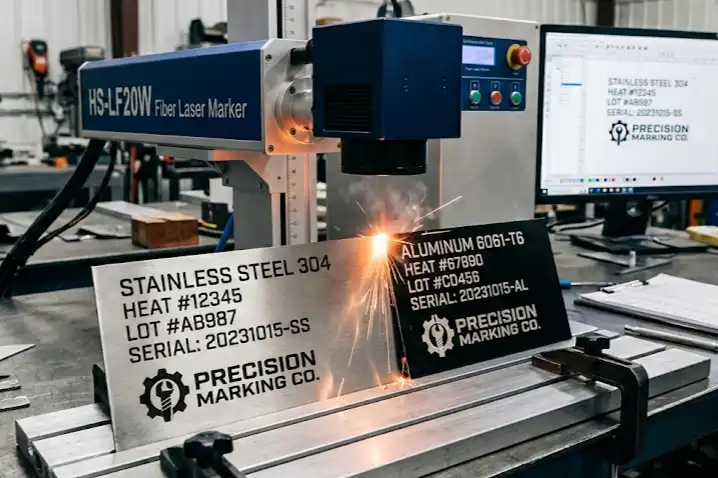
MOPA laser marking result with black marking color marking and fine logo on product
MOPA Marking

More control over color, contrast and surface finish

Adjustable pulse width provides more marking possibilities for black marks, color effects, plastics and fine detail work.

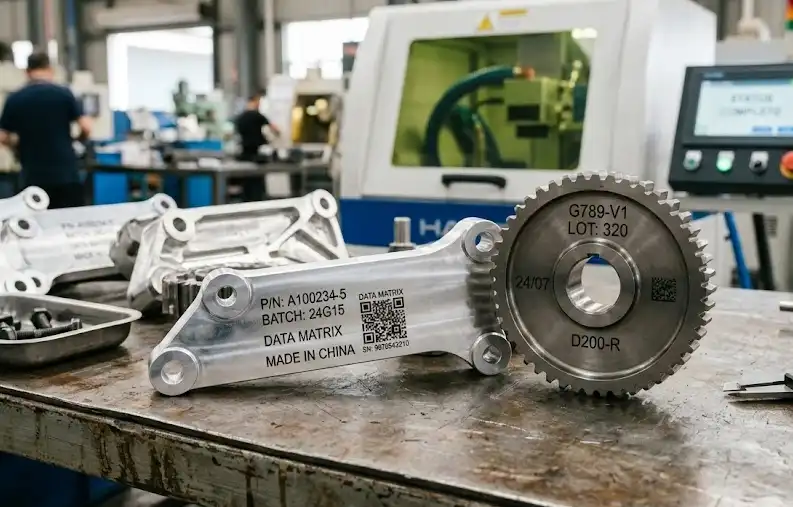
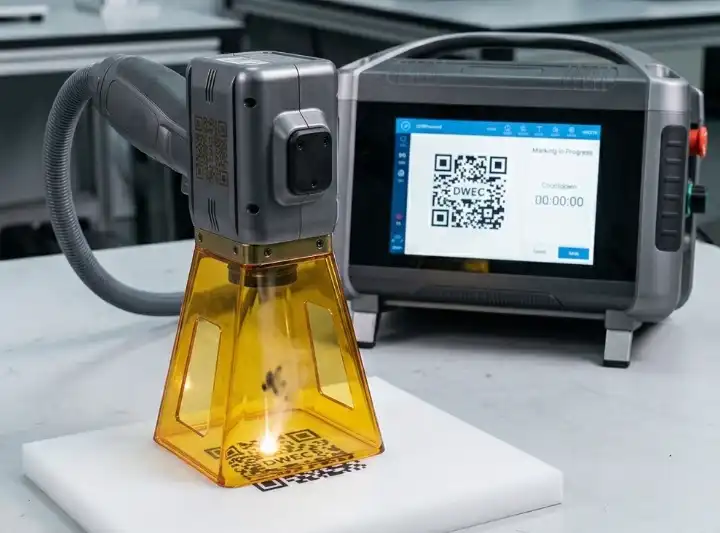
Marking Gallery

Review MOPA marking effects on metals, plastics and premium products

Sample photos help judge color stability, blackness, surface texture, QR readability and whether the effect matches your product style.
Decision Questions

Check the details that decide whether MOPA is the right choice

MOPA is not only about marking power. The real value is better parameter control when the mark effect is difficult or appearance-sensitive.

Do you need black or color marks?

If your product needs black aluminum marking, stainless color marking or a more premium finish, MOPA is usually worth testing.

Is the surface sensitive?

For thin coatings, plastics and precision parts, adjustable pulse width can help reduce burning, roughness or unwanted heat effect.

Will codes stay readable?

For small QR codes and serial numbers, sample marking can confirm edge clarity, scanner readability and long-term traceability.

MOPA vs Standard Fiber

Should you choose MOPA or standard fiber laser marking?

Standard Fiber Laser Marker

  • Good for general metal marking, logos, codes and serial numbers
  • Practical for many industrial parts and daily production needs
  • Usually more cost-effective for simple black or gray marks
  • Less flexible when color, black aluminum or sensitive plastic marking is required
VS

Oceanplayer MOPA Laser Marker

  • Adjustable pulse width for wider parameter control
  • Better fit for black marking on anodized aluminum and selected surfaces
  • Supports stainless steel color marking after sample testing
  • Useful for plastics, fine detail and premium product appearance
Configuration Options

Build the MOPA marking setup around your product and production flow

Choose the right machine style, lens, rotary fixture and safety setup based on product size, mark effect and daily marking volume.

Desktop

Desktop MOPA Marker

Suitable for high-precision marking on small parts, tags, tools, electronics and premium product surfaces.

  • Stable workstation setup
  • Good for small batch and repeated marking
  • Easy positioning for fine details
Round Parts

MOPA with Rotary Axis

Useful for cups, tubes, rings, cylinders and round parts that need accurate logo, scale or code marking around a curved surface.

  • Good for cylindrical products
  • Supports curved logo and text marking
  • Improves position control on round parts
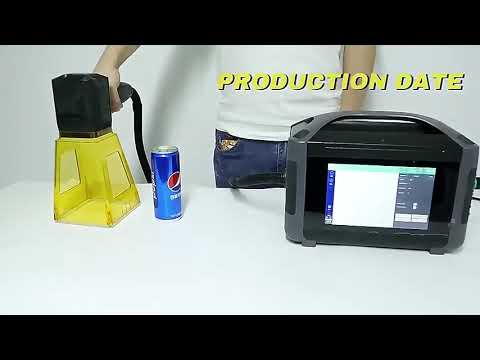
Video Demonstration

Watch MOPA marking effects on black marks, colors and QR codes

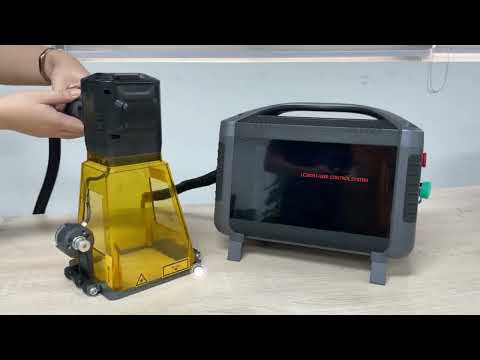
Videos help confirm marking speed, surface effect, contrast and how parameter changes affect the final product appearance.
Machine Specifications

Key specifications for the MOPA laser marking machine

Review the main configuration options before requesting a quote. The final setup can be matched to material, mark effect, production speed and fixture needs.

MOPA Laser System

Laser TypeMOPA fiber laser marking system
Laser Power20W, 30W, 50W, 60W, 100W options by requirement
Pulse WidthAdjustable pulse width for flexible marking effects
Marking ContentLogo, text, QR code, barcode, serial number and color effect
Best EffectsBlack marking, color marking, fine detail and selected plastic marking

Optional Configuration

Machine StyleDesktop, enclosed, split portable or online marking setup
Lens OptionsDifferent field lenses for fine detail or larger marking area
Rotary AxisAvailable for cups, tubes, rings, cylinders and round products
Safety OptionsProtective enclosure, viewing window and smoke extraction options
SupportSample marking, parameter records and remote setup guidance
Sample Marking Test

Send your material and target effect before choosing MOPA parameters

A sample marking test helps confirm whether MOPA can achieve the blackness, color, contrast, QR readability or low-heat surface finish you need.

01

Share Your Target Effect

Send material, surface finish, mark size, artwork and desired black, color or contrast result.

02

Test MOPA Parameters

Our engineers test pulse width, frequency, speed, power, focus and lens size.

03

Confirm Machine Setup

Receive recommended power, lens, machine style, fixture and parameter direction.

Oceanplayer MOPA laser marking machine factory support and export packing
Factory Support

Oceanplayer helps match MOPA parameters to your product surface

Get support for sample marking, parameter comparison, machine configuration, fixture selection, export packing and remote training before the machine enters production.

MOPAPulse width control
TestEffect comparison support
RotaryRound part marking options
RemoteSoftware and parameter guidance
FAQ

MOPA Laser Marking Machine FAQ

What is the difference between MOPA and standard fiber laser marking?
MOPA lasers offer adjustable pulse width, giving more control over heat input, surface texture, black marking, color marking and selected plastic marking compared with many standard fiber lasers.
Can MOPA laser marking make color marks on stainless steel?
Yes, MOPA can create color effects on stainless steel under suitable surface and parameter conditions. Sample testing is recommended because color results depend on material and finish.
Can MOPA mark black on anodized aluminum?
Yes. Black marking on anodized aluminum is one of the common reasons to choose MOPA, especially for electronics, panels, housings and premium product identification.
Is MOPA better for plastics?
MOPA can be better for selected plastics because pulse width control may reduce burning and improve mark detail. Plastic results should be confirmed by sample testing.
Can Oceanplayer test my product before I order?
Yes. You can send material photos, artwork, mark size and target effect. Oceanplayer can test MOPA parameters and recommend the right power, lens and machine configuration.