oceanplayer

Oceanplayer Industrial Laser Equipment | Cleaning, Welding, Marking, Automation Sample Testing | Global Shipping | OEM/ODM Support
Fiber Laser Marking Machine

Fiber Laser Marking Machine for Permanent Codes, Logos and Traceability Marks.

Oceanplayer fiber laser marking machines create fast, permanent and high-contrast marks on metal and selected plastics. They are ideal for logos, serial numbers, QR codes, barcodes, rating plates, tools, parts and production traceability.

  • 20W / 30W / 50W / 100W options
  • Metal and plastic marking
  • Sample marking test available
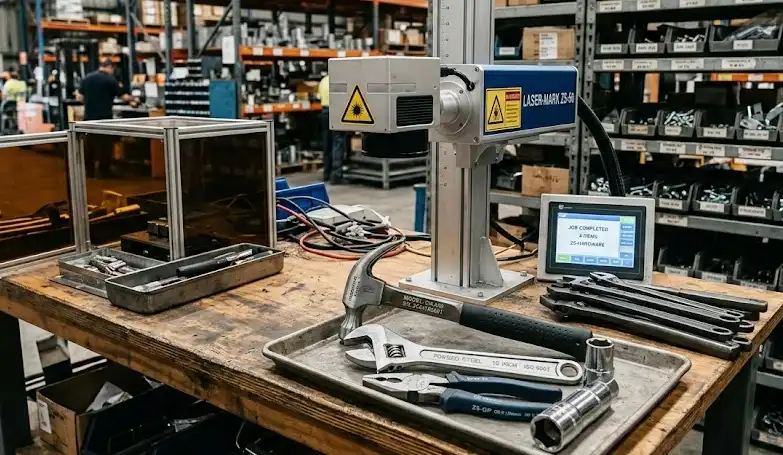
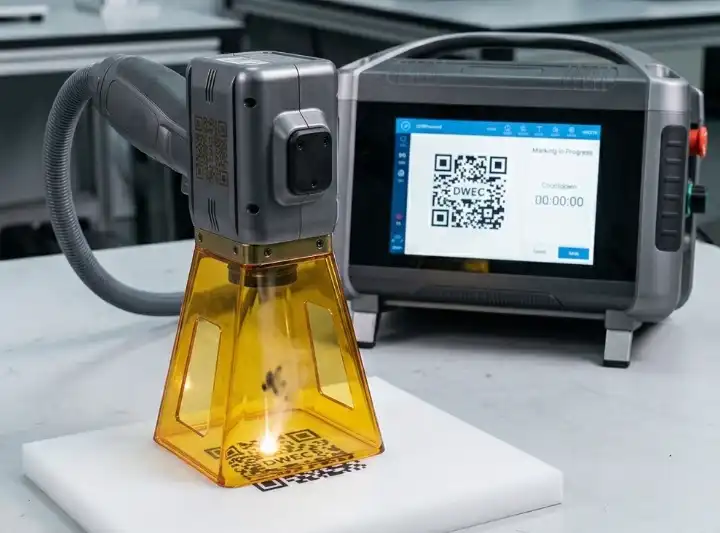
Oceanplayer fiber laser marking machine for metal logo QR code and serial number marking
Permanent markingClear logos, codes and serial numbers for products and parts
20W-100WPower options
QR / LogoTraceability marks
FastNo ink or label needed
Permanent MarksResists rubbing, solvents and normal product handling
High PrecisionFine text, codes, logos and small part marking
Low ConsumablesNo ink, labels, screens or chemical etching process
Factory SupportSample testing, export packing and remote setup guidance
Why Fiber Laser Marking

Make product information clear, permanent and easy to trace

Fiber laser marking is a strong choice when printed labels, stickers or ink marks are not durable enough for industrial parts, tools and finished products.

Permanent Product Identification

Mark serial numbers, batch codes, QR codes and logos directly on the part, reducing the risk of missing labels or faded ink.

Readable QR Codes and Barcodes

High-contrast marking helps scanners read product codes for inventory, warranty, quality control and traceability systems.

Fast, Clean and Low Maintenance

No ink drying, label stock or chemical processing is needed, helping reduce consumable cost and keep production cleaner.

Application Range

Suitable for metal parts, plastic products and industrial nameplates

Fiber laser marking is widely used when the mark must stay readable through assembly, shipping, service and daily product use.

  • Stainless steel tools, hardware, knives, cups, panels and nameplates
  • Aluminum parts, anodized aluminum, electronic housings and tags
  • Carbon steel, galvanized steel, bearings, gears and machine parts
  • Brass, copper, titanium and coated metal components
  • ABS, PC, PA and selected engineering plastics after sample testing
  • QR codes, barcodes, serial numbers, logos, date codes and rating plates
Fiber laser marking application for metal parts QR code logo and nameplate marking
Power Selection

Choose the right laser marking power for your product

The best configuration depends on material, marking depth, speed, color effect, marking area and whether you need rotary marking for round parts.

Laser PowerGood FitTypical MaterialsCommon Applications
20W FiberGeneral surface markingStainless steel, aluminum, coated metals, selected plasticsLogos, serial numbers, QR codes, tools and light nameplates
30W FiberHigher speed and clearer contrastMetals, anodized aluminum, hardware, electronic partsProduction marking, barcode marking and small part traceability
50W FiberDeeper marks and faster cycle timeSteel, aluminum, brass, copper and harder metal partsDeep marking, industrial parts, molds, tools and tags
100W FiberHigh-speed deep marking and light engravingThicker metal parts and demanding industrial componentsDeep serial numbers, heavy-duty parts and high-output production
Marking Results

Compare marking effects before confirming power and lens size

Sample marking helps confirm contrast, depth, line width, QR code readability and the final look on your actual product surface.

Printed label or ink mark on industrial product before laser marking
Ink or Label

Surface marks can fade, peel or be removed

Labels and printed marks may not be durable enough for tools, metal parts, outdoor products or parts exposed to cleaning and handling.

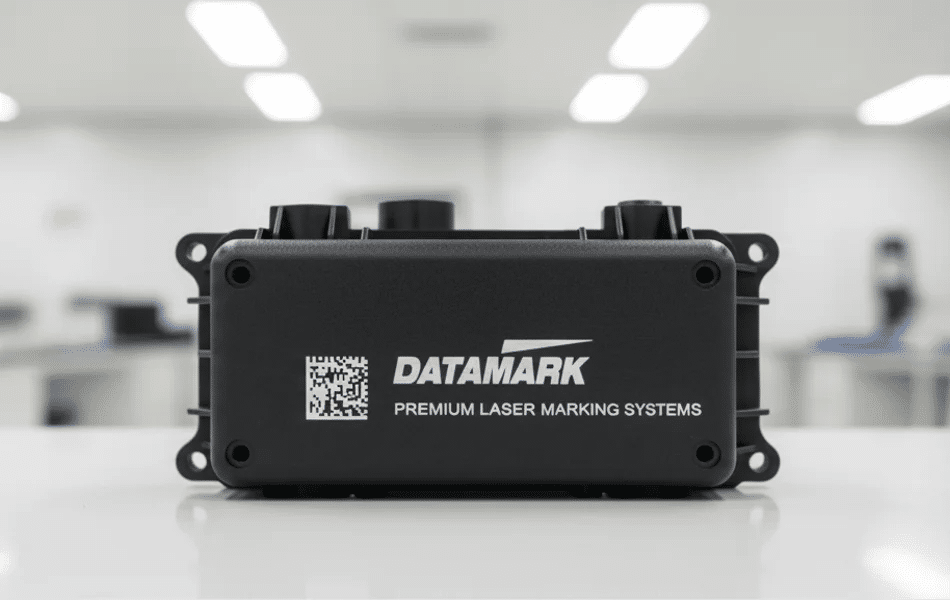
Fiber laser marking result with permanent QR code and logo on metal part
Laser Marking

Permanent marks stay with the product

Laser marking creates durable product information directly on the surface, supporting quality control, traceability and branding.

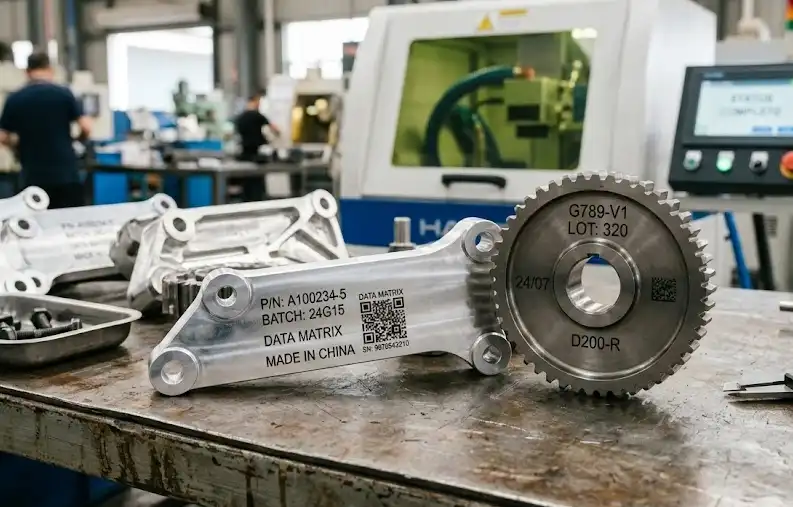
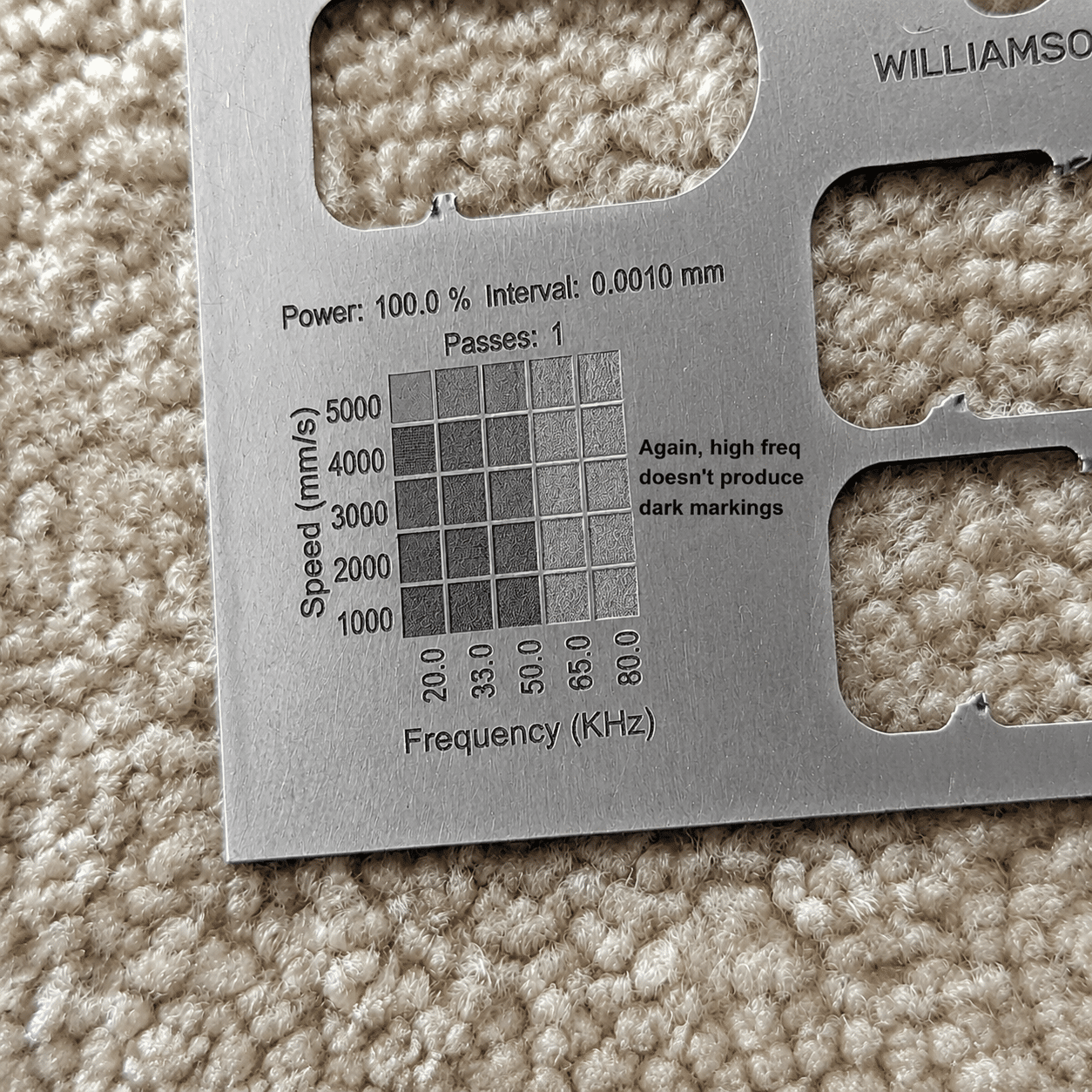
Marking Gallery

Review common marking effects on metal and plastic parts

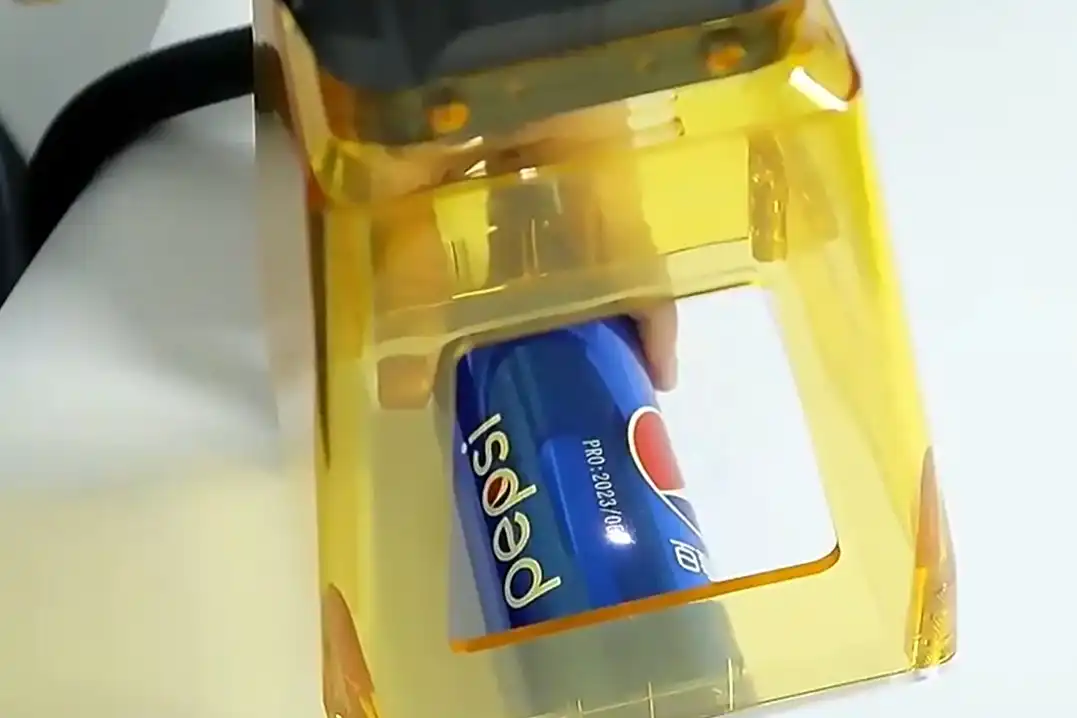
Clear sample photos help you judge contrast, detail, readability and surface finish before selecting the final marking setup.
Buyer Concerns

Check the details that affect mark quality and production speed

A good marking machine should match your material, mark size, contrast target, fixture needs and daily marking volume.

Will the mark be readable?

QR code and barcode readability depends on contrast, size, surface finish and scanner distance. Sample marking helps confirm the result.

How large is the marking area?

Lens size affects marking area and detail. Small lenses support finer marks, while larger lenses cover bigger plates or product surfaces.

Do I need a rotary fixture?

Round parts such as rings, cups, cylinders and pipes usually need a rotary axis for consistent marking around the surface.

Configuration Options

Build the marking setup around your product shape and workflow

Choose a desktop, enclosed, portable or production-line marking setup based on part size, safety needs and marking volume.

Desktop

Desktop Fiber Marking Machine

Suitable for small parts, tools, tags, plates and workshops that need a stable marking station.

  • Good for fixed workstation marking
  • Easy to position small parts
  • Common for logo and serial number marking
Flexible Use

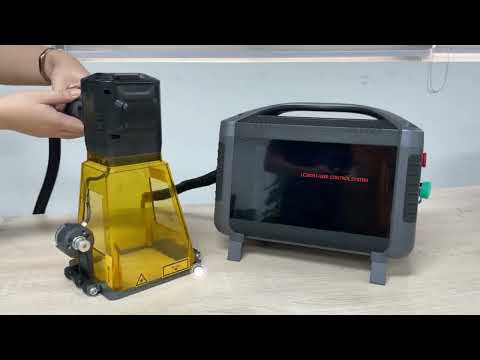
Portable or Online Marking

Suitable for large parts, production lines, pipes, equipment plates and products that are difficult to move to a desktop station.

  • Useful for large or heavy parts
  • Can support conveyor marking needs
  • Good for flexible production layouts
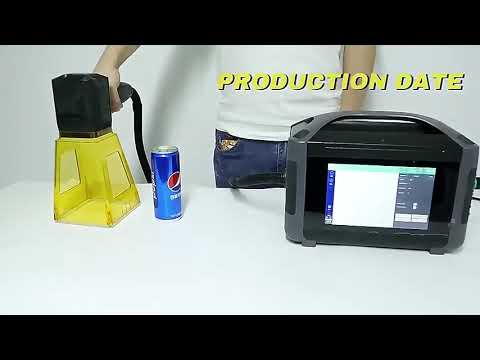
Video Demonstration

Watch marking performance on logos, QR codes and serial numbers

Marking videos help you check speed, contrast, line detail, QR readability and how the machine works with different product surfaces.
Machine Specifications

Key specifications for the fiber laser marking machine

Review the main configuration options before requesting a quote. The final setup can be matched to material, marking size, speed and production layout.

Laser Marking System

Laser TypeFiber laser marking system
Laser Power20W, 30W, 50W, 100W options
Marking ContentLogo, text, QR code, barcode, serial number, date code
Marking AreaCommon lens options for small, medium and larger marking fields
Supported FilesCommon vector, text and image formats depending on software setup

Optional Configuration

Machine StyleDesktop, enclosed, split portable or online marking setup
Rotary AxisAvailable for rings, cups, cylinders, pipes and round parts
Fixture SupportPositioning fixtures can improve repeatability for batch marking
Safety OptionsProtective enclosure, viewing window and smoke extraction options
SupportSample marking, parameter guidance and remote setup support
Fiber vs CO2 Marking

Should you choose fiber laser or CO2 laser marking?

CO2 Laser Marking

  • Better for wood, paper, leather, acrylic, glass and many non-metal materials
  • Commonly used for packaging, craft products and organic materials
  • Not the first choice for direct high-contrast metal marking
  • May need coating or special process for some metal surfaces
VS

Oceanplayer Fiber Laser Marking

  • Better for metals, tools, industrial parts and many coated surfaces
  • Creates permanent logos, serial numbers, QR codes and barcodes
  • Strong fit for traceability, nameplates and product identification
  • Low consumable cost with fast marking speed and fine detail
Sample Marking Test

Send your material and marking file before choosing the final machine

A sample marking test helps confirm contrast, depth, QR code readability, lens size, marking speed and whether MOPA or higher power is needed.

01

Share Your Product

Send material, surface finish, mark size, content and target contrast.

02

Test Marking Result

Our engineers test power, speed, frequency, focus and lens size.

03

Confirm Setup

Receive a recommended power, machine style, lens and optional fixture plan.

Oceanplayer fiber laser marking machine factory support and export packing
Factory Support

Oceanplayer helps match the marking machine to your product and workflow

Get support for sample marking, machine configuration, lens selection, rotary marking, export packing and remote training, so the marking result is easier to confirm before shipment.

4 Power20W / 30W / 50W / 100W options
RotaryRound part marking support
OEMLogo and enclosure options
RemoteSoftware and parameter guidance
FAQ

Fiber Laser Marking Machine FAQ

What materials can a fiber laser marking machine mark?
Fiber laser marking is mainly used for metals such as stainless steel, aluminum, carbon steel, brass, copper and titanium. It can also mark selected plastics after sample testing.
How do I choose 20W, 30W, 50W or 100W?
20W is suitable for general surface marking, 30W offers better speed, 50W is better for deeper marks and higher output, and 100W supports deeper industrial marking and demanding production needs.
Can it mark QR codes and serial numbers?
Yes. Fiber laser marking machines are commonly used for QR codes, barcodes, serial numbers, logos, date codes and batch codes for traceability.
Do I need a rotary axis?
A rotary axis is recommended for round parts such as rings, cups, cylinders, pipes and other products that need marking around a curved surface.
Can Oceanplayer test my product before I order?
Yes. You can send material details, surface photos, marking size and artwork. Oceanplayer can test marking parameters and recommend the right power, lens and machine configuration.