
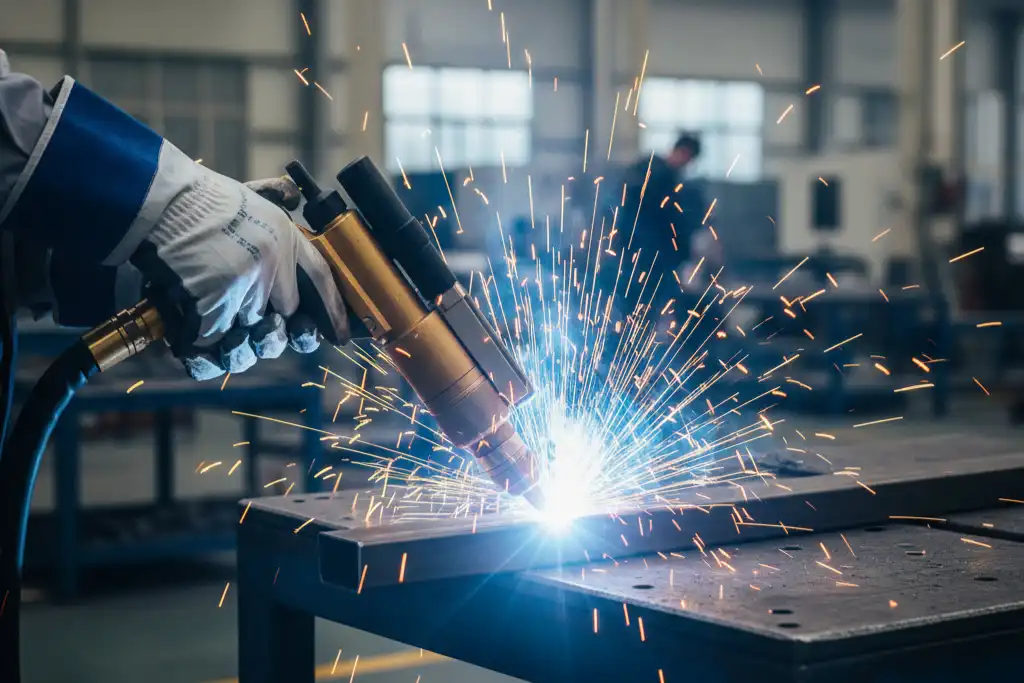
You can cut carbon steel up to 12 mm thick. You can cut stainless steel up to 6 mm thick. You can cut aluminum up to 4 mm thick with a 1500W laser. Copper can be cut, but not as thick as the others. These numbers can change. It depends on the machine, the material, and the laser settings.
| Laser Power | Carbon Steel | Stainless Steel | Aluminum |
|---|---|---|---|
| 1500W | Up to 12 mm | Up to 6 mm | Up to 4 mm |
Many things can change your results. Laser power, material type, and cutting speed all matter.
Key Takeaways
- A 1500W laser can cut carbon steel up to 12 mm thick. It can cut stainless steel up to 6 mm thick. It can also cut aluminum up to 4 mm thick. Always look at your machine’s guide for exact limits.
- Change your laser settings for each material type. Steel with more carbon cuts better. Shiny metals like aluminum need special settings.
- Pick the right assist gas to get better cuts. Nitrogen works best for aluminum. Oxygen can make stainless steel rust.
- Take care of your laser machine to keep it working well. Clean the lenses often. Check the focus to make sure cuts are clean and to stop problems.
- Try your settings on scrap pieces before you start your real project. This helps you find the best speed and power for your material.
1500W Laser Cutting Thickness
Carbon Steel Thickness
You can cut carbon steel with a 1500W laser. Most manufacturers say you can cut between 10 mm and 16 mm. Many users find that 6 mm is a more reliable thickness for clean cuts. The real cutting limit depends on your machine and the quality of your steel.
| Material | Maximum Cutting Thickness |
|---|---|
| Carbon Steel | 10-16 mm |
- A 1500W laser can usually cut up to 6 mm of carbon steel with good quality.
- Thicker steel may need slower speeds or special settings.
Tip: The carbon content in your steel changes how well the laser works. Higher carbon content helps the laser absorb energy. You may need to adjust your power settings for different types of steel.
| Factor | Impact |
|---|---|
| Carbon Content | Higher carbon content improves laser energy absorption, so you may need to adjust power. |
| Oxidation Sensitivity | You need to prevent oxidation for better cutting quality. |
| Cutting Speed | Faster speeds help melt and vaporize carbon steel. |
| Focus Position | You must set the focus carefully for smooth edges. |
Stainless Steel Thickness
A 1500W laser can cut stainless steel up to 6 mm thick. This is the limit most manufacturers report. You get the best results with thinner sheets. If you try to cut thicker stainless steel, you may see rough edges or slower speeds.
| Material | Cutting Limit |
|---|---|
| Stainless Steel | 6 mm |
- You can cut up to 6 mm, but thinner sheets cut faster and cleaner.
- The type of stainless steel can change your results.
Note: Stainless steel reflects more laser light than carbon steel. You may need to use special settings or gases to get a smooth cut.
Aluminum and Copper Thickness
Aluminum and copper are harder to cut with a 1500W laser. These metals reflect more light and need more power to cut. Most manufacturers do not list a maximum thickness for these metals with this power level. Many users find that you can cut aluminum up to 4 mm and copper up to 2 mm, but results can vary.
- You can cut aluminum up to 4 mm with a 1500W laser.
- You can cut copper up to 2 mm, but you may need to go slower.
- The surface finish and cleanliness of the metal matter a lot.
Tip: Always check your machine’s manual for the best settings. Try a test cut before starting your project.
Cutting thickness depends on your machine, the material, and your settings. You may see different results in your shop. Always start with the manufacturer’s guidelines and adjust as needed.
Factors Affecting Thickness
Laser Power and Beam Quality
Laser power and beam quality play a big role in how thick a material you can cut. When you use a 1500W laser, you get more cutting ability than with a 1000W laser. For example:
- You can cut carbon steel up to 12mm with a 1500W laser, but only 8mm with a 1000W laser.
- For stainless steel, the 1500W laser can handle up to 6mm, while a 1000W laser stops at 4mm.
- Higher power lets you cut thicker materials, but it also makes the cut faster and can create more heat. Too much heat can affect the edge quality.
Tip: Always check your beam focus. A sharp, well-focused beam gives you cleaner cuts and helps you reach the maximum thickness.
| Laser Wattage | Material Type | Maximum Thickness Cut |
|---|---|---|
| 1000W | Carbon Steel | 8mm |
| 1500W | Carbon Steel | 12mm |
| 1000W | Stainless Steel | 4mm |
| 1500W | Stainless Steel | 6mm |
Material Type and Reflectivity
Different materials react to the laser in different ways. Metals like aluminum and copper reflect more laser light. This can make cutting harder and can even damage your machine if you do not use the right settings. You need to adjust your feed rate and use the right assist gas to get a clean cut. For reflective metals, you can:
- Set the laser focus close to the surface.
- Use a coating that absorbs the laser on shiny metals.
- Pick the right gas, like nitrogen for aluminum, to keep the cut clean.
Note: Reflective materials can bounce the laser beam back, so always use safety gear and follow your machine’s safety rules.
Gas and Cutting Speed
The type of gas and how fast you cut also affect the thickness you can handle. Oxygen, nitrogen, and compressed air are common choices. Each gas changes the speed and quality of your cut. Low gas pressure can cause slag and make cutting harder. High pressure helps remove melted metal but can cool the area too much.
| Material | Maximum Thickness |
|---|---|
| Mild Steel | 14mm |
| Stainless Steel | 6mm |
| Aluminum | 5mm |
| Brass | 5mm |
| Copper | 4mm |
| Galvanized Steel | 5mm |
Remember: Clean gas and the right speed help you get the best results. Always test your settings before starting a big job.
Cutting Optimization
Best Practices
You can make clean and accurate cuts by following some easy steps. Pick the right cutting speed for your material. Thin wood cuts best at 100-150mm/s. Acrylic needs a slower speed, about 30-80mm/s. Always test your settings before you start a big project. Change the focal length to fit your material’s thickness. A narrow focus gives you a smaller beam spot. This helps you cut more accurately and keeps the material from bending.
Here are some best ways to use your 1500W laser:
- Use fast cutting speeds to keep edges smooth and stop too much heat.
- Change the power for each material and thickness to stop burning or bending.
- Set a narrow focus for better cuts.
- Pick the right assist gas. High-pressure nitrogen is good for thin plates and stops oxidation.
- Check for rough edges or burrs often and change your settings if needed.
Tip: Keep your machine clean and working well. Clean the optics, check the nozzle, and make sure the laser focus is right. This helps you get good cuts every time.
The nozzle’s place and shape are important too. A good nozzle keeps slag away from the cutting head and protects your lens. If you see energy loss, check the space between the nozzle and your material.
| Aspect | Impact on Cutting Performance |
|---|---|
| Focal Position | Controls the size of the focal spot and cutting accuracy. |
| Focal Spot Diameter | Smaller spots create narrower kerfs. |
| Focal Depth | Shorter depths improve precision. |
Troubleshooting Issues
Sometimes, you may have problems when cutting thick materials. Here are some common problems and how to fix them:
- Burning or Carbonization: This happens if you use too much power or the wrong material. Lower the power or use a better material.
- Incomplete Cutting: If the laser does not cut all the way, check the focus and make sure you are not cutting too thick.
- Cutting Deformation: If the material bends, make your cooling better or use stress relief.
- Uneven Cut Seam: Worn guide rails or bumpy surfaces can cause this. Check your machine and get your materials ready.
Different materials need special fixes. For example:
| Material | Challenge | Solution |
|---|---|---|
| Stainless Steel | Oxidation when cutting with oxygen | Use high-purity nitrogen assist gas for a clean edge. |
| Reflective Metals | Reflection of laser beam causing damage | Use higher power and pulsed mode; consider coatings. |
Note: Clean your lenses and check wires often. This helps stop many problems before they happen.
Laser Power Comparison
1500W Laser vs 3000W
A 1500W laser and a 3000W laser are very different. The 3000W laser can cut thicker metal and does it faster. For carbon steel, a 1500W laser cuts up to 14mm. The 3000W laser can cut up to 20mm. This is true for other metals too.
| Material | 1500W Cutting Limit | 3000W Cutting Limit |
|---|---|---|
| Carbon steel | 14mm | 20mm |
| Stainless steel | 6mm | 10mm |
| Aluminum | 5mm | 8mm |
| Copper | 4mm | 8mm |
A stronger laser gives you faster cuts and smoother edges. Thick metal needs more power to melt and cut. If you cut thick sheets a lot, a 3000W laser is faster and works better. For thin sheets, a 1500W laser is good and costs less to use.
Tip: Pick the right laser power for your work. Using too much power on thin sheets wastes energy and money.
Fiber vs CO2 Lasers
There are two main laser types: fiber and CO2. Each one is good for different jobs. Fiber lasers are best for cutting metal, even shiny ones like aluminum and copper. CO2 lasers can cut metal and also things like wood and acrylic.
| Laser Type | Material Compatibility | Maximum Cutting Thickness |
|---|---|---|
| Fiber Laser | Metals | N/A |
| CO2 Laser | Non-metals, Metals | N/A |
Fiber lasers cut metal faster than CO2 lasers. CO2 lasers are quick on non-metals but slow on metal. Fiber lasers cost more at first but work better on metal. CO2 lasers are cheaper to buy but use more gas and need more care.
Here are some things to remember:
- Fiber lasers are great for shiny metals like aluminum and copper.
- CO2 lasers are better for things like wood and acrylic.
If you want to cut thick carbon steel, fiber lasers can cut up to 20mm if strong enough. For non-metals, CO2 lasers make smooth cuts and less heat.
| Feature | Fiber Laser | CO2 Laser |
|---|---|---|
| Cutting Speed | Faster for metals | Faster for non-metals |
| Material Compatibility | Great for non-ferrous metals | Best for non-metals |
| Initial Cost | Higher | Lower |
| Operating Costs | High (electricity, maintenance) | High (gas consumption) |
| Heat Affected Zone (HAZ) | Can be larger on metals | Smaller on non-metals |
| Safety | Higher risk | Lower risk |
| Environmental Impact | Fumes and particulates | Similar, depends on material |
Note: Think about what you cut most before picking a laser. The right laser saves money and gives you better cuts.
You can cut different materials with a 1500W laser. Here are the thickest pieces you can cut:
| Material | Cutting Limit |
|---|---|
| Carbon steel | 14mm |
| Stainless steel | 6mm |
| Aluminum | 5mm |
| Brass | 5mm |
| Copper | 4mm |
| Galvanized steel | 5mm |
You get better cuts if you know what changes your results.
- Manufacturers share tips for each material and job.
- Their advice helps you work quicker and stay safe.
- You make smart choices when you know your laser’s limits.
FAQ
How do you get the cleanest edge with a 1500W laser?
You get the cleanest edge by using the right focus, speed, and assist gas. Always keep your lens clean. Test your settings on scrap material before starting your main project.
Can you cut thick aluminum with a 1500W laser?
You can cut aluminum up to 4 mm thick. Thicker aluminum needs more power. Always use the right gas and check for a clean surface before cutting.
What safety steps should you follow when using a 1500W laser?
Always wear safety glasses. Keep the work area clear. Never look directly at the laser beam. Follow your machine’s safety rules every time you use it.
Why does cutting speed matter for thick materials?
Cutting speed affects the quality of your cut. If you move too fast, the laser may not cut through. If you move too slow, you may burn the edges or cause warping.
Can you use a 1500W laser for non-metal materials?
You can cut some non-metals, like acrylic or wood, with a 1500W laser. Always check your machine’s manual. Use lower power and slower speeds for best results.
How thick material a 3000W fiber laser can cut
Can laser welding produce strong welds with a laser welding machine?



