
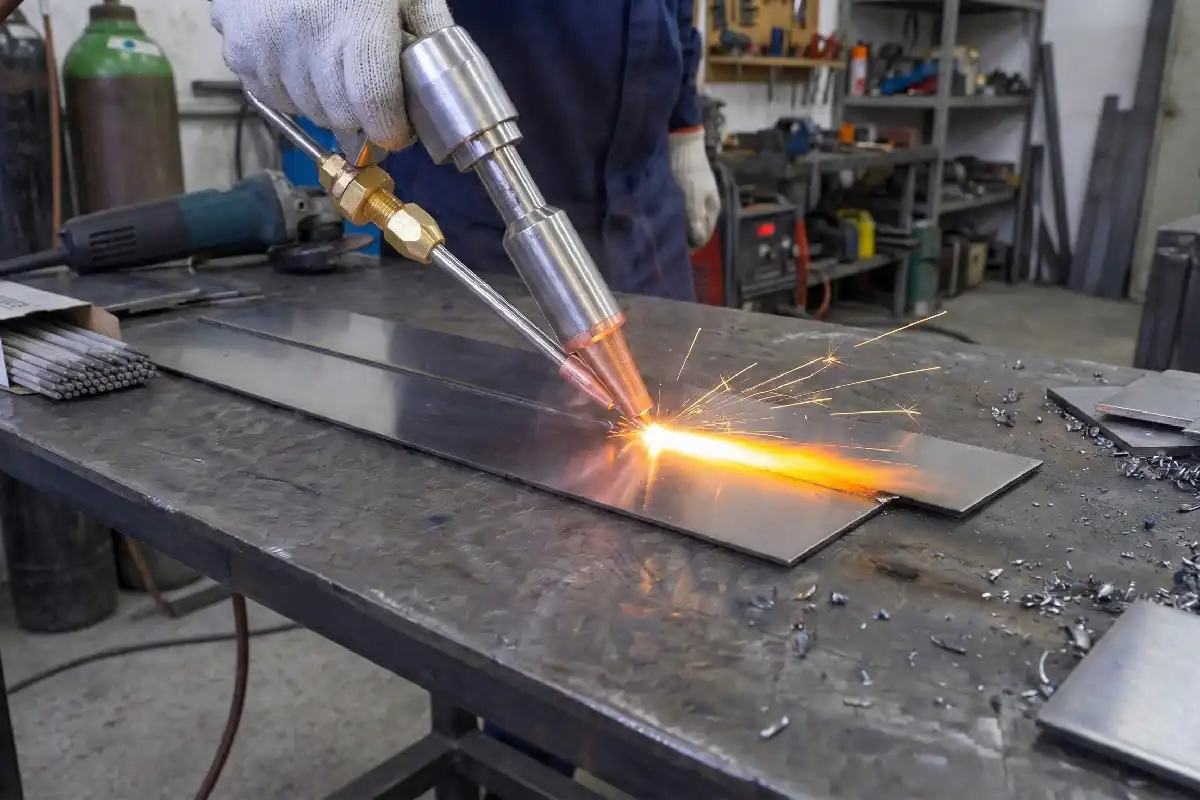
You want strong welds that look clean and last long. Adjusting laser welding wire feeding speed helps you control the quality of every weld. When you set the speed correctly, you prevent weak joints and messy seams. Careful adjustment lets you handle routine jobs and tricky projects with confidence. Try new settings and watch your results improve.
Key Takeaways
- Changing the laser welding wire feeding speed is very important. It helps make welds strong and neat. The right speed stops weak joints and messy seams.
- Always try the wire feeding speed on scrap metal first. This lets you find problems early. It also helps you get better welds.
- Watch your welds carefully for any problems. You can use sensors or cameras to spot defects. Change the wire feeding speed if you see issues.
- Take care of your laser welding system often. Clean the wire feeder and check the drive rolls. This stops feeding mistakes and keeps welds good.
- Different materials need different wire feeding speeds. Always look at the manufacturer’s rules. Match the speed to the type of material you use.
Why Laser Welding Wire Feeding Speed Matters
Impact on Weld Quality
You control the strength and look of your welds by adjusting laser welding wire feeding speed. When you set the right speed, you protect the material and create a solid bond. Here are the main reasons why this matters:
- Managing the Heat-Affected Zone (HAZ): Fast wire feeding keeps the heat in a small area. This helps you avoid damaging the metal and keeps it strong. Slow feeding can cause the metal to bend or become brittle.
- Driving Production Efficiency: Higher speeds let you finish jobs faster. You save time and money, which helps your business grow.
- Quality Control: If you feed the wire too quickly, you might see holes or weak spots in the weld. You need to balance speed and quality for the best results.
You also change the microstructure of the weld by adjusting the speed. The table below shows how different speeds affect the grains inside the weld:
| Welding Speed | Effect on Microstructure |
|---|---|
| 2 m/min | Large grains |
| 3 m/min | Fine columnar structure |
| 4 m/min | Coarser grain structure |
When you use a wire feeding speed between 1.6m/min and 1.8m/min, you can reach high strength after quenching. The weld stays hard and even, which means it will last longer.
Problems from Incorrect Speed
If you set laser welding wire feeding speed too high or too low, you face several problems. The weld can look messy or even fail. The table below lists common defects and their causes:
| Weld Defect | Cause of Defect |
|---|---|
| Weld Buildup | Too fast wire feeding speed or slow welding speed |
| Poor Weld Seam Forming | Unstable wire feeding or discontinuous light |
You avoid these issues by checking your settings and watching the wire as you work. When you find the right speed, you get smooth seams and strong joints every time.
Tip: Always test your wire feeding speed on scrap material before starting a big project. This helps you spot problems early and adjust for better results.
Finding the Right Wire Feeding Speed
Key Factors to Consider
You need to think about several important factors when you set the wire feeding speed for laser welding. Each factor helps you get the best results and avoid common problems. Here are the main things you should look at:
- Laser welding wire feeding speed affects how well you use the laser’s energy and how fast you finish your work.
- The joint gap changes how much wire you need. A wider gap means you should increase the speed to fill it properly.
- If you set the speed too high or too low, you might see too much or too little wire in the weld. This can make the weld weak or messy.
- A feedback system in your wire feeder keeps the speed steady. This helps you avoid sudden changes that can ruin the weld.
- You should adjust the speed in real time, especially when you work on high-precision jobs. The groove shape can change, so you need to react quickly.
Tip: Always check your wire feeder for feedback controls. These systems help you keep a steady speed and improve your weld quality.
Standard Speed Ranges
You can use standard speed ranges as a starting point for most laser welding jobs. The right speed depends on the wire diameter and the type of material you use. The table below shows common ranges:
| Wire Feed Speed Range | Wire Diameter Capacity |
|---|---|
| 40 – 0.4 – 230 ipm | 0.030″ – 0.063″ |
| (1 – 600 cm/min) | (0.8 mm – 1.6 mm) |
For thin sheets, you should use low-pressure feeding and start at the lower end of the speed range. Always follow the manufacturer’s recommendations for your equipment and wire type. This helps you avoid problems and keeps your welds strong.
Note: You can adjust laser welding wire feeding speed within these ranges to match your project needs. Test different settings to find what works best for your material and joint design.
Adjusting Laser Welding Wire Feeding Speed
Preparing Equipment
You need to start with the right setup for your laser welding system. Connect the wire feeder to your welding machine. Choose a wire that matches your material and project needs. Make sure the wire is clean and free from rust or oil. Install the wire into the feeder and check that it moves smoothly. Align the wire with the laser beam path. This step helps you avoid feeding problems during welding.
Modern laser welding systems often use dynamic control systems. These systems use sensors and feedback loops to adjust wire feeding speed in real time. For example, some setups use 3D laser sensors to measure the gap and mismatch between parts. The system then changes the wire feeding speed to match the groove size. This keeps your welds strong, even if the gap changes from 0 to 1.0 mm or the mismatch shifts from 0 to 1.2 mm. You get better results because the system adapts as you work.
Tip: Always check your equipment for dust or blockages before you start. Clean parts help you avoid feeding errors.
Setting and Fine-Tuning Speed
You must set the laser welding wire feeding speed before you begin. Start by adjusting the main parameters on your machine. Set the wire feed speed, laser power, and travel speed. Use the manufacturer’s guidelines as your starting point.
Follow these steps to fine-tune your settings:
- Connect the wire feeder and install the correct wire.
- Adjust the wire feed speed, laser power, and travel speed.
- Align the wire with the laser beam and run a short test weld.
- Watch the weld and listen for any odd sounds.
- If you see burn-through or weak seams, reduce the wire feeding speed and increase the laser power. This change can help you get a smoother, stronger weld.
- Keep an eye out for blockages or uneven feeding.
- Clean the wire feeder and check all moving parts after each use.
You may need to adjust the speed as you work. If you notice the weld pool getting too large or small, change the wire feeding speed in small steps. Dynamic control systems can help by making these changes automatically. You still need to watch the process and make manual adjustments if needed.
Note: Test your settings on scrap material before starting your main project. This helps you avoid costly mistakes.
Verifying Wire Position and Tension
You must check the wire position and tension before you start welding. Proper wire placement ensures the wire feeds directly into the weld pool. If the wire is off-center, you may get weak or uneven welds.
Check the following before you begin:
- Make sure the wire lines up with the center of the laser beam.
- Pull the wire gently to feel the tension. It should not be too tight or too loose.
- Look for kinks or bends in the wire. Straighten them out before welding.
- Watch the wire as it feeds during a test run. It should move smoothly without jerking.
Correct wire tension helps you avoid feeding problems. If the tension is too high, the wire may snap. If it is too low, the wire may slip or bunch up. Adjust the tension knob on your feeder until you get steady movement.
Tip: Always verify wire position and tension before each welding session. This simple check can prevent many common welding problems.
By preparing your equipment, setting and fine-tuning the laser welding wire feeding speed, and verifying wire position and tension, you set yourself up for success. These steps help you achieve strong, clean welds every time.
Troubleshooting Wire Feeding Issues
Too Fast or Too Slow Feed
You may notice problems when the wire feeding speed is not set correctly. If the speed is too fast or too slow, you can see changes in the weld and the arc. Look at the table below to spot common symptoms:
| Symptoms | Description |
|---|---|
| Erratic Arc Behaviour | The arc jumps or sputters. You lose control of the weld pool. |
| Inconsistent Weld Bead Appearance | The weld bead looks uneven. Some parts are too high or too low. |
| Wire Stoppages or Hesitation | The wire stops or hesitates. You may hear odd sounds or see the wire pause during welding. |
If you see these signs, you should adjust the laser welding wire feeding speed. Try reducing the speed in your control system or increase the welding speed. You can also replace the wire with a finer one or adjust the machine power.
Tip: Always check your settings before you start. Small changes can fix big problems.
Inconsistent Wire Movement
You may face issues with wire movement during welding. The wire may jerk, stop, or move unevenly. Follow these steps to solve the problem:
- Straighten the wire feeding tube. Make sure there are no kinks.
- Inspect the wire. Cut off any bent sections.
- Use the correct feeding roller and tube for your wire diameter.
- Tighten the set screws on the wire feeding tube.
These steps help you keep the wire moving smoothly. You avoid friction and feeding errors.
Solutions for Different Materials
Different metals need special attention. Thin sheets can deform easily. Use smaller wire diameters for thin metals, such as 0.023 inches. For thick plates, choose larger wires like 0.045 inches. If you increase voltage, also increase wire feed speed to keep the arc stable.
Aluminum wires need extra care. Use nylon or Teflon liners and wire guides. Switch to U-shaped grooves in drive rolls and reduce tension. These changes prevent wire crushing and shaving.
Note: Always match your equipment and wire to the material you weld. This helps you get strong, clean welds every time.
Maintaining Optimal Wire Feeding Speed
Regular System Checks
You keep your laser welding system working well by checking it often. Regular inspections help you spot problems before they affect your welds. You should look at the drive rolls every time you put in a new spool of wire. Replace them if you see wear or damage. Clean the wire feeder and remove dust or debris. These steps help you avoid feeding errors and keep your welds strong.
- Inspect drive rolls with every new wire spool.
- Clean the wire feeder and remove any blockages.
- Replace worn or damaged parts right away.
- Follow a regular maintenance schedule to save time and reduce waste.
Tip: Regular maintenance helps you prevent wire feed issues and ensures high-quality welds.
Monitoring Weld Results
You can spot problems with wire feeding speed by watching your welds. Look for signs that show you need to adjust your settings. Use sensors or cameras to monitor the weld in real time. Some systems use laser vision sensors or spectral sensors to check weld quality as you work. These tools help you catch defects early and keep your wire feeding speed on track.
| Indicator | Implication |
|---|---|
| Spatter | Adjust voltage or wire feed speed |
| Excessive roughness | Non-optimal wire feed speed |
| Irregular weld bead | Need to adjust wire feed speed |
| Study Title | Key Findings |
|---|---|
| Real-Time Weld Quality Prediction Using a Laser Vision Sensor in a Lap Fillet Joint during Gas Metal Arc Welding | Laser vision sensors monitor weld quality in real time and help you keep wire feeding speed correct. |
| Real-time monitoring of the laser hot-wire welding process | Spectral sensors analyze plasma emission to find weld defects and help you adjust wire feeding speed. |
Note: Watch your welds closely and use monitoring tools to catch problems early.
Adjusting for Project Needs
You may need to change wire feeding speed for different projects. Several factors affect your settings. Wire type, feeding distance, and system configuration all play a role. You must position the wire precisely with the laser beam. The performance and accuracy of your wire feeding system also matter. Adjust your speed to match these needs and get the best results.
- Choose the right wire type for your material.
- Set the feeding distance based on your project.
- Check your system configuration before you start.
- Position the wire carefully with the laser beam.
- Make sure your wire feeding system works accurately.
Tip: Adjust your wire feeding speed for each project to get strong, clean welds every time.
You can get better welds by changing wire feeding speed. Check your equipment often and follow good steps. Regular checks help you find problems early. Work with your team to spot issues fast. Begin with small projects and make clear goals. Keep learning about new tools and technology. The table below shows how new tools help you do better:
| Evidence Type | Description |
|---|---|
| Efficiency Improvement | Automated wire feeders make welding 30% faster. |
| Technology Integration | Digital controllers help you be more exact and set programs. |
- Use digital controllers to change settings right away.
- Try IoT protocols to watch your work from far away.
- Use pulse welding to lower heat and make deeper welds.
FAQ
What happens if you set wire feeding speed too high?
You may see spatter, weak welds, or holes. The weld bead can look uneven. You should lower the speed and test again.
How do you know the wire tension is correct?
Pull the wire gently. It should move smoothly without snapping or slipping. You can check tension before each weld for best results.
Can you use the same wire feeding speed for all materials?
No. Different metals need different speeds. Thin sheets need slower speeds. Thick plates need faster speeds. Always check the manufacturer’s guide.
What tools help you monitor wire feeding speed?
You can use sensors, cameras, or digital controllers. These tools show real-time data. You can adjust settings quickly for better welds.
Why should you test wire feeding speed on scrap material?
Testing on scrap helps you spot problems early. You can adjust speed and settings before working on your main project. This saves time and material.
Fiber laser welding machine for 2mm aluminum
How to Achieve Porosity-Free Laser Welding of Aluminum



