
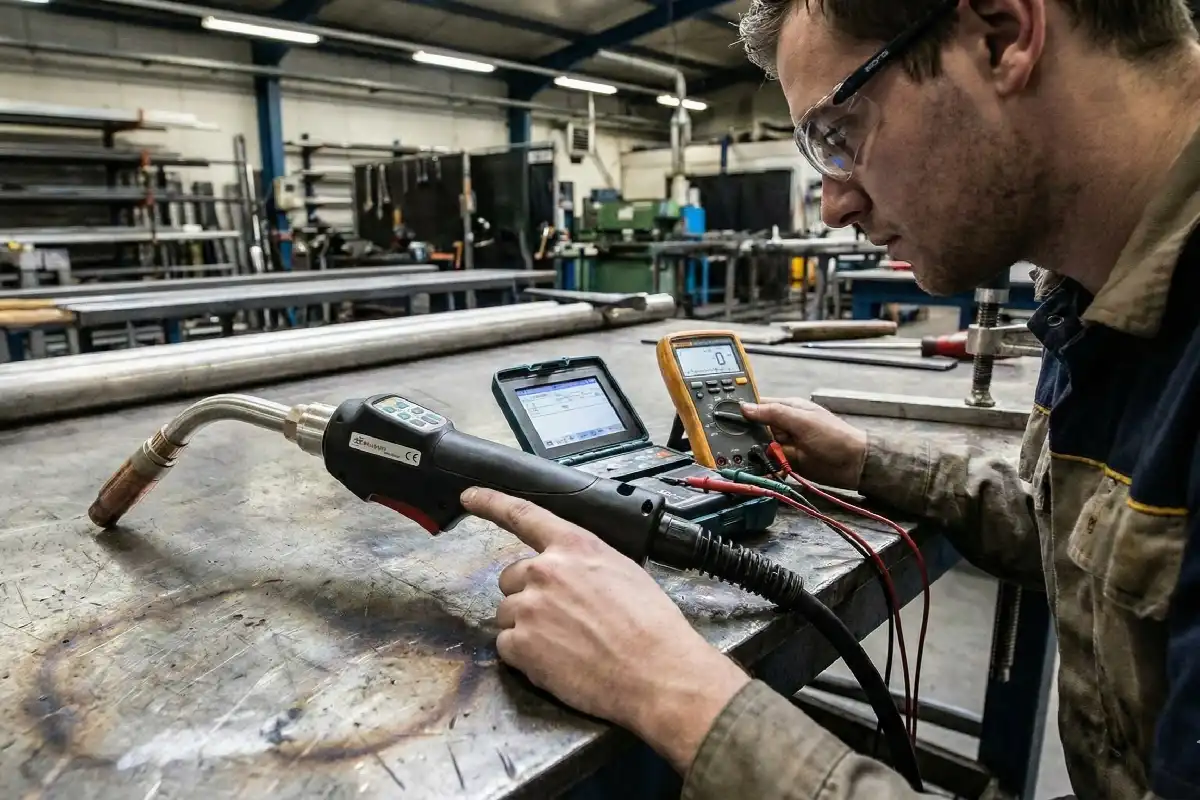
You press a button on your laser welding machine, but nothing happens. That can feel frustrating, especially when you need to finish a job. Before you worry, know that many button issues have simple fixes. Start with safety in mind. Unplug the unit first. Regular checks keep your machine running smoothly. Most problems clear up with a few easy steps. You can solve this with a calm, step-by-step approach.
Key Takeaways
- Safety comes first. Always wear safety gear. Unplug the machine before you look at it or fix it.
- Check the buttons often for dirt or damage. Wipe them with a dry cloth. This helps them work well.
- Look at the electrical connections for problems. Check for wires that are broken or loose. These can make the buttons stop working.
- Watch for error codes on your machine. These codes can help you find problems fast. They also help you know what to do next.
- Do regular maintenance to stop problems. Checking and cleaning often keeps your laser welding machine working well.
Common Laser Welding Machine Button Issues
Electrical Problems
You might notice your laser welding machine buttons stop working because of electrical issues. Here are some common electrical problems you should look out for:
- Check the plug at the gun tip. If it conducts electricity when you do not press the trigger, you need to contact your supplier.
- Inspect the extension cord. If you see any short circuits or burned wires, fix them right away.
- Look inside the control box. Internal parts can break down and cause short circuits. If this happens, you may need to replace some components.
- Make sure the system output voltage is normal. Also, check the laser control line and the internal control light output.
Tip: Electrical problems often cause sudden button failures. Always check these first before moving on.
Software or Firmware Errors
Sometimes, the software or firmware in your laser welding machine can glitch. You might see buttons freeze or not respond at all. Updates that fail or bugs in the system can lead to these problems. If you notice strange behavior after a software update, this could be the cause.
Physical Button Damage
Physical damage is easy to spot. If you see a button that feels loose, sticks, or does not move, it might be broken. Dust, dirt, or even spilled liquids can also block the button’s movement. You should check for cracks or signs of wear.
Control Panel Faults
Control panel faults can make buttons stop responding. Sometimes, the settings change on their own or the whole system shuts down. These faults can affect how your laser welding machine works and may need a closer look.
Note: If you see more than one button not working, the problem could be with the control panel, not just a single button.
Diagnostic Steps
Safety Precautions
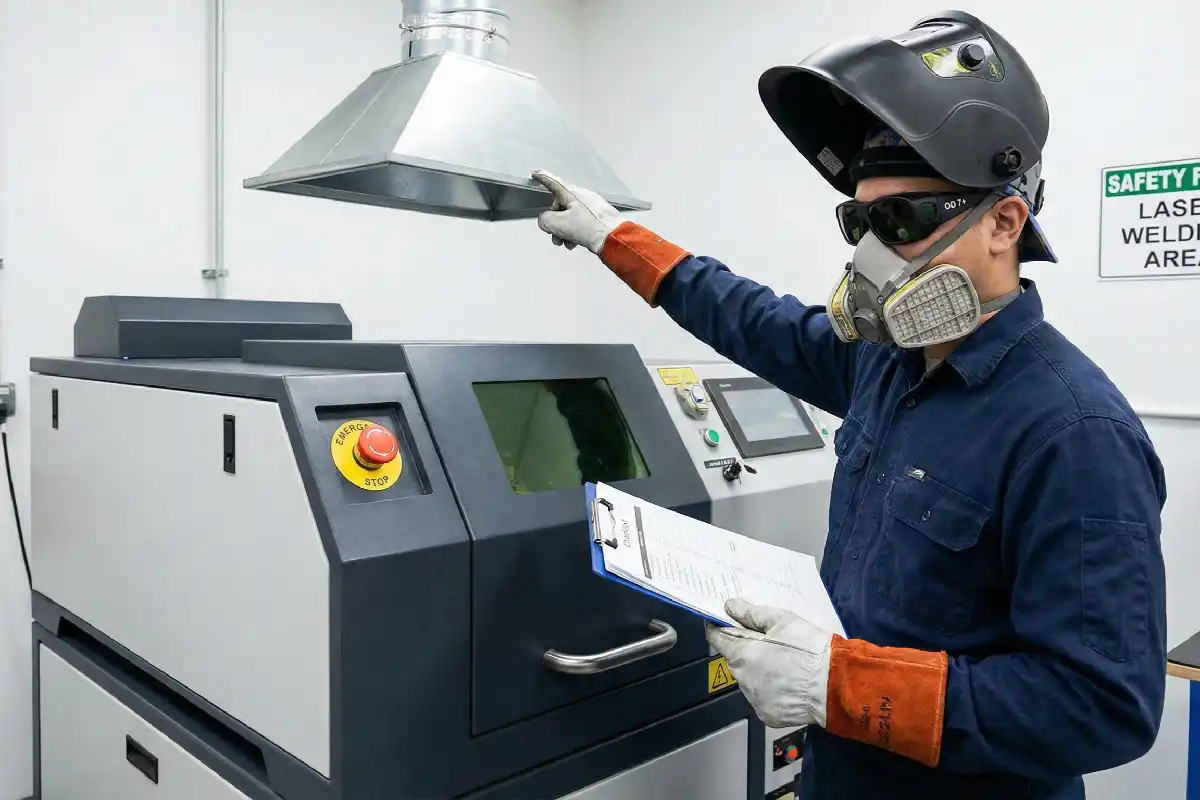
Before you start diagnosing any button issues, you need to put safety first. Working with a laser welding machine can be risky if you skip basic steps. Here’s what you should do:
- Put on your personal protective equipment. Wear laser safety eyewear with an Optical Density (OD) of 7+ and a laser welding helmet. Choose heat-resistant clothing that covers your skin. If your workspace has poor ventilation, use a respirator.
- Make sure you know how your machine works. Find the emergency stop button and learn how to use it.
- Check that the machine sits on a stable surface and all parts are secure.
- Set the focus and power correctly before you begin.
- Keep your work area well-ventilated. This helps you avoid breathing in harmful fumes.
- Never look directly at the laser beam or let your skin get exposed to it.
- Remove any flammable materials from the area. Keep a fire extinguisher nearby.
- Always turn off and unplug the laser welding machine before you clean, inspect, or repair it.
- Don’t touch the lens with your fingers. Oils and dirt can damage it.
Tip: Safety gear is not optional. It protects you from burns, eye injuries, and harmful fumes.
Inspect Buttons
Now, take a close look at the buttons on your laser welding machine. Press each button gently. Notice if any button feels stuck, loose, or doesn’t move at all. Look for cracks, dirt, or signs of wear. Sometimes, dust or debris can block a button’s movement. If you see anything unusual, clean the area with a dry cloth. Avoid using water or cleaning sprays, as these can cause more problems.
If a button looks damaged or still doesn’t work after cleaning, you may need to replace it. Write down which buttons have issues. This information will help if you need to call a technician later.
Note: If more than one button fails, the problem might be with the control panel, not just the buttons themselves.
Check Electrical Connections
Electrical problems are a common reason for button failures. You can check a few things yourself:
- Make sure your laser welding machine has enough power and compressed air.
- Check the power cable. The L wire is the fire wire, N is the zero wire, and PE is the ground wire. All should be connected correctly.
- See if the button or circuit breaker for the laser is turned on.
- Inspect the plug at the gun tip. If it conducts electricity when you don’t press the trigger, stop and contact your supplier.
- Look at the extension cord and inside the control box for any signs of short circuits or burned wires.
If you find any damaged wires or loose connections, fix them if you feel comfortable. If not, it’s safer to call a professional.
Alert: Never work on electrical parts while the machine is plugged in. Always unplug it first.
Check Laser Welding Machine Software
Sometimes, the problem isn’t physical. Software or firmware glitches can make buttons unresponsive. If your laser welding machine has a digital display or touchscreen, restart the system. Check if the software is up to date. If you recently updated the software and the buttons stopped working, try rolling back to the previous version if possible.
Look for any settings that might have changed. Some machines let you reset the control panel to factory settings. If you’re unsure how to do this, check your user manual.
Tip: Keep a record of any software changes. This helps you track what might have caused the issue.
Review Error Codes
Many laser welding machines show error codes when something goes wrong. Check the display panel for any codes or warning lights. Write down the exact code or message. Then, look it up in your machine’s manual. Error codes can point you to problems with the cooling system, lens, protective gas, or other parts.
If you see an error code you don’t understand, take a photo of the display. This will help if you need to ask for help from a technician or the manufacturer.
Note: Error codes are like clues. They can save you time by pointing you straight to the problem.
When to Call a Technician
Warning Signs
Sometimes, you just can’t fix the problem yourself. You need to know when it’s time to call in a professional. Here are some warning signs that mean you should stop and get help:
- Multiple buttons stop working at once. This could mean a bigger issue with the control panel or wiring.
- You smell burning or see smoke. This is a serious safety risk. Unplug the machine right away.
- You find damaged wires or burnt marks inside the control box.
- The machine shows error codes you don’t understand or can’t clear.
- You hear strange noises or see sparks when you press a button.
- You tried all the basic steps, but the problem won’t go away.
⚠️ Alert: If you ever feel unsure or unsafe, stop what you’re doing. Your safety comes first. Don’t risk injury or more damage to your machine.
Preparing for Service
When you decide to call a technician, you can make their job easier by getting a few things ready. This helps you get your machine fixed faster.
- Write down the problem. Note which buttons don’t work and what you tried already.
- List any error codes or warning lights. Take a photo of the display if you can.
- Check your warranty and service records. This helps the technician know what parts have been replaced before.
- Have your machine’s manual handy. The technician might ask for model numbers or settings.
- Clear the area around your machine. Make sure the technician has space to work safely.
💡 Tip: The more details you give, the faster the technician can find and fix the problem.
Remember, you can solve many button issues on your own. But sometimes, you need a pro. Don’t push your luck with electrical or control panel problems. It’s always better to be safe than sorry.
You can fix most button response problems with a few easy steps. First, always wear your safety gear and unplug the machine before you start. Clean and look at each button to see if there are any problems. Check the electrical connections and look for error codes on the display. Doing regular maintenance helps your laser welding machine work well. Try these tips to prevent problems:
- Change lens protectors and clean nozzles often.
- Check the water level in the laser cooler and use distilled water.
- Put oil on moving parts and tighten all fasteners.
- Use IoT sensors to find problems early.
Here is a simple chart to show how often you should check your machine:
| Maintenance Task | Frequency/Notes |
|---|---|
| Check power connection and control panel | Check often to make sure cords and sockets are not damaged. |
| Inspect control panel buttons | Check buttons often to make sure they work right. |
| Verify indicator lights | Make sure lights work so you know if something is wrong. |
| Check control interface settings | Check settings often to see if anything is not normal. |
Operator training is important, too. If you know your machine and practice what to do in an emergency, you can stop button problems from happening. If you get stuck, look at your manual or ask the manufacturer for help. Staying safe and doing regular checks will save you time and trouble.
FAQ
Why do my laser welding machine buttons stop working suddenly?
You might see buttons stop working because of electrical faults, software glitches, or dirt. Check the power, clean the buttons, and look for error codes. If you see smoke or burning smells, unplug the machine right away.
Can I fix a stuck button myself?
Yes, you can try cleaning the button with a dry cloth. If it still sticks, you may need to replace it. Always unplug the machine before you touch any parts.
What should I do if I see an error code?
Write down the error code or take a photo. Look it up in your manual. Error codes help you find the problem fast. If you feel unsure, call a technician.
How often should I check my machine’s buttons?
You should check the buttons every time you use the machine. Regular checks help you spot problems early. Clean and inspect them often to keep your machine working well.
Is it safe to use the machine if one button does not work?
No, you should not use the machine if any button fails. A broken button can cause safety risks. Fix the problem first or call a technician for help.
Top Portable Laser Welding Machines for Stainless Steel and Their Prices
Fiber laser welding machine for 2mm aluminum



