
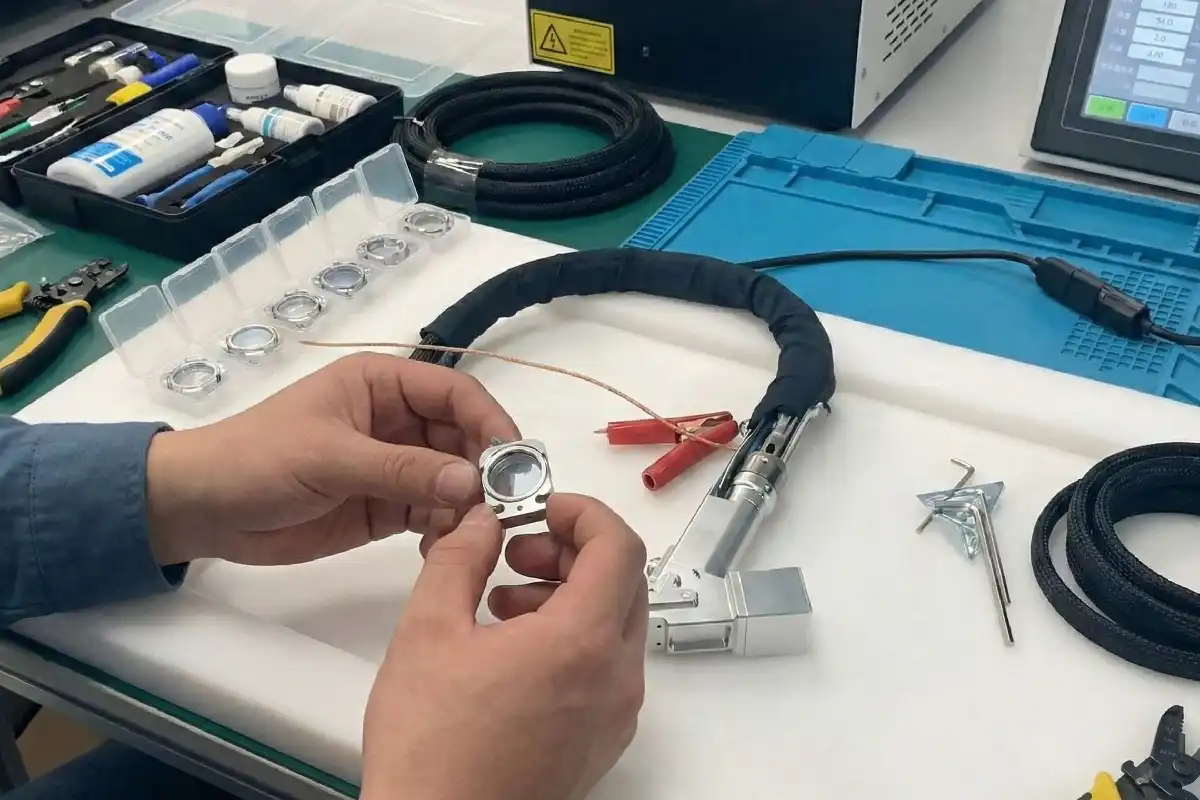
You can extend service life of laser welding protective lenses by following these simple steps: clean the lenses regularly, inspect them frequently, install them correctly, and replace worn parts as needed. These good habits not only prevent costly damage but also help your equipment work more efficiently and extend service life.
Tip: Regularly checking your equipment helps extend service life, saves you money in the long run by avoiding major repairs, and keeps your system running smoothly.
| Maintenance Type | Impact on Service Life |
|---|---|
| Preventive Maintenance | Lowers the chance of sudden problems and helps extend service life of machines |
| Regular Cleaning | Supports the laser welding system to extend service life |
| Timely Replacement | Slows down wear and helps extend service life of key parts |
Key Takeaways
- Clean your laser welding lenses often. This stops damage and keeps welds good.
- Check lenses a lot to find problems early. This helps you avoid expensive fixes.
- Use the right welding angle, between 45° and 60°. This keeps lenses safe from heat and makes welds better.
- Change gas flow settings for each material type. This protects lenses from getting dirty.
- Put in new lenses right away if they are damaged. This keeps things working well and safe.
Causes of Lens Damage
Common Damage Sources
Your laser welding protective lenses face many risks each day. Spatter, dust, and fumes from welding can land on the lens. These things pile up fast and block the laser beam. When this happens, welds may look bad or melt unevenly. The lens can even get damaged. Scratches show up if you use the wrong cleaning tools. Touching the lens with fingers can also scratch it. If you handle the lens carelessly, it might crack or chip.
Here is a simple chart showing common contaminants and where they come from:
| Contaminant | Source | Description |
|---|---|---|
| Spatter | Welded material surface | Hot spatter from rust, oil, or oxidation can hurt the lens. |
| Dust | Environment | Tiny dust gets inside and makes hot spots on the lens. |
| Oils and moisture | Human contact | Oil from hands burns under the laser and harms the lens. |
Preventing Contamination
You can stop most lens damage by doing a few easy things:
- Clean the lens regularly. Blow away dust with a balloon. Wipe the lens gently with a cotton swab dipped in alcohol. Start at the center and move out in circles. Use a new swab and let the alcohol dry.
- Replace damaged lenses. If you see stains, scratches, or burn marks that will not go away, put in a new lens right away.
- Learn proper maintenance. Know how to clean and change lenses. Fix dirty or broken lenses quickly to stop overheating and more damage.
Note: Spatter, dust, fumes, and metal vapor can build up fast. This can make the beam weak and break the lens if you do not act soon.
Handling Mistakes
Many lens problems happen because of small mistakes. You might set the focus wrong, which lowers power and makes welding uneven. If the lens is not tight, it can shake and make rough cuts. If you skip cleaning, dust and dirt can pile up. This can cause overheating or even short circuits.
- Always check the focus before you start.
- Make sure the lens is tight.
- Clean your machine often to keep dust away.
If you avoid these mistakes, your lenses last longer. Your welding results will stay good.
Adjusting Welding Parameters
Correct Welding Angle
You can protect your laser welding lenses by setting the right welding angle. Always aim for a 45° to 60° angle when you weld. This angle helps you avoid vertical welding, which can cause trouble, especially with shiny metals. If you weld at a 90° angle, you risk back-reflected light. This light can damage your lens and even harm the laser system. Keeping the right angle reduces the chance of spatter and heat bouncing back onto the lens. You get cleaner welds and your lens lasts longer.
- A 45° angle prevents vertical welding and reduces lens damage.
- Shiny metals reflect more light, so the right angle is extra important.
- You avoid system failures and keep weld quality high.
Tip: Before you start, check your torch position and make sure you have the correct angle. This simple habit saves you money and time.
Gas Flow Settings
Gas flow keeps your lens clean and safe. You should set a minimum gas flow rate of 32 CFH (15 LPM) to block dust and sparks. If you weld galvanized steel, raise the flow up to 60 CFH (28 LPM) for better protection. Higher laser power needs more gas flow. The right gas flow shields your lens from contamination and keeps your welds strong.
- Use at least 32 CFH (15 LPM) for most jobs.
- Go up to 60 CFH (28 LPM) for galvanized steel.
- Match gas flow to your laser power for best results.
| Material Type | Recommended Gas Flow Rate |
|---|---|
| Standard Metals | 32 CFH (15 LPM) |
| Galvanized Steel | 60 CFH (28 LPM) |
Power and Duration
You can control lens wear by adjusting power and duration settings. Start with gradual increases and decreases in power. Set these changes to 100 milliseconds. This step stops sudden bursts of energy that can burn or crack your lens. Managing power keeps heat input steady and prevents overload. You avoid rapid lens wear and keep your equipment running longer.
- Gradual power changes protect your lens from instant damage.
- Steady heat input lowers the risk of cracks and burns.
- Optimizing these settings helps you avoid contamination buildup.
Note: Always check your welding parameters before each job. Small adjustments make a big difference in lens life.
Handling and Installation
Safe Lens Installation
You can stop most lens damage if you install the lens the right way. Always be gentle when you touch the lens. Here is an easy way to do it:
- Take off the copper nozzle fixture. Then, slowly remove the protective lens fixture.
- Blow dust away with a balloon. Clean the lens with a cotton swab and alcohol. Start in the middle and wipe out to the edge.
- Look for stains or scratches on the lens. If you see damage that will not come off, get a new lens.
- Hold the new lens by its edge. Put it in the holder. Put the fixtures back and tighten them just enough. Do not make them too tight.
Tip: Do not touch the lens surface with your fingers. Oil and dirt from your hands can burn the lens and make it not last as long.
Torch Positioning
The right torch position keeps your lens safe from heat and light. Do not point the welding gun straight down at your work. This is very important with shiny or reflective materials. If you use the wrong angle, the lens can get too hot and break.
| Parameter | Effect on Lens Damage |
|---|---|
| Improper Torch Positioning | Too much heat in one spot can overheat and hurt the lens. |
| Incorrect Torch Angles | Bad angles can make weak welds and wear out the lens faster. |
- Bad torch angles put too much heat in one place.
- Poor torch position can make weak welds and damage the lens more.
Check your torch angle before you start each job. Small changes can help a lot.
Using Protective Covers
Protective covers help keep your lens safe. Pick covers made from laser-grade materials with anti-reflection coatings. These covers let more light pass through and waste less energy. They also last longer when things get hot.
| Feature | Description |
|---|---|
| Laser-Grade Quality | Made from strong optical materials with anti-reflection coating for better light passing through. |
| High Power Resistance | Built to handle strong lasers and last longer. |
| Exceptional Parallelism | Keeps the laser beam straight for good welding. |
| Low Energy Loss & High Damage Threshold | Made to lose little energy and stay strong even in tough jobs. |
- High light passing helps cutting and welding go faster.
- Anti-reflection coatings make the lens work better.
- Strong covers can take high heat and last a long time.
Note: Always look at your covers for cracks or dirt. Change them if you see any damage.
Cleaning and Maintenance
Cleaning Methods
You can keep your laser welding protective lens in top shape by following a careful cleaning routine. Use the right tools and steps to avoid scratches or damage. Here is a simple way to clean your lens:
- Make sure the lens is clean before you remove it. Handle it with care to avoid adding dirt.
- Use a blower to remove dust. If dust stays, move to the next step.
- For stains, dip a cotton swab in a cleaning agent. Gently wipe the lens surface.
- If you see oil, moisten a cotton swab with vinegar. Wipe the lens, then use acetone to finish.
- For heavy contamination, use an optical polishing solution. Rinse the lens well to remove all residue.
Tip: Always use gentle pressure. Never scrub the lens. Let the cleaning agents do the work.
Inspection Routine
You should check your lens often to catch problems early. Regular inspections help you spot damage before it gets worse.
- Open the protective lens drawer halfway to check the lens position.
- If you notice the laser is weaker or welding takes longer, stop and inspect the lens for burn spots.
- Look at mirrors and lenses every week. Check for dust, scratches, or signs of wear.
A good inspection routine keeps your lens working well and helps you avoid costly repairs.
Replacement Timing
Sometimes, cleaning is not enough. You need to know when to replace your lens to keep your welding strong.
- Replace the lens if you see cracks, chips, or deep scratches.
- Change the lens if you need more passes to get good welds.
- Get a new lens if you clean it more often than usual because it gets dirty quickly.
Note: Using a damaged lens can lower weld quality and harm your equipment. Replace worn lenses right away for the best results.
Tips to Extend Service Life
Daily Operation Tips
You can make your laser welding protective lenses last longer by having good habits every day. Doing simple things helps stop damage and keeps your machine working well. Use this table to help you remember what to do:
| Habit Description |
|---|
| Hold the sides of the lenses when you change them so you do not touch the surface. |
| Blow off dust with a blower after you put in a new lens. |
| Look at the welding head protective lens every morning before you use the machine. |
| If the energy drops, stop the machine and check the protective goggles right away. |
| Try to make less welding smoke and use a dust collector if you need it. |
Always turn off the air blowing equipment when you are not using it. At the end of each shift, wipe the lens drawer with a clean, dry cloth. These easy steps help stop dust and spatter from building up. You also lower the chance of scratches and burns. If you do these things, your lenses last longer and you spend less money fixing them.
Tip: Make a checklist for your team to use every day. This helps everyone remember to protect the lenses.
Monitoring Lens Condition
You can find problems early if you check your lenses often. Use special tools to watch things like beam power and focus position. This helps you see changes before they turn into big problems. If you find issues early, you can fix them before the lens breaks.
- Watching in real time helps you see when things go wrong.
- Finding problems early means you fix them before they cost a lot.
- Checking often means your laser welding system works longer and better.
Keep a log of all the times you check and fix your lenses. Write down what you see and what you do. This helps you notice patterns and plan for the future. Teach your workers how to use the tools and tell you if they see anything different.
Note: A team that knows what to do and checks often keeps your lenses working well.
Material Selection
Picking the right materials for your protective lenses and safety gear is very important. Good materials can handle heat, spatter, and laser energy. Use ultra-high-purity lenses because they do not get damaged as easily. These lenses last longer and help you make better welds.
You also need the right safety gear:
- Laser safety goggles keep your eyes safe from laser light.
- Face shields and welding helmets protect your face and neck from spatter and bright light.
- Wear clothes that do not burn easily and can take heat to keep your skin safe.
If you choose the best materials, your lenses last longer and you stay safe. Check your gear often and get new stuff if you see any damage.
Tip: Always pick certified safety gear and high-purity lenses for the best results.
To help your laser welding protective lenses last longer, try these easy steps:
- Keep the welding angle between 45 and 60 degrees.
- Set gas flow to 10-15 liters per minute. Use more gas for galvanized sheets.
- After you finish, point the torch nozzle down.
- Change power slowly, taking 100 milliseconds for each step.
- If a lens is damaged, change it right away.
Taking care of your machine helps it last longer. You get better welds and spend less money. Check your steps often because machines and tools can change.
FAQ
How often should you clean laser welding protective lenses?
You should clean your lenses every day before you start work. If you see dust or spots during use, clean them right away. Regular cleaning helps you avoid damage and keeps your welds strong.
What is the best way to store spare lenses?
Store spare lenses in a clean, dry box with soft padding. Keep them away from dust and direct sunlight. You protect your lenses from scratches and moisture this way.
Can you use regular glass cleaner on protective lenses?
No, you should not use regular glass cleaner. Use only approved optical cleaning solutions. These products prevent scratches and chemical damage.
How do you know when to replace a lens?
Check for cracks, deep scratches, or burn marks. If you see any of these, replace the lens. A damaged lens can lower weld quality and harm your machine.
What should you do if you touch the lens surface by mistake?
Clean the lens right away with a cotton swab and optical cleaner. Oil from your fingers can burn onto the lens during welding. Quick cleaning helps you avoid permanent damage.
Comparing U-wheel and V-wheel Efficiency in Laser Wire Filling Welding
Why Is My Automatic Wire Feeder Not Working? Key Tips
Why Do Lasers Fail to Turn Off An Analysis of Constant Light Problems
Troubleshooting High Temperature Alarms for Laser Welding Gun Heads



