
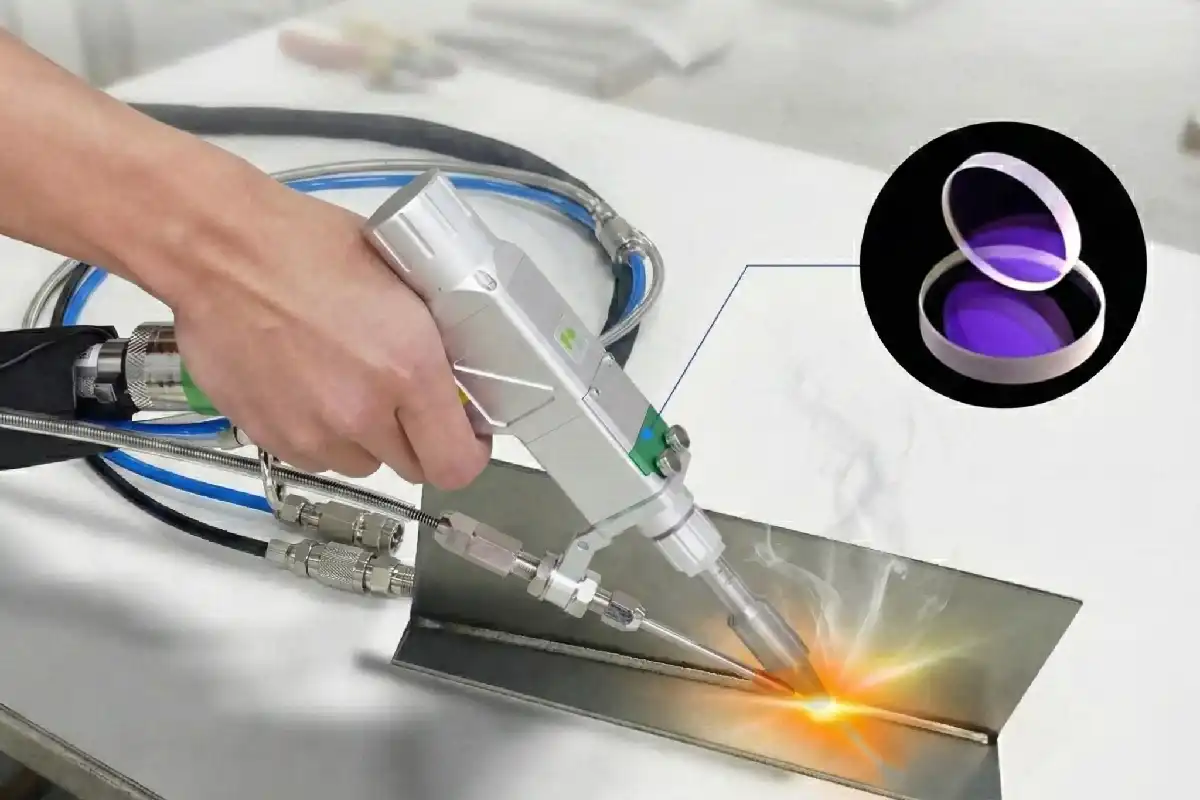
You might ask why protective lenses explode in laser welding. This problem can hurt you and damage your tools. > Cleaning often and being careful can stop accidents. You should know the main reasons for explosions to stay safe. Watch every detail when you use laser welding machines.
Key Takeaways
- Clean your protective lens often to stop dust and spatter. This easy step can help prevent explosions. It also helps your equipment last longer.
- Always look at the power density settings on your laser welding machine. Use the lowest power that still works well. This lowers the chance of the lens getting too hot or breaking.
- Set the focus position the right way. This keeps the laser energy on the workpiece. It helps protect the lens from too much heat and damage.
- Pick high-quality materials for your protective lens. Good materials handle heat better. They lower the risk of the lens breaking suddenly.
- Watch the gas pressure closely when you weld. The right pressure keeps the lens safe from heat and spatter. This makes welding safer.
Lens Contamination Causes Protective Lenses Explode
Welding Dust and Slag Impact
You face a big risk when dust and slag build up on your lens during laser welding. These tiny particles can land on the lens and block the laser beam. If you ignore this problem, the lens gets dirty and the laser cannot cut well. Sometimes, dust and spatter damage the focusing lens. This damage can make protective lenses explode, especially if you use high power. Lower-grade lenses do not stop dust and spatter. You may see burn spots or even total failure. If you do not clean the lens, you might need to replace the whole lens assembly.
Common contaminants found on protective lenses include:
- Material splashback from molten metal
- Particles carried by impure assist gas
- Dust from the workshop environment
- Fingerprints, oil, or debris from improper installation
- Air and dust entering through poor sealing
You must watch for these problems every time you weld. Clean lenses help you avoid explosions and keep your equipment safe.
Cleaning and Maintenance Tips
You can prevent lens contamination with simple steps. Follow these tips to keep your lens clean and working well:
- Make sure the lens is clean before you remove it. Keep fans away to avoid blowing dust onto the lens.
- Wear gloves when you handle lenses. This stops fingerprints from getting on the surface.
- Hold the lens by the edges. Do not touch the surface with your fingers.
- Keep dust and other contaminants out of your work area.
- Use a blower to remove light dust.
- For stains, gently wipe with a cotton swab and cleaning agent.
- For moderate dirt, use distilled vinegar first, then acetone.
- For heavy contamination, use an optical polishing solution with care.
Tip: Clean your lens often and check for damage. Regular cleaning helps prevent protective lenses explode and keeps your laser welding safe.
If you follow these steps, you lower the risk of lens failure. You protect your equipment and avoid costly repairs.
Excessive Power Density and Improper Focus
How Power Density Triggers Explosions
You need to control the power density of your laser welding machine. Power density means how much laser energy hits a small area of the lens. If you set the power too high, the lens absorbs too much heat. This heat can cause the lens to crack or even shatter. When the lens cannot handle the energy, protective lenses explode. You may see sudden flashes or hear loud pops. These signs show that the lens failed because of too much power.
High power density also burns dust or small particles on the lens. This burning creates hot spots. Hot spots weaken the lens and make it more likely to break. You should always check your machine’s power settings before you start welding. Use the lowest power that still gets the job done. This step keeps your lens safe and helps you avoid costly repairs.
Tip: If you notice burn marks or cracks on your lens, stop using the machine. Replace the lens right away to prevent accidents.
Focus Position Adjustment
You must set the focus position correctly to protect your lens. The focus position tells the laser where to concentrate its energy. If you set the focus too close to the lens, the energy hits the lens instead of the workpiece. This mistake can cause the lens to heat up and fail. If you set the focus too far, you lose cutting power and waste energy.
Follow these steps to adjust the focus:
- Check the user manual for the recommended focus distance.
- Use a test piece to find the sharpest and cleanest cut.
- Adjust the lens height until you get the best result.
- Lock the focus in place before you start welding.
A correct focus position keeps the energy away from the lens. This simple step helps you avoid situations where protective lenses explode.
Poor Surface Treatment and Material Issues
Material Quality and Lens Failure
You should always check if your protective lens is good quality. If the surface is not treated well, the lens can break early. Sometimes, companies polish lenses too fast. This makes the lens rough. A rough lens scatters more light. This can make the lens get too hot. If the coating does not stick, it might peel off when you use it. Bubbles or uneven coatings also make the lens weak. Problems on the lens can soak up laser energy. This can create hot spots. Hot spots can make protective lenses explode.
Here is a table that lists common problems with surface treatment:
| Deficiency Type | Description |
|---|---|
| Material Quality | Lenses made quickly are rough and scatter more light. |
| Coating Adhesion | Uneven coatings and bubbles can make the coating fall off early. |
| Quality Control | Not checking for defects can leave weak spots on the lens. |
Note: Always look at your lenses before you use them. Even small problems can cause big trouble when you weld.
Selecting Proper Lens Materials
You can stop many problems by picking the right lens materials. Good lenses last longer and do not break from heat or laser energy. Companies use different ways to make lenses stronger. For example, they can add tiny patterns to the surface. These patterns help scatter light. Surface oxidation changes the lens so it can handle more energy. Some lenses have nickel or carbon added to help them work better. Laser-induced periodic surface structures (LIPSS) make the lens even stronger.
Here is a table of common ways to treat lens surfaces:
| Surface Treatment Method | Description |
|---|---|
| Surface Texture Treatment | Makes tiny bumps on the metal to scatter and absorb more light. |
| Surface Oxidation Treatment | Uses chemicals to change the surface so it absorbs more light. |
| Absorbent Addition Method | Adds nickel or carbon to help the lens soak up laser energy. |
| Laser-Induced Periodic Surface Structures (LIPSS) | Makes ripples on the lens with special light to make it stronger. |
Tip: Ask your supplier how they treat the lens surface. Better treatments mean your lens will last longer and be safer.
If you choose good lenses with the right treatments, you lower the chance of sudden lens failure. You keep your work safe and save money by avoiding repairs.
Incorrect Gas Pressure Damages Protective Lenses
Gas Pressure Effects on Lens
You must use the right gas pressure when welding. Gas pressure helps protect the lens from heat and spatter. Too much pressure can make the lens crack or move. Too little pressure lets dust and hot bits hit the lens. Both problems can make protective lenses explode and cause danger.
Check this table for safe gas pressure:
| Parameter | Value |
|---|---|
| Recommended pressure | 0.15–0.3 MPa |
| Maximum limit | 0.8–1.0 MPa |
| Adjustment for thickness | Use higher pressure for thicker materials |
Stay in these limits to keep your lens safe. If you weld thick metal, use a bit more pressure. Never go over the top limit. High pressure can break the lens or push it out of place.
Pressure Adjustment Guidelines
You can follow easy steps to check and change gas pressure. These steps help stop lens damage:
- Look at the gas cylinder valve. Make sure it is open all the way. Check the gas gauge and see if the pressure is between 0.1 and 1 MPa. If the pressure is too low, change or fill the cylinder.
- Make sure you have a pressure detection switch. Set it up to find high signals.
- Check the wires for the pressure system. Connect it to the right port. Set the alarm to find a -24V signal.
Use these tips to keep your lens safe:
| Guideline | Description |
|---|---|
| Pressure Adjustment | Raise air pressure so the flow is at least 15 and pressure is not less than 4. For oxygen, keep the gauge at least 2 kilograms. |
| Welding Angle | Hold the welding gun at a 45° angle to the plate. Do not weld straight down, especially with shiny metals. |
| Parameter Settings | Use slow rise and fall for welding settings. Adjust gas delay and light power slowly. |
| Material Consideration | Use the lowest power for aluminum and galvanized sheets. |
| Lens Quality | Buy high-quality protective lenses for better safety. |
| Focusing Lens | Change the F200 focusing lens and use a longer tube to stop spatter. |
Tip: Always check your gas pressure before you start welding. Good pressure settings help you avoid accidents and keep your lens working longer.
Inappropriate Welding Materials Increase Lens Risk
Aluminum and Galvanized Sheet Hazards
You may think all metals work the same in laser welding, but some materials create more danger for your equipment. Aluminum and galvanized sheets cause special problems. When you weld aluminum, it reflects much of the laser energy. This reflection can bounce heat back to the lens. The lens heats up fast and may crack. Galvanized sheets have a zinc coating. When you weld them, the zinc melts and creates thick smoke and sticky spatter. This smoke can stick to the lens and block the laser beam. If you do not clean the lens, the buildup can make protective lenses explode.
Note: Always check the type of metal before you start welding. Some metals need special settings or extra care to keep your lens safe.
Material Selection for Lens Protection
You can lower the risk of lens damage by choosing the right welding materials. Some metals work better with laser welding and create less spatter or smoke. Here are some tips to help you pick safer materials:
- Choose clean, rust-free metals. Dirt and rust create more smoke and spatter.
- Use metals with smooth surfaces. Rough surfaces reflect the laser in many directions.
- Avoid coated or painted metals unless you remove the coating first.
- Ask your supplier if the metal is safe for laser welding.
Here is a table to help you compare common welding materials:
| Material Type | Risk Level | Special Notes |
|---|---|---|
| Stainless Steel | Low | Good for laser welding |
| Mild Steel | Medium | Watch for rust and dirt |
| Aluminum | High | Reflects laser, heats lens quickly |
| Galvanized Sheet | High | Creates smoke, needs extra cleaning |
Tip: Test a small piece of new material before you start a big job. This step helps you see if the lens stays clean and safe.
If you pick the right materials and follow these tips, you protect your lens and avoid costly repairs.
You can stop most protective lens explosions by doing a few things. Clean your lens a lot. Use only good or original parts. Make sure your machine is set up right. Pick safe welding materials. Do not weld straight down on shiny metals. Check your tools often and handle them with care. This helps you find problems before they get worse.
| Safety Step | Benefit |
|---|---|
| Regular cleaning | Stops buildup and overheating |
| Proper settings | Reduces risk of sudden failure |
| Good material choice | Keeps your lens safe longer |
Always pay attention and take care of your tools. These habits keep you and your equipment safe every time you weld.
FAQ
What signs show my protective lens needs replacing?
You may see burn marks, cracks, or cloudy spots on the lens. If you notice these, replace the lens right away. A damaged lens can explode or cause poor welding results.
How often should I clean my laser welding lens?
You should clean your lens before each welding session. If you work in a dusty area or weld for long periods, check and clean the lens more often. Clean lenses last longer and keep you safe.
Can I use any cleaning solution for my lens?
No, you should use only approved optical cleaning solutions. Avoid harsh chemicals or rough cloths. These can scratch or damage the lens surface. Always follow the manufacturer’s cleaning instructions.
Why does gas pressure matter for lens safety?
Gas pressure protects the lens from heat and spatter. If you set the pressure too high or too low, you risk damaging the lens. Always check your machine’s recommended pressure settings before welding.
What Happens When You Get a Laser QBH Alarm
How to Diagnose Button Response Issues in Laser Welding Machines
The light emission characteristics of laser welding machines



