
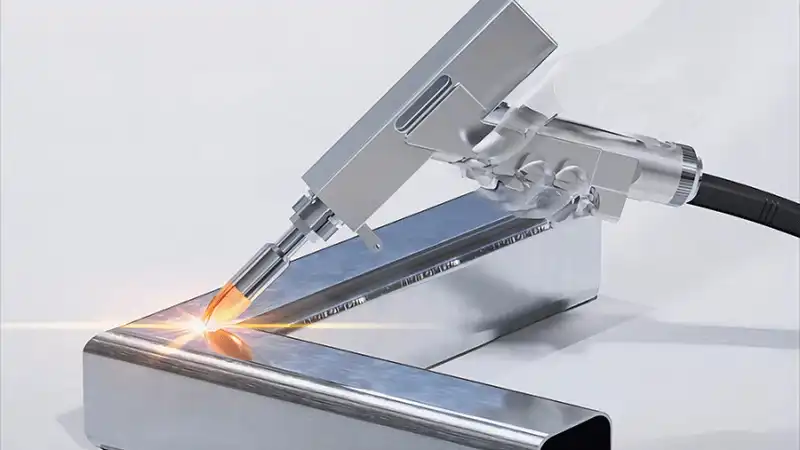
Lasers sometimes do not turn off when they should. Problems can start with semiconductor breakdown or bad contacts. Software errors can also cause trouble. Water leaks, electrical faults, or dust may make things worse. Old parts can be a problem too. Many accidents happen because equipment does not work right, people use it unsafely, or there is no protection. The table below shows common reasons:
| Cause of Laser Failure |
|---|
| Equipment malfunction |
| Improper handling of high voltage |
| Lack of eye protection |
| Incorrect restoration after service |
Finding the main reason helps fix laser problems fast.
Key Takeaways
- Cleaning and taking care of lasers often can stop many problems that make them stay on.
- Finding the main reason for laser failure, like semiconductor damage or contact trouble, helps workers fix problems fast.
- Updating software and firmware is very important to make sure the laser works right and does not stay on because of control system errors.
- Using things like fume extractors can keep lasers safe from dust and dirt that might cause them to break.
- Fixing and changing old parts on time can help lasers last longer and work safely.
Main Laser Failure Causes
Semiconductor Degradation
Semiconductor degradation is a top reason for constant light problems in lasers. The materials inside the laser can break down over time. This breakdown changes how the laser works. Sometimes, the laser stays on when it should turn off. The highest degradation rate for semiconductor laser diodes is 3.1% for every 1,000 hours. This means the laser gets weaker as it gets older.
| Degradation Mechanisms | Details |
|---|---|
| Degradation Mechanisms | These problems happen because of how the laser is used. They affect how much power comes out and how the current changes. |
| Constant Output Power | Semiconductor lasers keep steady power in communication systems. The current changes depending on how much the laser has degraded. |
| Current Increase Patterns | How the current goes up (fast, slow, or sudden) depends on which part is damaged and why it happened. |
Defects can move inside the semiconductor. This can change how the laser acts. Sometimes, the laser does not listen to control signals.
Electrode and Contact Issues
Problems with electrodes and contacts can make a laser stay on. If the connections inside get weak or rusty, the electric current does not flow right. Bad electrodes can make the contact points unstable. This can make the laser shine even when you try to turn it off. Bad soldering or loose wires can also cause this issue.
Control System Bugs
Control system bugs happen because of mistakes in the software or firmware. If the control system sends wrong signals, the laser might not turn off. Problems with GRBL firmware settings can keep the laser on. This happens if the laser mode is set wrong. Old firmware can also make the laser work badly. Updating the firmware can fix these mistakes. It helps the laser work better and stops it from staying on. Always follow the manufacturer’s advice for updates to stay safe.
Water and Electrical Supply Problems
Water leaks and electrical supply problems can make the laser stay on. High-voltage laser power supplies can break, especially in old buildings with lots of power use. Problems with insulation on power cords can also cause trouble. Sometimes, electrical supply issues like HFT shorting make the laser act strangely. These problems can stop the laser from turning off when needed.
Optical Damage and Aging
Optical damage and aging hurt the parts that guide and focus the laser light. Over time, these parts can get scratched or cloudy. This damage changes how the laser shines. Old materials may not work well with control signals. This can make the laser stay on. Using the laser a lot makes these problems more likely.
Contamination and Environmental Factors
Dust, carbon particles, or metal bits can lower how much damage optical materials can take. When these things touch the laser, they can make heat and cause the parts to fail faster. Pollution in the air adds to the risk of these problems. Keeping the laser clean helps stop these failures.
How Causes Lead to Constant Light
Physical and Electrical Mechanisms
Electrode and contact problems can make a laser stay on. When the gold top electrode in quantum cascade lasers gets worse, the core gets hotter. This extra heat lets electrons move into other places. It messes up the balance the laser needs to work right. Problems in the dielectric and metal layers during building often cause these issues. Laser arc discharges also matter. These sparks lower the voltage needed for them to happen. They can start and guide electrical problems. These things make it hard to control the laser and can keep it shining all the time.
Thermal lensing changes how high-power lasers work. Here are ways thermal lensing keeps the light on:
- The device becomes unstable and hard to turn off.
- Pump power changes how strong the lens is.
- This affects the mode and how the beam acts.
- Optical problems make the beam worse and make alignment tricky.
Software and Control Failures
Software mistakes and firmware errors can work with hardware to keep the laser on. The table below shows how these problems happen:
| Statement | Explanation |
|---|---|
| “$32=1 and laser still fires between cuts” | A command keeps the device active, showing software and hardware work together. |
| “Only $31, which should be zero.” | Wrong settings can make the laser act in ways you do not want. |
| “Laser is firing because it’s being told to.” | Software commands can make the laser stay on. |
| “Hardware fault or corrupt firmware.” | Hardware problems and bad firmware can cause this issue. |
| “Failed pull-down resistor.” | Hardware trouble can stop the device from turning off. |
| “Controller can cut-off power with S0; firmware fault possible.” | Firmware mistakes might be why the laser stays on. |
| “Reflashed firmware, problem continued.” | Updating firmware may not fix the problem, showing it is complicated. |
Environmental and Aging Effects
Things around the laser and getting older also cause constant light problems. Here are some ways this happens:
- Constant light makes living things like C. elegans and Drosophila live shorter lives.
- This happens because of stress and protein changes, not body clocks.
- Lasers get worse over time from heat and wet air.
- Dust builds up and messes up important parts.
- Performance changes can cause problems and failed checks.
- Dust can get inside, make mirrors and lenses cloudy, and cause error codes.
- Too much dust can break hardware and cause mistakes when working.
Diagnosing Laser Constant Light
Visual and Physical Inspection
Technicians begin by looking at the laser closely. They check for dust or rust on the parts. They look for wires that are loose or broken. They search for spots that look burned or too hot. Sometimes, they use magnifying glasses to see tiny cracks. They also make sure covers and seals fit tightly. If they find dirt or damage, they clean or change the parts. This helps them find problems before they do more tests.
Tip: Cleaning and checking the laser often can stop many constant light problems.
Electrical and Optical Testing
Experts use special tests to learn why the laser stays on. L–I–V testing checks how current and voltage change the light. This test shows if the laser works the right way. Optical spectrum analysis shows the color and strength of the light. It helps experts see how well the laser works. Spatial emission profiles show if the light spreads out evenly. These tests help find problems with the parts that make and guide the light.
A new tool from Lawrence Berkeley National Laboratory checks spectral phase changes. This tool lets technicians watch for problems while the laser is running. They do not need to turn off the laser to use it. It helps keep the laser steady and working well.
Identifying Failure Modes
Technicians use different ways to find what went wrong. They look for weak light or low output when the laser runs normally. If the light drops below a set level, the laser may be broken. They use FMECA to list possible problems and see how bad they are. They also use criticality calculations to guess how likely each problem is.
| Methodology | Description |
|---|---|
| FMECA | Lists big problems, their effects on light, and how they happen. |
| Criticality Calculation | Guesses how often problems happen and how long the laser will last. |
Common problems are electrode degradation, ohmic contact issues, cavity surface damage, and pollution. By checking these things, technicians can find the main cause and plan how to fix it.
Solutions and Prevention
Repair and Replacement
Technicians fix broken parts to make lasers work again. They change electrodes, contacts, or optical parts if they are worn or rusty. Fast repairs stop more damage and keep things safe. They use test results to know what needs fixing. If a part keeps breaking, they use a better one to make it last longer.
Maintenance and Monitoring
Regular checks help stop constant light problems. Teams watch system numbers to find drift or dirt early. They clean lenses, mirrors, and windows to get rid of dust. Cooling systems need checks and cleaning so they do not get too hot. Machines can check how lasers work and warn staff before things break. Calibrating power and checking the beam keeps lasers working well. Motion and alignment parts need checks to make sure they work right.
- Watch system numbers to find drift or damage.
- Clean lenses and mirrors to keep the beam strong.
- Check and clean cooling systems to keep things cool.
- Use machines to watch how lasers work.
- Calibrate power and check the beam shape.
- Check moving and alignment parts to make sure they work.
Tip: Regular checks help stop surprise problems and make lasers last longer.
Environmental Controls
Managing the air keeps laser parts safe from dirt. Buildings use fume extractors with special filters to catch tiny bits in the air. Fans near cleaning spots pull out bad stuff right away. These steps keep the air clean and protect people and lasers.
- Use fume extractors with strong filters.
- Put fans close to work spots to pull out dirt.
System Upgrades
Making the system better helps lasers work well and not break. Technicians may add better cooling or new tools to check lasers. They update software to fix mistakes and make things safer. Better alignment parts and optical materials help lasers stay steady for a long time.
Note: Always follow safety rules and pick upgrades that fit the building’s needs.
Lasers sometimes do not turn off because of semiconductor wear, contact problems, software mistakes, or dirty parts. Each of these problems starts in a different way and causes different issues. When technicians find the real problem, they can fix lasers faster. Checking and cleaning the laser often makes it less likely to break. Making upgrades and keeping the air clean also help a lot.
Tip: Teams that do these things keep lasers safe and working for more time. Watching the laser closely and fixing it quickly keeps both people and equipment safe.
FAQ
Why does a laser sometimes stay on after turning it off?
A laser may stay on because of broken parts, software errors, or dirty surfaces. Technicians check each part to find the problem. Regular cleaning and updates help prevent this issue.
Can dust or dirt make a laser fail to turn off?
Yes, dust or dirt can block sensors or damage contacts. This causes the laser to keep shining. Teams clean the laser often to stop this from happening.
How do technicians test if a laser is working right?
Technicians use special tools to check current, voltage, and light output. They look for changes in color and strength. These tests help them find problems quickly.
Tip: Regular testing helps catch issues before they get worse.
What should someone do if a laser will not turn off?
They should unplug the device and call a trained technician. Trying to fix it alone can be dangerous. Safety comes first.
Does old age affect how a laser turns off?
Old lasers may have worn parts or weak connections. These problems make it harder for the laser to shut down. Replacing old parts helps keep the laser safe.
Passive vs Auto-darkening welding helmet: Is it worth it?
Selection guide for 6010 and 6011 welding rods



