
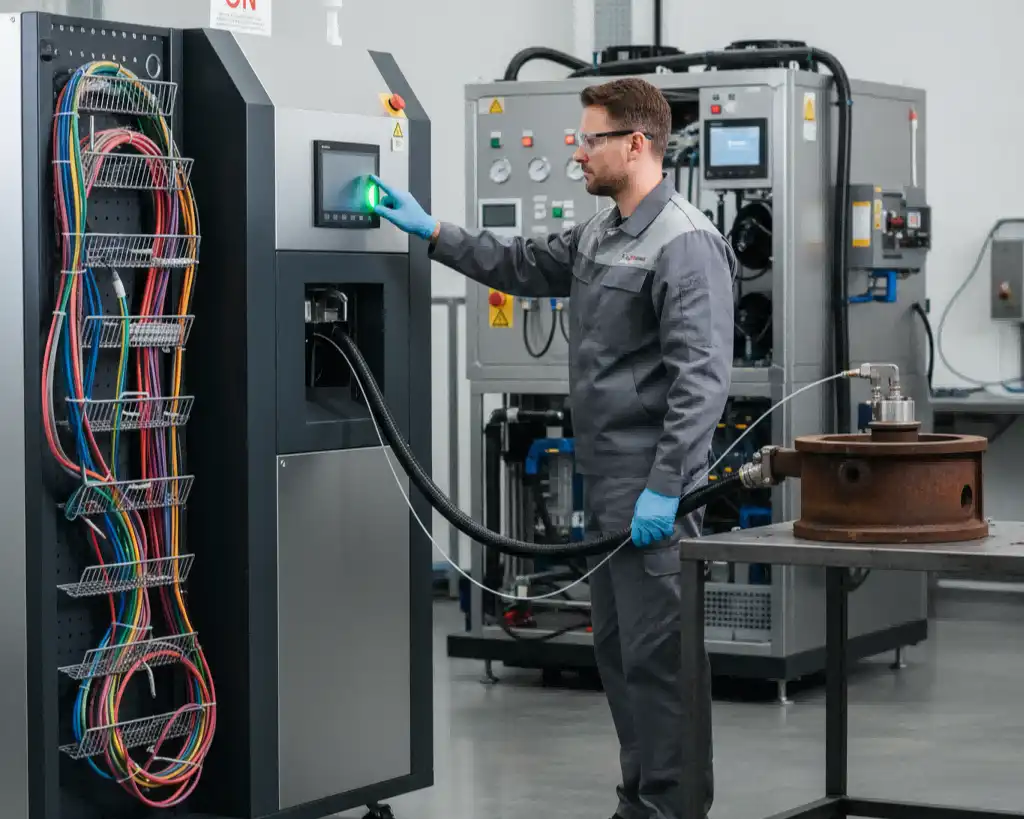
You need to check some important things before using a laser cleaning machine. These checks keep you safe and protect the machine. They also help stop accidents from happening. Every day, look at the machine and the area around it. Watch the temperature and make sure air moves well. Check if all safety systems are working. The table below shows how often experts say to check each part:
| Frequency | Pre-Operation Checks |
|---|---|
| Daily | Inspect machine, environment, safety systems |
| Weekly | Clean filters, inspect cables, test operation |
| Monthly | Check calibration, review optics |
| Quarterly | Do preventive maintenance, review safety |
| Annually | Audit system, check electrical and safety controls |
Key Takeaways
- Check the laser cleaning machine and workspace every day. This helps stop accidents and keeps the area safe.
- Wear the correct personal protective equipment (PPE) to stay safe from laser dangers. Look for any damage on your PPE before you use it.
- Make sure you are trained before using the laser cleaning machine. You need a certificate in laser safety to use it safely.
- Put up clear safety rules and signs in the workspace. This helps everyone know about dangers and how to stay safe.
- Clean and take care of all optical parts and connections often. This helps the machine work well and keeps it safe.
Safety Gear and Training
Check Personal Protective Equipment
Before you start, look at your personal protective equipment. You need to use different types of PPE. Each one keeps you safe from certain dangers.
- Laser safety glasses protect your eyes from laser beams.
- Protective clothing covers your skin and helps stop burns.
- Respiratory protection like masks keeps you from breathing bad fumes.
- Gloves keep your hands safe from heat and sharp things.
- Face shields help protect your face from harm.
- Hearing protection like earplugs keeps loud sounds away from your ears.
- Safety helmets protect your head in busy work areas.
Tip: Always check your PPE for damage before you use it. If something is broken or worn out, get a new one.
If you do not wear the right PPE, you can get hurt. The table below shows what can go wrong and how to stop it:
| Risk Type | Description | Preventive Measures |
|---|---|---|
| Toxic Fumes | Bad gases can hurt your lungs when cleaning. | Use good air systems and wear masks or respirators. |
| Particulate Matter | Tiny dust or metal bits can make it hard to breathe. | Use exhaust fans and wear the right masks. |
| Electrical Hazards | High electricity can shock you or start fires. | Make sure wires are safe and check them often. |
| Fire Hazards | Lasers can get hot and start fires. | Keep flammable things away and have fire extinguishers nearby. |
| Mechanical Hazards | Moving parts can catch or pinch you. | Cover moving parts and teach workers how to be safe. |
| Chemical Exposure | Chemicals can burn you or make you sick. | Wear gloves and face shields when working with chemicals. |
| Ergonomic Hazards | Working too long can hurt your muscles. | Check work areas and use tables that can move up or down. |
| Thermal Hazards | Machines get hot and can burn you. | Wear gloves that resist heat and protective clothes. |
| Noise Hazards | Loud sounds can hurt your ears over time. | Check noise levels and use ear protection. |
| Psychological Hazards | Fast work can make you tired or stressed. | Take breaks and get help for your mind. |
Confirm Operator Training
You need to make sure you have the right training. Training teaches you how to use the machine safely. Most places want you to take a laser safety class and pass a test.
| Course Name | Duration | Description |
|---|---|---|
| Level 2 Laser Safety | 1 day | Needed for people using Class 4 Laser Cleaning Machines. It teaches laser safety and how to spot dangers. |
| Half-Day Operator Laser Safety | Half-Day | Teaches about laser dangers, safety steps, and rules for workers using lasers. |
| Industrial Laser Safety Technician Certification | N/A | You must finish a class, pass a test, and practice with real laser machines. |
People who do not get trained can cause accidents. Many people get hurt each year because they skip safety steps. Most laser injuries hurt the eyes. Never use a strong laser cleaner without training. You should get laser safety certification and practice with help.
Note: Good training helps you stay safe from eye and skin injuries. Always check your certificate before you start working.
Workspace and Laser Safety
Inspect Work Area for Hazards
Look at your workspace before you start cleaning. Take away things that can burn or block your way. Make sure the floor is dry and clear. Check for wires or tools that you could trip on. Watch out for shiny surfaces that can bounce the laser beam. Make sure air moves well to get rid of fumes and dust.
Here is a table that shows common dangers in a laser cleaning workspace:
| Hazard Type | Description |
|---|---|
| Eye Damage | Laser beams can hurt your eyes, especially strong ones. |
| Skin Damage | Lasers can burn your skin or change its color. |
| Fire Hazards | Lasers can start fires if they hit things that burn. |
| Airborne Contaminants | Lasers can make bad dust and fumes while cleaning. |
| Collateral Radiation | Extra laser radiation can be dangerous. |
| Electrical Hazards | High voltage can shock or burn you. |
| Flying Particles | Small pieces can fly off and hurt you. |
Set Up Laser Safety Protocols
Set up safety steps before you use the laser cleaning machine. Always wear laser safety glasses that match your machine. Only let trained people go into the work area. Use curtains or barriers to keep others out. Make sure you can reach emergency stop buttons fast. Put beam stops behind your work to catch stray beams. Follow the ANSI Standard Z136.1 rules for laser safety. These rules help keep your workspace safe and neat.
Here are some important safety steps to follow:
- Wear laser safety glasses made for your laser.
- Work in a space where only some people can enter.
- Know your laser’s class and what risks it has.
- Use safety locks and features on your machine.
- Put warning signs at every entrance.
- Make emergency plans and teach everyone what to do.
Tip: Ask your Laser Safety Officer to check your workspace often. This helps you find problems and fix them before someone gets hurt.
Ensure Proper Signage
Put up the right signs before you start laser cleaning. Signs warn people about laser dangers and help keep everyone safe. Put signs at every door to the laser area. The kind of sign depends on your laser’s class. For example:
| Laser Class | Required Signage |
|---|---|
| Class I | No warning labels needed |
| Class II | CAUTION, Do not look into the beam |
| Class III | WARNING, LASER, Do not look at the beam |
Check that all signs are easy to see and read. Change faded or broken signs right away. Signs help remind everyone to be careful and follow safety rules.
Laser Cleaning Equipment Checks
Inspect Lenses, Windows, and Mirrors
You need to check all optical parts before you start laser cleaning. Look at the lenses, windows, and mirrors every day. Make sure they are clean and free from scratches or cracks. Dirt or damage can block the laser beam and lower cleaning power. Use a flashlight to see dust or fingerprints. If you find any marks, clean them with a soft, lint-free cloth. Never use rough materials because they can scratch the surface. Replace any broken or damaged parts right away.
Tip: Clean optics help you get the best results and keep the laser cleaning machine safe.
Check Power, Cooling, and Water Levels
You must check the power supply before you turn on the laser cleaning machine. Make sure the power cord is plugged in tightly. Look for signs of wear or damage. Check that the cooling system works well. Cooling keeps the machine from overheating. Look at the fans and vents to see if they are clear. If your machine uses water cooling, check the water tank. Make sure you use purified water. Fill the tank to the right level. Dirty or low water can cause the machine to stop working.
Here is a simple checklist for these steps:
- Check power cord and plug for damage.
- Make sure cooling fans and vents are clean.
- Fill water tank with purified water.
- Look for leaks or spills near the machine.
Examine Cords and Connections
You need to inspect all cables and electrical connections before you start laser cleaning. Loose or damaged wires can cause accidents. Follow these best practices:
- Make sure all electrical connections are tight and free from damage or corrosion.
- Look at cables for fraying or wear. Replace any damaged cables right away.
- Keep connection ports and sockets clean. Make sure they are firmly connected.
Note: Good cable care helps prevent malfunctions and keeps you safe.
Clean Fiber Connectors and Goggles
You must clean fiber connectors and safety goggles before every use. Dirty connectors can block light and cause poor cleaning results. Contamination can lead to equipment failure and safety risks. You may notice poor signal quality, increased optical loss, or frequent connection retries if connectors are dirty.
Here is what can happen if you do not clean fiber connectors:
- Dirty connectors block light transmission and cause poor signal quality.
- Contamination can lead to equipment failure and safety risks.
- Large particles can move to the core and make cleaning harder.
- Dirt can get stuck in the fiber, leading to costly repairs.
Contamination on the end-face of fiber optic connectors can cause severe performance problems. Even tiny particles can misalign the laser, causing back reflections and instability. Heat from high-power lasers can react with dirt and create fire hazards.
Use the right cleaning methods for fiber connectors and goggles. The table below shows what you need:
| Cleaning Method | Tools Used | Cautions |
|---|---|---|
| Dry Cleaning | Lint-free wipes | Avoid contamination; do not scrub the fiber against the wipe. |
| Wet Cleaning | 99% isopropyl alcohol, Lint-free wipes | Ensure no alcohol gets into guide pin holes; do not use on E-2000 or F-3000 connectors. |
Tip: Always clean your safety goggles with a soft cloth. Never use harsh chemicals because they can damage the lens.
Laser cleaning works best when you keep all parts clean and in good shape. You protect yourself and your equipment by following these checks every time.
Pre-Operation Testing and Emergency Prep
Test Laser Beam on Sample
Test the laser beam on a sample first. This helps you find problems early. It keeps everyone safe. Always follow each step when you test the laser. The table below shows what to check:
| Procedure | Description |
|---|---|
| Initial Safety Checks | Look for things blocking the beam path. Turn on laser warning signs. Only trained people should stay nearby. |
| Alignment Procedures | Use the lowest laser energy to check alignment. Never look at the beam. Wear safety glasses. |
| Adding New Elements | Repeat safety checks if you add new parts. Check all optics for damage before starting. |
Testing the laser beam on a sample helps you avoid mistakes. You can spot alignment problems or broken optics before they get worse.
Review Emergency Procedures
You must know what to do if something goes wrong. Review emergency steps before you start work. The table below lists common emergencies and what to do:
| Emergency Type | Action |
|---|---|
| Minor Injuries | Go to the health center or call for help. Tell the Laser Safety Officer what happened. |
| Major Injuries | Call 911 right away. Report the injury to the Laser Safety Officer. |
| Minor Chemical Spill | Contact the Chemical Hygiene Manager for advice. |
| Fire or Major Chemical Spill | Call 911, leave the area, and pull the fire alarm if needed. |
| Reporting Requirements | Report all laser-related injuries as safety rules say. |
Practice emergency drills often. Clear signs and written instructions help everyone remember what to do. Staff need basic first aid and emergency training. They should know how to handle laser injuries.
Locate Safety Equipment
Know where all safety equipment is before you begin. Safety screens and barriers should surround the laser cleaning area. These keep workers and bystanders safe from stray beams. Put safety equipment where you can see and reach it easily. The table below shows what equipment you should have:
| Safety Equipment Type | Description |
|---|---|
| Laser Safety Enclosures | These protect you from laser reflections. They stop the machine if someone opens the enclosure. |
| Personal Protective Equipment | This includes laser safety glasses for everyone in the hazard zone. Use signs and control who enters. |
| Other Safety Measures | Use equipment that catches dust and fumes during cleaning. This keeps the air safe to breathe. |
- Install screens so you cannot see the laser cleaning machine from the sides or above.
- Remember, some lasers can be dangerous even from far away. Keep barriers in place at all times.
Tip: Always check that safety equipment is in the right place before you start. This simple step can prevent accidents and keep everyone safe.
You need to look at your laser cleaning machine before you use it. These checks help keep you, your team, and your machine safe. Doing safety steps makes accidents less likely. You can learn good habits by joining training often. Take part in safety drills with your team. Talk about safety and share ideas with others. Managers who give rewards for safe work help everyone stay careful. Make these checks part of your daily routine. This helps your workplace stay safe and work well.
FAQ
What should you do if you find damaged safety equipment?
Stop using the equipment right away. Get new safety gear before you work. Broken gear cannot protect you from laser dangers.
What items must you remove from the workspace before starting?
Take away things that can catch fire. Remove loose tools and shiny stuff. These things can start fires or bounce the laser beam.
What signs show that the laser cleaning machine needs maintenance?
Look for warning lights on the machine. Listen for odd sounds when it runs. If cleaning does not work well, check the machine or call for help.
What should you do if an emergency happens during operation?
Push the emergency stop button fast. Leave the area as soon as you can. Tell your boss or Laser Safety Officer what happened.
See also
Why Are Laser Cleaning Machines Priced So Differently
What types of rust can be removed by laser cleaning
Application of laser cleaning in the restoration of historical relics
How many hours can a laser cleaning machine work nonstop



