
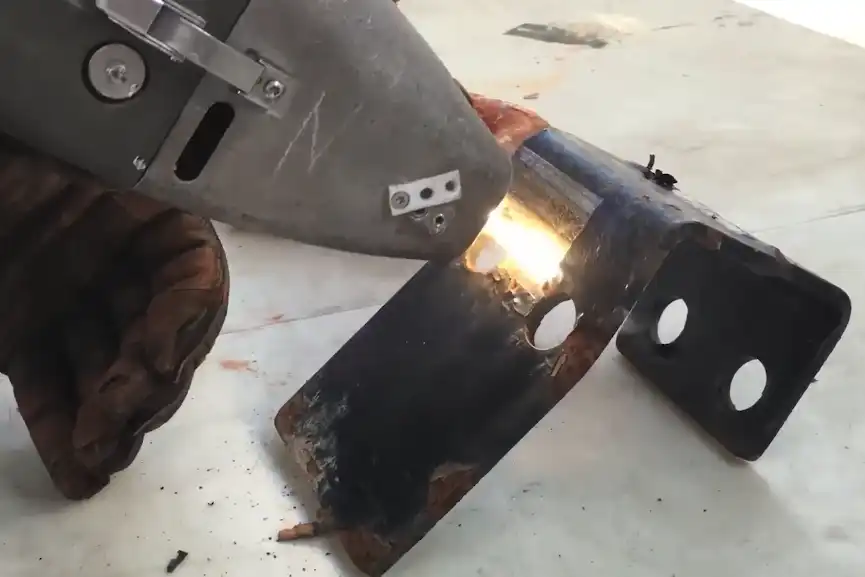
Choosing the right Laser Cleaning Machine power means knowing what you need. You should think about the material type. You need to know what kind of contaminant is there. Look at the size of your workpiece. Think about how fast you want to clean. Check the delivery system. You also need to think about your budget. If you pick too much power, you might harm surfaces. If you pick too little power, you may waste time and energy. Low-power machines are good for delicate things. High-power machines are better for tough jobs. Follow each step to get the best results.
Key Takeaways
- Find out what material you have before picking a laser cleaning machine. Each material needs a different power level.
- Look at what is dirty on the surface. Rust, paint, and grease need special laser settings to clean well.
- Match the power level to how big the item is. Small things need less power. Big things need more power.
- Think about how quickly you want to clean. More power cleans faster. But it can hurt the surface.
- Budget matters a lot. Machines with more power cost more at first. But they can save money later because they work better.
- Use pulsed lasers for soft surfaces. Use continuous wave lasers for big and tough jobs.
- Always start with low power. Test a small spot first. This helps you not damage the item.
- Ask an expert for hard jobs or if you are not sure about settings. This keeps things safe and works well.
Key Factors for Laser Cleaning Machine Power
Material and Sensitivity
When picking a Laser Cleaning Machine, look at what you want to clean. Each material acts differently when hit by laser energy. Metals need more power because they are thick and can take heat. Wood and plastic need less power. Too much power can hurt soft surfaces. Think about how the material takes in heat and light. Some things bounce laser energy away, so you must change the settings. Here are some things to remember:
- Metals need more power because they are thick and strong.
- Soft or delicate things need less power so they do not get ruined.
- Cleaning depends on how thick, how well heat moves, and how shiny the material is.
- Match the laser’s strength, color, and pulse time to the material.
If you clean fragile or expensive items, start with low power and test a small spot first.
Contaminant Type
The kind of dirt or coating on your item matters too. Different things like rust, paint, or grease need different laser settings. Some dirt takes in laser energy better, so cleaning is easier. How thick the dirt is and how hard it sticks also matters. You can use this table to see which laser works best for each kind of dirt:
| Contaminant Type | Laser Type | Description |
|---|---|---|
| Rust | Pulsed Lasers | Good for light rust, gives control and accuracy. |
| CW Lasers | Best for heavy rust, cleans faster. | |
| Paint | Pulsed Lasers | Great for thin paint, removes without hurting the item. |
| CW Lasers | Good for thick paint, cleans quickly. | |
| Mold and Grease | Pulsed & CW | Both work, but pulsed lasers help with gentle cleaning. |
Tip: Always check how thick the dirt is and how hard it sticks. Thick or tough dirt may need more power or more cleaning tries.
Workpiece Size and Shape
How big and what shape your item is matters when picking Laser Cleaning Machine power. Small things need less power. Big things need more power. If your item is small, use a machine with 20-100 watts. Medium items do best with 100-500 watts. Big or factory parts may need over 500 watts, sometimes even more than 1000 watts. Odd shapes or lots of corners need extra care, but flat things are easier to clean.
- Small items: 20-100 watts for careful cleaning.
- Medium items: 100-500 watts for rust or mold.
- Large items: 500+ watts for tough cleaning jobs.
Always pick the right power for your item’s size and shape to get the best results.
Cleaning Speed Needs
You need to think about how fast you want to finish cleaning. If you have a lot of parts or large surfaces, you may want a faster cleaning speed. The power of your Laser Cleaning Machine affects how quickly you can remove dirt, rust, or paint. Higher power usually means you can clean faster, but it can also increase the risk of damaging the surface if you do not use it carefully.
- If you use too little power, cleaning takes longer and may not work well.
- Too much power can melt or burn the material.
- Pulsed lasers with higher average power can clean faster, but you should adjust the settings for each job.
- Increasing the repetition rate can help you clean faster, but it may cause heat to build up. Lower rates are better for careful, precise cleaning.
Different power levels change how quickly you can remove tough dirt. More power helps you clean thick or stubborn layers faster. You must match the power to the type of dirt and the material. If you only need to clean light dust or thin coatings, you can use less power and work at a slower pace. For heavy rust or thick paint, you need more power and a faster cleaning speed.
Tip: Always test a small area first. This helps you find the best balance between speed and safety.
Budget Considerations
Your budget plays a big role in choosing the right Laser Cleaning Machine. The price changes a lot based on how much power you need. Here is a simple table to show the average cost for different power levels:
| Power Category | Price Range |
|---|---|
| Low-Power | $3,800 – $7,500 |
| Medium-Power | $5,500 – $33,000 |
| High-Power | $50,000 – $200,000 |
If you run a small business, you may worry about the high cost at first. You should also think about other costs, not just the price of the machine. These include:
- Maintenance costs
- Energy use
- Consumables like lenses or cooling fluids
Sometimes, a more powerful machine costs more at first but saves money over time because it works faster and lasts longer. You need to weigh the upfront cost against long-term savings. If your budget is tight, you may start with a lower-power machine and upgrade later as your needs grow.
Note: Always consider both the purchase price and the ongoing costs before making your choice.
Understanding Power and Delivery Systems
Picking the right power and delivery system helps you clean better. You should know how laser types and delivery systems work. This part shows you the main choices and how they change your cleaning job.
Pulsed vs. Continuous Wave
Laser cleaning machines use pulsed or continuous wave lasers. These two types give out power in different ways. This changes how well you clean and how safe it is for your material.
| Laser Type | Peak Power Output | Nature of Power Delivery | Impact on Substrate |
|---|---|---|---|
| Pulsed Lasers | Very high peak powers during pulse duration | Pulsed | Can cause localized damage if not controlled |
| Continuous Wave Lasers | Constant power output, lower peak power | Continuous | More heat input, weaker protective effect on substrate |
- Pulsed lasers send out strong bursts for a short time. You can clean tough dirt fast, but you must be careful not to hurt the surface.
- Continuous wave lasers give steady power all the time. You can clean big areas quickly, but too much heat can damage the material.
Tip: Use pulsed lasers for careful cleaning on soft or detailed surfaces. Pick continuous wave lasers for large jobs when you want speed.
Adjustable Power Output
Many new machines let you change the power level. This helps you control your cleaning better. You can pick the right power for each job and stay safe.
- Use low wattage, like 100W, for gentle cleaning on soft things.
- Medium wattage, like 200W, works for thicker rust or coatings. It still keeps the base safe.
- High wattage, up to 500W or more, is for hard jobs. You can clean tough dirt fast.
Changing the power means you can use one Laser Cleaning Machine for many jobs. You save time and do not need to buy more machines.
Note: Always start with low power and test a small spot. Turn up the power only if you need faster or deeper cleaning.
Delivery System Types
You can pick handheld or automatic delivery systems. Each one has its own good points.
| Delivery System Type | Description | Power Application |
|---|---|---|
| Handheld | Ideal for mobility and unique surface shapes. | Good for different part sizes and flexible projects. |
| Automatic | Best for repeated, regular cleaning tasks. | Fits into production lines for fast, consistent cleaning. |
- Handheld systems let you move around and reach hard spots. You can clean parts with strange shapes or tight spaces.
- Automatic systems are good for cleaning the same part again and again. You can use them in factories for quick, repeat cleaning.
Think about your project before you pick a delivery system. If you clean many kinds of items, handheld systems give you more choices. If you clean the same part a lot, automatic systems save you time.
Remember: The right delivery system helps you use the laser’s power well. It also keeps your work safe and easy.
Laser Cleaning Machine Power Ranges
Low Power (20-100W)
Light Rust, Delicate Surfaces
Low power machines are good for gentle cleaning jobs. They work best for light rust, thin dust, or small stains. If you clean soft metals, plastics, or painted parts, low power helps protect them. Always test a small spot first to see how the laser works. Low power is great for items with fine details or old things. You keep the original look and avoid burns or marks.
- Use these machines for jewelry, coins, or electronics.
- Clean thin rust or light dirt from small tools.
- Protect fragile surfaces from heat.
Tip: Begin with the lowest setting. Only use more power if you need it.
Medium Power (200-500W)
Paint, Grease, Moderate Contaminants
Medium power machines clean stronger than low power ones. You can use them to remove paint, grease, or thicker rust. These machines work well in many places. You get a good mix of speed and safety. Medium power cleans faster but still protects most surfaces.
Here are some ways to use medium power machines:
| Application Area | Description |
|---|---|
| Metal Surface Cleaning | Removes rust, paint, oil, and dirt |
| Surface Treatment | Takes off coatings, gets surfaces ready |
| Mold Cleaning | Cleans rubber mold leftovers |
| Stone Cleaning | Removes dust and dirt from stone |
You can also use medium power for:
- Cleaning car parts in auto shops.
- Getting surfaces ready for welding or painting.
- Restoring art or cleaning old buildings.
Note: Medium power machines work for many jobs. You save time and get good results on metals and hard surfaces.
High Power (1000W+)
Industrial, Large-Scale Cleaning
High power machines are for tough cleaning jobs. You use them for big industrial cleaning tasks. These machines remove thick rust, heavy paint, or hard coatings from large surfaces. Factories, shipyards, and steel plants use high power for fast, deep cleaning.
Look at the features of high power machines:
| Feature | 1000W Laser Cleaning Machine | 2000W Laser Cleaning Machine |
|---|---|---|
| Cleaning Efficiency & Speed | Works slower for careful cleaning | Cleans 2-3 times faster, good for big areas |
| Cleaning Capability | Handles light rust, thin paint | Cleans medium rust, thick paint |
| Suitable Applications | Electronics, car parts | Shipbuilding, steel structures |
| Cost | Cheaper, good value | Costs more, but works faster |
| Portability | Small and easy to move | Bigger and harder to move |
| Overall Efficiency | Best for small jobs | Best for large jobs |
Pick high power if you clean big machines, ships, or steel beams. These machines finish jobs fast and save work. You get great results for heavy-duty cleaning.
Remember: High power machines need careful use. Always follow safety rules and wear safety gear.
You can choose the right power for your job. This helps you get good results and keep your materials safe. The right Laser Cleaning Machine makes your work easier and safer.
Matching Power to Applications
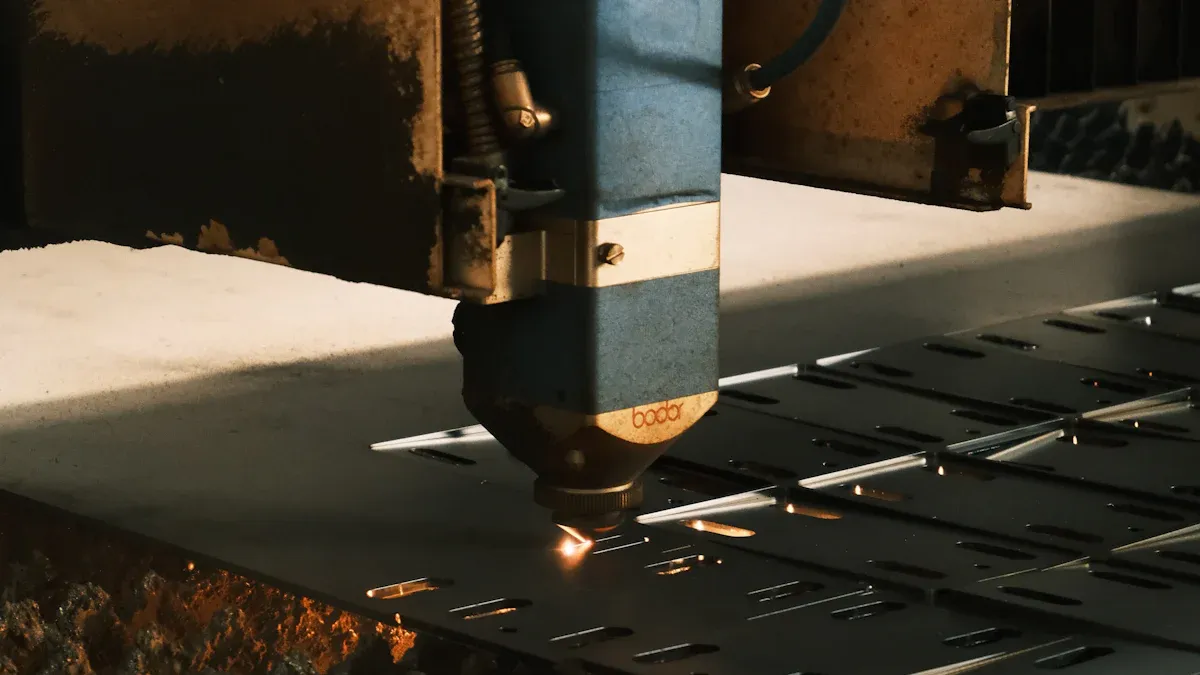
Light Cleaning Tasks
Sometimes you need to clean small or sensitive parts. Low-power machines are best for these jobs. You can use them for electronics and medical devices. They also work in precision engineering. These machines take away tiny bits of dirt and thin layers. They remove things like dust and small stains. You do not need to use water or chemicals.
Here is a table that shows how low-power cleaning is used:
| Application Area | What It Solves | Where It’s Used | Benefits | Notes |
|---|---|---|---|---|
| Electronics, Semiconductors, and Precision Engineering | Takes off tiny dirt, thin layers, and small stains with great accuracy. | Used for making chips, circuit boards, and special lenses. | Keeps surfaces very clean for making small parts. Stops dirt in places that need to be super clean. Lets you clean without water or strong cleaners. | Needs special pulsed lasers to stop heat damage on tiny parts. |
| Medical Devices, Food, and Pharma | Cleans off stains, rust, and films from special metals. | Used for tools in surgery, making implants, and food machines. | Cleans without chemicals and keeps things safe. Helps meet health rules and stops germs from spreading. | Sometimes uses special lasers for careful cleaning of tools. |
Tip: Always try cleaning a small spot first. This helps you make sure you do not hurt the part.
Heavy-Duty Industrial Jobs
Big jobs need more power. High-power machines clean large areas fast. They take off thick layers and tough dirt. You can use them in factories and shipyards. They also work in power plants. These machines remove rust and paint quickly. They help clean pipelines and ship hulls. You can even use them on solar panels.
Here are some ways high-power machines help you:
- Clean special masks with lasers to stop tiny damage.
- Clean pipes in nuclear plants by taking off dust from far away.
- Make solar panels work better by cleaning off dirt.
- Take off rust and paint from ships with robot lasers.
- Clean train tracks and power lines with drones.
You can also:
- Remove rust and thick oil from pipes very fast.
- Take off hard coatings much quicker than old ways.
- Keep surfaces safe and make less mess than sandblasting.
Note: Always follow safety rules with high-power machines. Wear safety gear and keep your space safe.
Sensitive or Complex Parts
Some parts need extra care when you clean them. These parts may have small details or be made from soft stuff. You should use machines where you can change the power. Start with the lowest setting. Only use more power if you need it. This helps you not damage the part.
Pulsed lasers are good for careful cleaning. They let you control the energy and clean small spots. You can clean jewelry and art without hurting them. Handheld machines help you reach hard places and odd shapes.
- Use low or medium power for soft or detailed parts.
- Change the settings for each job you do.
- Test on a hidden spot before cleaning the whole thing.
Remember: Using the right power keeps your parts safe. It also helps you get the best results.
Risks of Incorrect Power Selection
Choosing the wrong power for your laser cleaning machine can cause many problems. You need to know what can go wrong so you can avoid costly mistakes. Here are the main risks you should watch for:
Surface Damage
If you use too much power, you can damage the surface you want to clean. High power can burn, melt, or warp the material. You might see black marks, pits, or even holes. This is a big problem if you work with soft metals, plastics, or delicate parts. You may ruin valuable items or make them unsafe to use.
- High power can strip away more than just dirt.
- You may lose fine details on art, jewelry, or electronics.
- Damaged surfaces often need expensive repairs or replacement.
Tip: Always start with the lowest power setting and test a small area first. This helps you protect your workpiece.
Inefficiency and Cost
Using the wrong power does not just risk damage. It can also waste your time and money. If you use too little power, the laser will not remove all the dirt or coating. You will need to go over the same spot many times. This uses more energy and takes longer to finish the job. If you use too much power, you may damage the item and pay for repairs.
Here is a table that shows what happens when you pick the wrong power:
| Power Level | Effect on Cleaning | Consequence |
|---|---|---|
| Too much power | Can burn or melt the substrate | Leads to damage and potential costs for repairs |
| Too little power | Fails to remove contaminants | Requires repeated passes, wasting time and energy |
You want to avoid both problems. The right power helps you clean faster and saves money. You use less electricity and finish more jobs in less time.
Note: Picking the correct power level keeps your work efficient and your costs low.
Safety Issues
Laser cleaning machines can be dangerous if you do not use the right power. High-power lasers can cause burns or eye injuries. They can also create sparks or fumes that are unsafe to breathe. If you use too much power, you increase these risks. If you use too little power, you may spend more time near the machine, which can also be unsafe.
- Always wear safety glasses and protective clothing.
- Make sure your workspace has good ventilation.
- Keep others away from the cleaning area.
⚠️ Safety first: Never ignore safety rules when using a laser cleaning machine. The right power setting helps keep you and your team safe.
By understanding these risks, you can make better choices. You protect your materials, save money, and keep everyone safe. Always match the power to your job for the best results.
How to Choose the Right Laser Cleaning Machine
Step-by-Step Selection Guide
You can choose the right Laser Cleaning Machine by following a clear process. This step-by-step guide helps you match the machine’s power to your cleaning needs:
- Identify the Material and Contaminant
Start by looking at what you want to clean. Check if the surface is metal, plastic, or another material. Find out what you need to remove, such as rust, paint, or grease. - Set Initial Laser Parameters
Choose starting settings for laser power, pulse duration, wavelength, and scanning speed. Pick these based on the type of material and the contaminant. For example, metals often need higher power, while plastics need less. - Conduct Tests and Adjustments
Test the settings on a small, hidden area. Watch how the surface reacts. If the cleaning is too slow or causes damage, adjust the power or speed. Repeat the test until you get the best result. - Monitor and Control Quality
Keep checking your work as you clean. Use real-time monitoring tools if you have them. Inspect the cleaned area often to make sure you get the results you want.
Tip: Always start with lower power and increase it only if needed. This helps you avoid damage and get the best cleaning results.
Power Selection Checklist
You can use this checklist to match your cleaning task with the right power level. This table shows common jobs and the power you may need:
| Cleaning Task | Power Requirement (Wattage) | Notes |
|---|---|---|
| Laser Rust Removal | 1000 to 2000 | Works well for removing rust and oxidation from metal surfaces. |
| Paint Removal | 100 to 2000 | Power depends on paint thickness and the type of surface. |
| Mold Cleaning | 50 to 1500 | Removes mold without harming the base material. |
| Metal Surface Cleaning | 1000 to 2000 | Use higher power for thick dirt; lower power for light cleaning. |
| Surface Profiling | 200 to 1000 | Choose power based on the size and type of the surface. |
Note: Always check the manufacturer’s guide for your machine. Some jobs may need special settings or extra safety steps.
When to Consult an Expert
Sometimes, you may face special cleaning jobs or tricky surfaces. In these cases, you should ask an expert for help. Here are some times when expert advice is important:
- You need to clean complex shapes or sensitive materials.
- You want to use the machine for a new or unusual application.
- You are not sure about the best settings for your job.
- You want to avoid damage to expensive equipment or parts.
- You want to make sure your cleaning process is safe and efficient.
Expert tip: Start with conservative settings and monitor your results. Experts can help you adjust your process and keep your equipment working well.
If you ever feel unsure, reach out to the manufacturer or a trusted technician. They can give you advice on settings, safety, and best practices. This helps you get the most from your Laser Cleaning Machine and keeps your work safe.
You must pick the right laser cleaning machine power for your job. This keeps your work safe and helps you clean well. If you choose the wrong power, you might hurt your item. You could also waste time or make things unsafe. Using the right power for each job gives better results. Many industries show how this works:
| Industry | Challenge | Solution | Results |
|---|---|---|---|
| Marine | Ship hull corrosion | Laser cleaning | 15% better fuel use, less upkeep |
| Manufacturing | Mold residue | Non-abrasive laser cleaning | Molds last longer, products improve |
| Energy | Pipeline rust | Controlled laser cleaning | Safer work, lower spending |
Check your needs before you buy a machine. Talk to experts if you are not sure. Watch a demo to see how the machine works.
FAQ
What power level should you choose for cleaning delicate items?
Begin with the lowest power, between 20W and 100W. Try cleaning a small spot first. This helps you not damage your item. It keeps your item safe while you clean.
Can you use one laser cleaning machine for different materials?
Yes, many machines let you change the power. You can clean metals, plastics, and painted things. Always read the manufacturer’s guide before changing materials.
How do you know if you need a pulsed or continuous wave laser?
Pick a pulsed laser for soft or detailed surfaces. Use a continuous wave laser for big, tough jobs. Pulsed lasers give you better control.
What safety gear do you need when using a laser cleaning machine?
Wear safety glasses and protective clothes. Make sure your room has good airflow. Keep other people away from the cleaning area.
How do you avoid damaging your workpiece during cleaning?
Start with low power and test a hidden spot. Watch for burns or marks as you clean. Only use more power if you need it. Always check your work as you go.
Is a high-power machine always better for faster cleaning?
High power cleans faster but can hurt surfaces if used wrong. Match the power to your material and the dirt. Always test before using high settings.
What maintenance does a laser cleaning machine need?
Clean the lenses, check cooling fluids, and look at cables often. Follow the maker’s schedule for service. Taking care of your machine helps it last longer.
When should you ask an expert for help?
Ask an expert if you clean tricky shapes, soft materials, or try new jobs. They help you pick the right power and keep your work safe.
See also
Laser Cleaning and Sandblasting Which Method Works Best
What Are the Common Hazards When Using Laser Cleaning



