
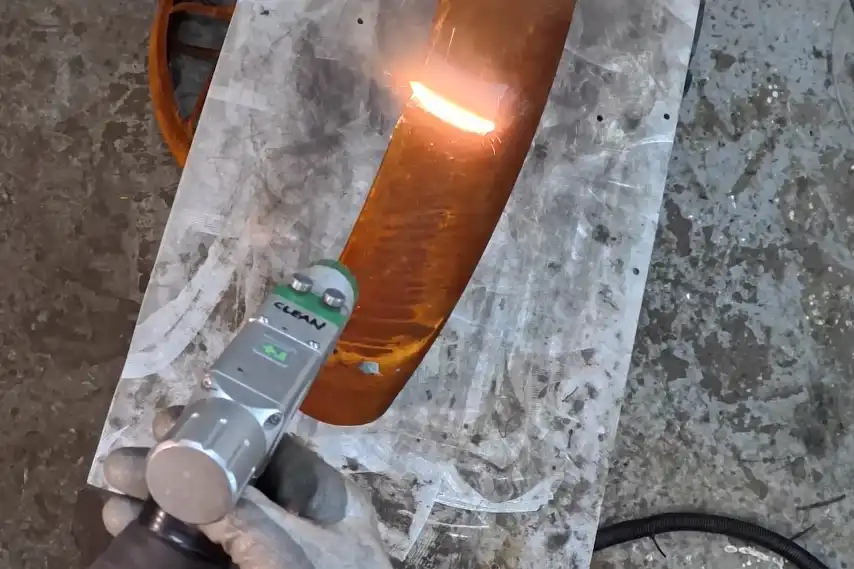
You may ask how long a fiber laser cleaning machine works. Most machines run for 50,000 to 100,000 hours. This time can change because of many things. The parts’ quality, how much you use it, and how you take care of it all matter. The place where you use it and your skill also affect its life.
| Factor | Description |
|---|---|
| Quality of Components | Strong materials and well-made parts help the machine last longer. |
| Frequency and Intensity of Use | Using the machine a lot or very hard makes it wear out faster. |
| Maintenance Practices | Taking care of the machine often stops it from breaking early and helps it work longer. |
| Environmental Conditions | Bad conditions make the machine wear out faster; keeping it clean and at a good temperature helps. |
| Operator Expertise | Skilled people use the machine better and keep it safe by handling it the right way. |
If you pay attention to these things, your machine can last longer and work better.
Key Takeaways
- Pick good parts for your fiber laser cleaning machine. Good parts help the machine last longer and break less often.
- Use the machine carefully. Do not run it all the time. Give it breaks to stop it from getting too hot or worn out.
- Take care of the machine often. Clean it and check it a lot. This helps you find small problems before they get worse.
- Keep the machine in a good place. Make sure the room has the right temperature and is not too wet or dirty. This keeps the machine safe from harm.
- Teach people how to use the machine well. Skilled users can use it safely and see problems early. This helps the machine last longer.
Fiber Laser Cleaning Machine Lifespan Factors
If you have a fiber laser cleaning machine, you want it to last long. Most fiber laser sources work for 50,000 to 100,000 hours. Some industrial machines last only 10,000 to 30,000 hours. These numbers change because of different things. You can control many of these things to help your machine work better and longer.
Component Quality
The parts inside your fiber laser cleaning machine matter a lot. If you pick a machine with good parts, it works more hours and has fewer problems. The laser source and optics are very important. Good laser sources last over 50,000 hours. Bad sources break much sooner. Premium optics do not wear out fast and keep the laser working well. If you use poor optics, you will need new ones more often.
| Component | Impact on Lifespan |
|---|---|
| Laser Source | High-quality laser sources can exceed 50,000 operational hours; inferior sources degrade faster. |
| Optics | Premium optics resist wear and ensure efficient delivery; poor optics lead to frequent replacements. |
If you buy a machine with strong parts, you spend less time and money fixing it.
Usage Patterns
How you use your fiber laser cleaning machine changes how long it lasts. If you run the machine for many hours every day, the parts wear out faster. Running the machine all day makes the lens wear out quicker. Using the machine with breaks helps it cool down and last longer.
- Using the machine all the time makes it dirty and worn, especially when cleaning things that make lots of debris.
- Using the machine with breaks lets it rest and keeps it from getting too hot.
You should plan your work so the machine does not run nonstop. This helps your machine last longer.
Maintenance Practices
Doing regular maintenance keeps your fiber laser cleaning machine working well. If you skip maintenance, small problems can become big ones. You should follow a schedule for cleaning and checking your machine.
- Weekly Maintenance
- Clean the cutting head to protect the lens.
- Check the water level in the chiller.
- Lubricate the guide screw.
- Monthly Maintenance
- Clean the protective lens and check the light path.
- Look at brackets for loose screws.
- Remove anything strange from the bed plates.
- Clean the muffler filter.
- Take care of the freeze-drying machine and check the automatic drainer.
- Quarterly Maintenance
- Clean and check the voltage stabilizer.
- Make sure the chiller has enough water.
Tip: Set reminders for these jobs so you do not forget. Regular care stops breakdowns and keeps your machine working well.
Operating Environment
Where you use your fiber laser cleaning machine matters a lot. Temperature, humidity, dust, and how you set up the machine can change its life.
- Temperature: Keep the room between 15°C and 30°C. Too much heat or cold can hurt the machine.
- Humidity: Try for 30% to 65%. High humidity can cause rust. Low humidity can cause static electricity.
- Dust and Particles: Dust can hurt the optics and moving parts. Keep the area clean.
- Ventilation: Make sure air moves around the machine. Leave at least 20cm between air inlets and outlets.
- Vibration: Put the machine on a flat surface. Do not let it shake or bump.
- Electrical Safety: Use a ground wire and check the voltage.
- Outdoor Use: Never use the machine in the rain.
- Electromagnetic Interference: Keep the machine away from strong electrical devices.
| Environmental Condition | Requirement |
|---|---|
| Temperature | Operating range: 10-30°C; max: 40°C; min: 0°C. |
| Humidity | 5% to 80%, without condensation. |
| Ventilation | Ensure proper airflow; at least 20cm distance between air inlets/outlets. |
| Cleanliness | High cleanliness required; avoid dust on the laser head. |
| Vibration | Machine must be placed flat, without vibration or impact. |
| Electrical Safety | Ground wire required; ensure proper voltage supply. |
| Outdoor Use | Avoid using in rainy weather to prevent short circuits. |
| Electromagnetic Interference | Avoid working near high-power electrical appliances. |
If you control these things, your machine will work better and last longer.
Operator Skill
Your skill and training as an operator matter a lot for your fiber laser cleaning machine. Well-trained operators know how to use the machine safely and spot problems early. You should learn basic and advanced skills. This helps you avoid mistakes that can hurt the machine.
- Learn how the machine works and know the risks.
- Know what to do in an emergency.
- Master daily tasks for safe use.
- Use advanced skills to fix problems and make the machine work better.
Common mistakes are using the wrong power settings, skipping maintenance, and handling materials badly. Always check the machine before you start. Careful use and regular checks help you avoid expensive repairs and keep your machine working for years.
Vulnerable Components in Fiber Laser Cleaning Machines
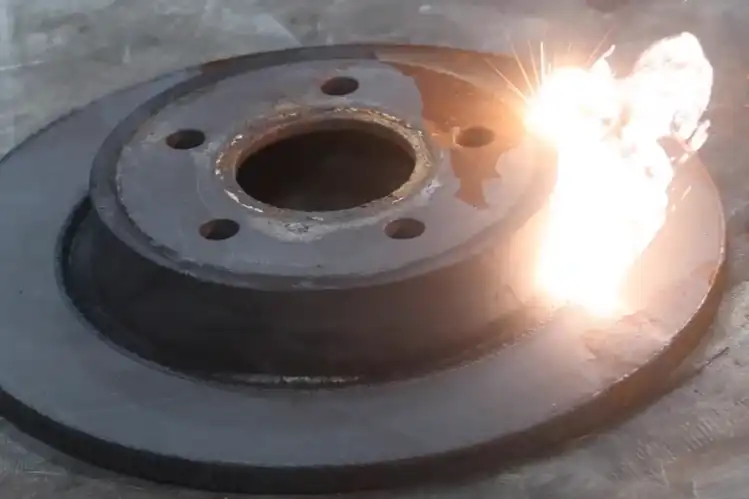
Every fiber laser cleaning machine has parts that wear out faster than others. If you know which parts are most at risk, you can take better care of your machine and avoid sudden breakdowns. Let’s look at the main components you should watch closely.
Laser Source and Optics
The laser source and optics are the heart of your machine. They create and direct the laser beam that cleans surfaces. Most fiber lasers last between 80,000 and 100,000 hours, which is much longer than CO₂ or UV lasers.
| Laser Type | Typical Lifespan (Hours) |
|---|---|
| Fiber Laser | 80,000–100,000 |
| CO₂ Laser | 20,000–30,000 |
| UV Laser | 10,000–15,000 |
You should know what can cause these parts to fail. Overheating is a big problem. It happens if the cooling system does not work or if you run the machine too hard. Laser beam deviation can happen if the fiber bends or the optics are not lined up right. Dust or oil on the fiber end face can block the laser. Unstable laser frequency can come from power problems or interference.
| Cause | Explanation |
|---|---|
| Overheating | Cooling system failures, high temperature, or long-term heavy use. |
| Laser Beam Deviation | Fiber bending, damage, or poor optical alignment. |
| Fiber End Face Contamination | Dust or oil blocks laser transmission. |
| Unstable Laser Frequency | Power supply issues or environmental interference. |
Tip: Keep the optics clean and check for dust or oil often. Make sure the cooling system works well to avoid overheating.
Cooling System
The cooling system keeps the laser source and optics at the right temperature. If it fails, the machine can overheat and break down. You need to do regular maintenance to keep the cooling system working.
| Maintenance Task | Importance |
|---|---|
| Use distilled water | Stops scale from building up and causing overheating. |
| Clean filters | Keeps air flowing and prevents the laser from getting too hot. |
| Clean condenser | Helps the system get rid of heat quickly. |
| Replace water every 3-6 months | Stops algae and dirt from blocking the system. |
You should follow a schedule for cooling system care:
| Interval | Tasks |
|---|---|
| Daily | Check coolant, look for leaks, inspect lines, listen for odd noises. |
| Weekly | Clean air filters, check hoses, verify sensors, drain if needed, check pump and fan. |
| Monthly | Test sensors, clean heat exchangers, replace filters, review logs, test thermal performance. |
| Quarterly | Repeat monthly tasks, focus on wear and performance. |
| Annual | Full inspection, replace coolant, change worn parts, deep clean, test safety, update software. |
Note: If you skip these steps, the cooling system can fail and damage the laser source.
Electrical Units
Electrical units control the power and signals in your machine. If they fail, the whole machine can stop working. You can prevent most problems with regular checks and cleaning.
| Preventive Measure | Description |
|---|---|
| Regular Inspections | Have a professional check the system once or twice a year. |
| Cleaning Components | Clean the protective lens every week and replace it once a year. |
| Monitor Laser Power | Check the laser power often to spot problems early. |
| Adjust Focus | Make sure the focus is right for the best cleaning. |
| Keep Spare Parts | Store extra parts so you can fix problems fast. |
Alert: Power surges or dirty components can cause sudden failures. Always use a stable power supply and keep parts clean.
Moving Parts
Moving parts include guide rails, bearings, and the cutting table. These parts help the laser move smoothly. If you do not keep them clean and lubricated, they can wear out fast.
- Keep the area around the cutting table, guide rails, and mirrors clean.
- Remove metal dust and residue from the cutting table every day.
- Clean guide rails every week and add lubricant.
- Check and clean the focus lens in the laser head often.
Proper lubrication is key. Here’s how you can do it:
- Turn off and unplug the machine.
- Clean the rails and bearings first.
- Use the right lubricant as the manufacturer recommends.
- Apply a thin, even coat.
- Move the gantry by hand to spread the lubricant.
- Wipe away any extra lubricant.
Tip: Clean and lubricate moving parts on a regular schedule. This reduces friction and helps your machine last longer.
If you pay attention to these vulnerable parts, your fiber laser cleaning machine will stay reliable and efficient for many years.
Extending Service Life
Maintenance for Fiber Laser Cleaning Machine
You can help your fiber laser cleaning machine last longer by doing regular care. Simple jobs like cleaning and checking parts stop the machine from breaking. These steps help you use your machine more and avoid problems.
- Clean the machine and its parts often to get rid of dust.
- Look at the optics and cooling system for any damage.
- Check all systems to make sure they work right.
Here is a table with suggested care steps:
| Maintenance Frequency | Recommended Procedures |
|---|---|
| Daily | – Check laser and cutting gas pressure. – Look at zero point and limit switches. – Make sure the table sensing switch is clean. – Watch the water level and fix leaks. – Clean metal bits on the laser cutting nozzle. – Pick up cutting waste and tidy the work area. – Clean all parts to remove debris. |
| Weekly | – Check air pipe filters for water and dirt. – Wipe dust from the electric control cabinet. – Oil the X, Y, Z axis guide rails and screws. |
| Annual | – Change old parts and check the whole system. – Test how well it works and train the operator. |
Tip: Set reminders so you do not forget these jobs. Regular care saves money and stops big repairs.
Proper Operation
Always use the right steps to turn the machine on and off. This keeps important parts safe, like the laser source and chiller. Good habits help your machine stay safe and work well.
- Always turn off the machine the right way to keep it healthy.
- If you skip steps, the machine can break and not last as long.
Monitoring and Upgrades
You can find problems early by using special tools. These tools help you see issues before they get worse.
The main tools for watching laser cleaning are acoustic wave monitoring, LIBS spectrum monitoring, and high-speed camera monitoring. LIBS is expensive but works well in factories. Acoustic and high-speed camera tools cost less and are used in labs.
You should also change old parts like lenses and nozzles when needed. Use good parts to keep your machine working well. After you change parts, check if the machine works better.
- Upgrading and changing parts on time keeps your fiber laser cleaning machine strong and dependable.
You can help your fiber laser cleaning machine last longer by paying attention to important things. Use good parts, use the machine the right way, and take care of it often. If you know how to use the machine well and do regular checks, you will not have to pay a lot for repairs. Your machine will work better and not break as much.
Doing regular checks stops big problems and saves you money. Checking your machine often helps it work well and last longer.
| Key Steps for Longevity | Description |
|---|---|
| Clean optics and moving parts | Stops damage and keeps cleaning strong |
| Maintain environment and cooling | Keeps the machine from getting too hot or broken |
| Train operators | Fewer mistakes and less stress on the machine |
If you follow these steps, your machine will work better and last longer.
FAQ
How often should you clean the optics on your fiber laser cleaning machine?
You should clean the optics at least once a week. If you use the machine in a dusty area, check and clean them more often. Clean optics help your machine work better and last longer.
What signs show your fiber laser cleaning machine needs maintenance?
Look for warning lights, strange noises, or lower cleaning power. If you see uneven cleaning or overheating, stop and check the machine. These signs mean you need to do maintenance soon.
Can you use tap water in the cooling system?
No, you should not use tap water. Tap water can cause scale and rust. Always use distilled water in the cooling system to protect your machine and keep it running well.
How do you know when to replace the protective lens?
Check the lens for scratches, dirt, or burns. If you see any damage or if cleaning does not help, replace the lens. A clean lens keeps the laser strong and safe.
See also
How to Protect Yourself When Operating a Laser Cleaning Machine
How to Match Laser Cleaning Power Levels to Your Needs
Top 10 Industries for Laser Cleaning Machine Applications
How to choose a laser cleaning machine with appropriate power



