
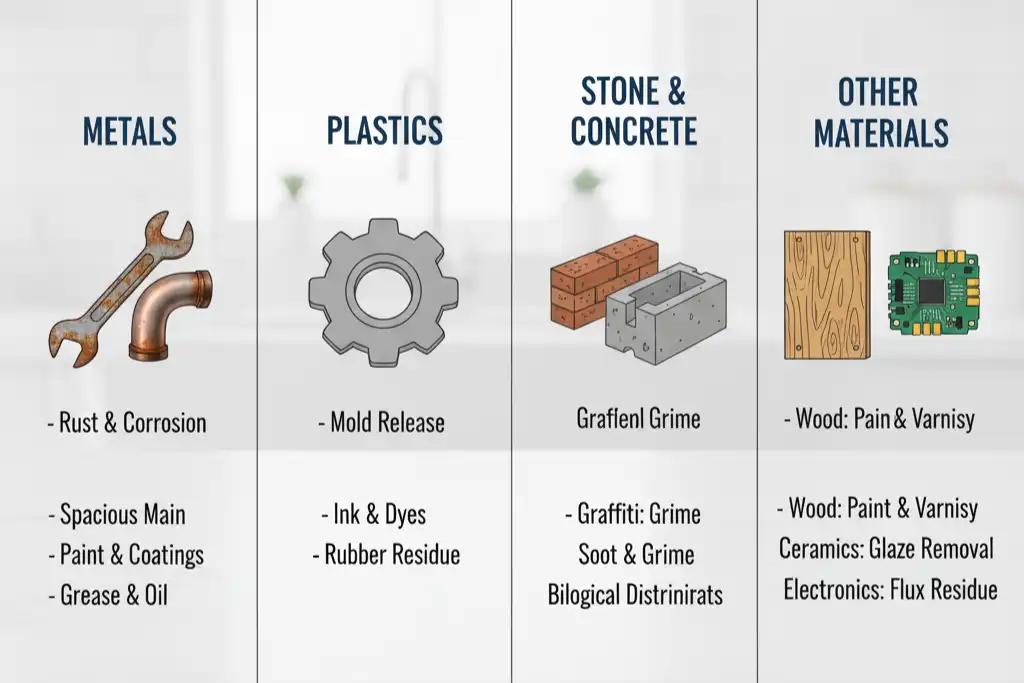
You can use a Laser Cleaning Machine to clean many things. It works on steel, aluminum, cast iron, inox, stone, glass, ceramics, plastics, wood, composites, rubber, and paper. This technology removes common dirt very well. It is good at cleaning rust, paint, oil, dirt, and oxidized layers. Some materials need extra care. Some things may not be good for laser cleaning.
- Rust
- Paint
- Oil
- Dirt
- Oxidized layers
Key Takeaways
- Laser cleaning machines can clean many materials. These include metals, stone, glass, ceramics, plastics, wood, and rubber.
- Always test a small hidden spot first. This helps make sure the material is safe with the laser.
- Use low power for delicate materials. Thin plastics and shiny metals need gentle cleaning to avoid damage.
- Laser cleaning is good for the environment. It does not use chemicals or water. This helps lower waste and pollution.
- Safety is very important. Always wear protective gear. Follow all safety rules when using laser cleaning machines.
- Change the laser settings for each material type. This helps you clean well without causing harm.
- Watch the cleaning process closely. If you see changes in the material, adjust the settings right away.
- For painted surfaces, start with low power. This helps stop bubbling or color changes in the paint.
Laser Cleaning Machine: Suitable Materials
Metals
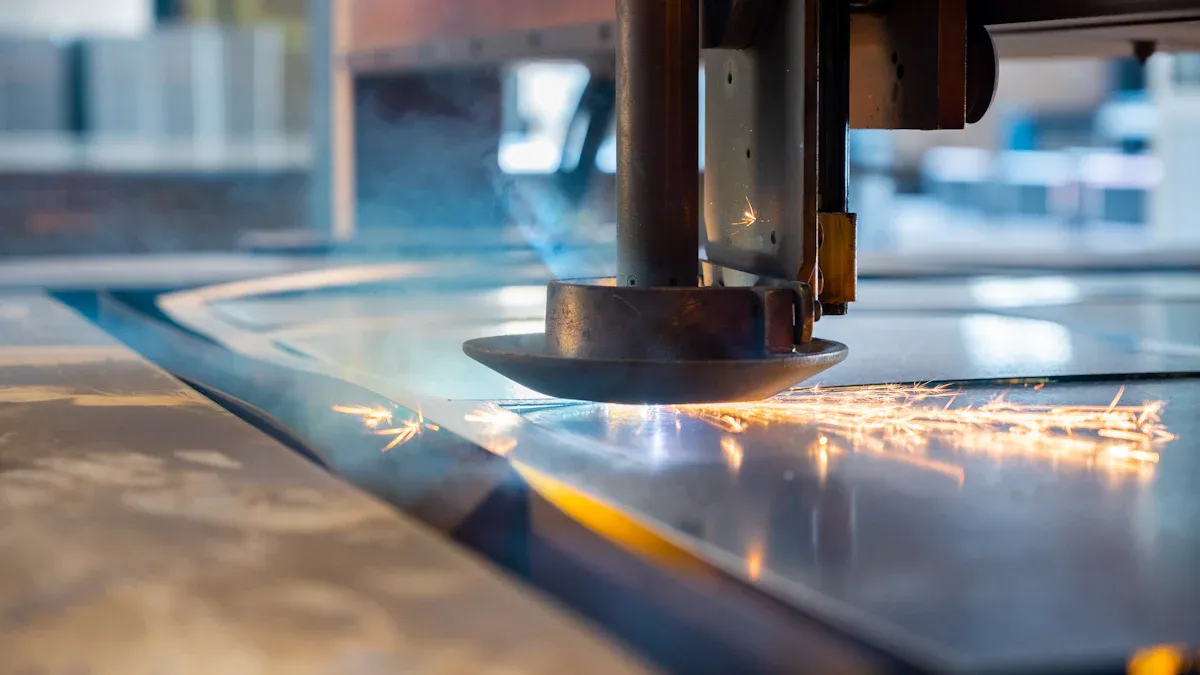
Laser Cleaning Machines work on many metals. They take off rust, paint, and other layers. The process is quick and does not use chemicals. Many companies like this method. It is safe and works well.
Steel and Inox
Steel and inox can be cleaned with lasers. Laser cleaning removes oxide layers better than polishing. It makes the metal look brighter and more even. The table below shows what laser cleaning does to metal:
| Effect | Description |
|---|---|
| Surface Roughness | Laser cleaning can make the surface rougher or smoother. This can help or hurt how parts fit. |
| Microstructural Shifts | The process can change how strong the metal is. It depends on the settings you use. |
| Residual Stresses | These stresses change how long the metal lasts. They also affect how well it works. |
| Oxide Layer Integrity | Good cleaning stops rust and helps the metal last longer. |
| Tribological Properties | Laser cleaning can change how moving parts wear and move. |
Aluminum and Cast Iron
You can clean aluminum and cast iron with lasers. The machine takes off corrosion and old paint. It does not scratch or wear down the metal. The part is clean and ready for painting or welding.
Precious Metals
Lasers work on precious metals like copper and brass. They remove tarnish and corrosion. The color and shine stay the same. Sometimes, results are different, so check the metal after cleaning.
Tip: Test a small spot first. Make sure your settings are right for your metal.
Stone and Masonry
Laser Cleaning Machines are good for stone and masonry. They remove graffiti, dirt, and plant growth. The laser only hits the dirt. The stone does not get hurt.
Granite and Marble
Granite and marble can be cleaned with lasers. The Q-switched Nd:YAG laser is often used. It sends short bursts of energy to heat and loosen dirt. The stone stays safe because the laser does not go deep. Marble and limestone are cleaned this way. The process takes off dirt but does not harm the stone.
Concrete and Brick
Lasers can clean concrete and brick. They remove paint, pollution, and grime. You need the right settings to keep the surface safe. Too much power can take off the hard top layer. This can show softer material underneath. Always check your work and use gentle passes.
Note: Fragile things can break if you use the wrong laser. Start with low energy and test a small spot first.
Glass and Ceramics
Laser Cleaning Machines also work on glass and ceramics. They take off dirt and coatings. The surface does not get scratched or broken.
Industrial Glass
Lasers can clean industrial glass. The process removes dirt and keeps the glass strong. Studies say laser cleaning does not hurt the glass’s insulation. Always wear safety glasses and keep your area clean.
Ceramics
Lasers can clean ceramics. They take off dirt and old coatings. The ceramic does not get damaged. You should follow safety rules. Use enclosures and wear protective gear.
| Material Type | Study Reference | Findings |
|---|---|---|
| Glass, Ceramics | Ren et al. | Laser cleaning removes dirt without hurting insulation. |
| Granite | Pozo-Antonio et al. | Good at removing graffiti and biofilm, but not sulfate crust. |
| Q235 Carbon Steel | Wan et al. | Laser cleaning is better than polishing for oxide layers. |
| Steel Plate | Zhu et al. | Laser cleaning gives a more even and brighter zinc coating. |
| Copper and Brass | Atanassova et al. | Removes corrosion well, but sometimes the results are uneven. |
Safety Tip: Take away flammable things before you start. Only trained people should use high-power laser cleaning machines.
Laser Cleaning Machines are useful for many materials. They clean surfaces without damage. Always test first and follow safety rules for the best results.
Plastics and Composites
Laser Cleaning Machines can clean many plastics and composites. You can use them to take off dirt or coatings. Hard plastics like epoxy and polyester clean well with lasers. Vinyl ester also works well with this method. The process is best for materials that soak up laser energy and can handle heat.
| Material Type | Cleaning Results |
|---|---|
| Epoxy | Cleaned well and very accurately |
| Polyester | Cleaned well and very accurately |
| Vinyl Ester | Cleaned well and very accurately |
| Release Agents | Cleaned well and keeps mold safe |
Plastics and composites can change when they get hot. Lasers use heat to clean, so too much power can cause problems. The material might get soft or change shape. To keep things safe, use low-power lasers. Let the material cool between laser pulses. This helps protect the surface and keeps it clean.
Tip: Test a small spot first. Change the settings to stop melting or burning.
Hard Plastics
You can clean hard plastics with lasers if you use the right power. Epoxy and polyester clean well and stay strong. Do not use high power, or plastics might melt or change color. Plastics that soak up laser energy clean better.
Composites
Composites in molds or parts also clean well with lasers. Lasers remove dirt and release agents but do not hurt the base. Use the right settings to stop overheating. Give time for cooling between laser pulses. This keeps the composite safe.
Wood and Organic Materials
Laser Cleaning Machines can clean wood and other natural materials. You can take off dirt or old coatings from wood. Studies show laser cleaning keeps wood strong and does not hurt it. This method is good for saving and fixing old wood.
When cleaning wood, use low power and high frequency. This stops burning or charring. For fragile wood, high frequency spreads heat and protects the surface. Experts have cleaned old wooden panels and gold-covered wood with lasers. The wood stays safe and looks clean.
Wood
You can clean wood with lasers and not damage it. Lasers take off dirt and old layers but keep wood strong. Start with low power and go up slowly if needed. This stops burning or changing the wood’s color.
Paper
Laser cleaning works on some paper, but you must be careful. Paper burns easily if it gets too hot. Only use very low power and test a small spot first. This method is best for cleaning tough paper.
Note: Watch the cleaning closely when working with natural materials.
Rubber and Special Applications
Laser Cleaning Machines also clean rubber and work in special jobs. You can clean rubber molds and parts with lasers. The laser removes dirt and leaves the rubber safe.
Rubber
Lasers can take off dirt, oil, and residue from rubber. Laser ablation targets only the dirt, not the rubber. Rubber can get soft or change shape if it gets too hot. Use low power and let it cool between pulses.
Food Industry Equipment
Laser cleaning helps a lot in food factories. You can clean molds and tools without chemicals. Lasers kill bacteria and remove dirt with heat. This keeps food areas clean and safe. No chemicals are left behind, so food is safer. Workers do not need to use strong chemicals.
- Laser cleaning does not touch the surface, so it stops germs from spreading.
- The process is quick and leaves tools ready to use.
- Hygiene gets better because lasers kill bacteria and clean well.
Safety Tip: Always follow safety rules and wear protective gear when using Laser Cleaning Machines.
Materials That Need Extra Care
Reflective Metals
Laser cleaning can be dangerous with reflective metals. These metals bounce the laser light back. This can make cleaning harder and less safe. You need to be careful with polished aluminum and chrome-plated surfaces.
Polished Aluminum
Polished aluminum reflects most of the laser’s energy. This can hurt your eyes or break equipment. Always use safety barriers to block stray beams. Wear laser safety goggles for your laser’s color. Use strong air filters to catch dust in the air. Follow NIOSH and OSHA rules for safety. Keep a fire extinguisher close by. Learn what to do in an emergency. Take away things that can catch fire. Use shields to protect electronics from heat. Wear ear protection if it is loud. Lockout/tagout rules keep you safe during repairs.
- Use safety barriers for lasers.
- Wear laser goggles for the right color.
- Add emergency stops and warning lights.
- Use strong air filters (HEPA and carbon).
- Follow NIOSH/OSHA safety rules.
- Keep a fire extinguisher nearby and know what to do.
- Remove things that can burn.
- Use heat shields near electronics.
- Wear ear protection if it is noisy.
- Use lockout/tagout steps for repairs.
Chrome-Plated Surfaces
Chrome-plated surfaces also reflect laser beams. You face the same risks as with polished aluminum. Too much power can crack or peel the chrome. Always start with low power and test a small spot. Use the same safety steps as for polished aluminum. Protect yourself and your tools.
Thin or Fragile Materials
Laser cleaning can hurt thin or fragile materials. Use gentle settings and test before cleaning everything.
Thin Plastics
Thin plastics can melt or change shape from laser heat. Use low power and short bursts. Always test a small spot first. If the plastic changes, stop and fix your settings.
Metal Foils
Metal foils are very thin and can tear or bend. Too much laser power can burn through the foil. Use the lowest power you can and check your work often. Test small spots to avoid mistakes.
Flammable or Sensitive Materials
Some things can catch fire or break down fast from laser heat. Be extra careful with some plastics and natural fabrics.
Certain Plastics
Many plastics melt or change shape with strong lasers. The heat can ruin them forever. Some plastics make bad fumes when heated. Do not use lasers on plastics that burn easily. If you must, use the lowest power and watch closely.
Organic Fabrics
Organic fabrics like cotton or wool burn easily. The laser’s heat can start a fire. Check the risk before you begin. If you see burning, stop right away. Keep checking to stay safe and protect the fabric.
Flammable things are a big risk with lasers. Dry fabrics, plastics, and alcohol-based cleaners can catch fire. Always check the material and be careful when using lasers.
- High power can melt or ruin some plastics.
- Flammable things can catch fire with lasers.
- Natural materials can burn or get damaged from laser heat.
Always be careful and test before cleaning. Taking care helps you avoid accidents and keeps your workspace safe.
Painted or Coated Surfaces
Laser cleaning can clean many surfaces. You need to be careful with painted or coated things. Some paints and coatings act in strange ways with lasers. You should know how these surfaces react before you start. This helps you avoid damage.
Sensitive Paints
Sensitive paints can change fast when hit by laser energy. Too much power can melt or bubble the paint. The color might change or look dull. Old or special paints can lose their texture or finish. Always use the lowest energy first. Test a small spot before cleaning more.
- Sensitive paints can:
- Melt or swell from heat.
- Change color or look dull.
- Lose small details or texture.
You can use lasers to clean dirt or graffiti off paint. Watch closely while you clean. If the paint changes, stop and fix your settings. Paints on cars or art need extra care. You want to keep the paint looking the same.
Tip: Check the paint type before you start. Some paints, like those on old items, need special lasers. Use low energy and short bursts for these.
Multi-layer Coatings
Multi-layer coatings have more than one layer. These layers can be primer, paint, or a finish. Each layer reacts differently to lasers. Wrong settings can take off too much or hurt the base.
Laser cleaning lets you control what you clean. You can clean just the top layer or go deeper. Each layer soaks up laser energy in its own way. You can remove old paint and keep the primer safe. You must change the laser settings for each layer.
| Material Type | Effects of Laser Cleaning |
|---|---|
| Metals (like steel, aluminum, titanium) | Strong but can get tiny pits if power is high. |
| Polymers | Very sensitive; even low energy can melt or damage them. |
| Ceramics and Composites | Tough, but heat can crack them. |
| Cultural Heritage Materials | Need gentle cleaning to keep details safe. |
- Laser cleaning can:
- Take off dirt, paint, or rust without hurting the base.
- Remove layers one at a time and keep others safe.
- Give you good control over what you clean.
Note: Test each layer before cleaning everything. Multi-layer coatings can hide weak spots that break with heat.
If you clean painted or coated surfaces, be careful. Start slow and watch for changes. Change your settings if you see problems. This keeps the surface safe and gives you good results.
Why Laser Cleaning Works
Laser-Material Interaction
Absorption and Reflection
When you use a laser cleaning machine, the laser light hits the surface of your material. Some materials absorb the laser energy, while others reflect it. Contaminants like rust or paint usually absorb laser energy much faster than the clean base material. This means the laser heats up the dirt or coating quickly, causing it to break apart or vaporize. The clean metal or stone underneath does not absorb as much energy, so it stays safe. This process is called selective absorption. You can clean surfaces without harming what is underneath because the laser targets only the unwanted layer.
Thermal Effects
The laser’s energy creates heat on the surface. When the contaminant absorbs this energy, it heats up very fast. This sudden heat can make the dirt pop off, turn into gas, or break into tiny pieces. The base material, like steel or glass, does not get as hot because it does not absorb the laser as well. You need to choose the right laser settings for each job. Things like how much heat a material can take, how dense it is, and how fast it spreads heat all matter. If you pick the right settings, you can remove dirt and keep the surface safe.
Selective Removal
Contaminants vs. Substrate
Laser cleaning works so well because it removes only what you want gone. The laser targets the contaminant, not the base. For example, rust and paint absorb the laser and heat up, but the clean metal underneath does not. This lets you clean off just the top layer. Scientists have shown that pulsed lasers, which send out short bursts of energy, can remove dirt without hurting the base. Short pulses keep the heat from spreading, so the clean surface stays cool and safe.
| Evidence | Description |
|---|---|
| Microbead Removal | Shows that lasers can remove tiny particles without damaging the surface. |
| Optimization Insights | Helps you find the best settings to clean well and protect the material. |
| Pulsed Laser Cleaning | Uses quick bursts to take off dirt but not harm the base. |
| Energy Transfer | Short pulses keep heat in the dirt, not in the clean surface. |
Non-Contact Benefits
Laser cleaning does not touch the surface. You do not need to scrub, sand, or use chemicals. This means you avoid scratches, dents, or changes in shape. You also do not wear down the part you are cleaning. The process is safe for delicate or valuable items. You help the environment because you do not use water or harsh chemicals. Laser cleaning uses less energy and makes less waste.
- Laser cleaning is non-contact, so you avoid physical damage.
- You do not risk wear, scratches, or shape changes.
- The process is eco-friendly and does not need chemicals or water.
- You save energy and reduce pollution.
Tip: Laser cleaning gives you a safe, precise, and green way to keep your materials clean.
Special Considerations
Heat Sensitivity
Plastics
Plastics can change when they get hot. Some plastics melt or bend if the temperature is too high. You must control the heat when cleaning plastics with lasers. Change the laser’s energy and speed to clean without hurting the plastic. Use short laser bursts to keep heat on the top layer. This helps stop melting or bending. Cooling with air or gas can take away heat fast. You can also change the laser’s spot size and focus to control heat. Using laser bursts gives you more control and keeps plastics safe.
- Adjust energy and speed for each plastic.
- Try cleaning with shockwaves to lower heat.
- Plasma made during cleaning can soak up extra energy.
- Advanced lasers can focus on tricky shapes.
- Always use short bursts to protect the base.
Thin Metals
Thin metals can get ruined by too much heat. Use less power and move faster to keep them safe. Cooling systems help stop warping or bending. Change the spot size and focus to spread out heat. Use laser bursts for careful cleaning. This helps you clean without making holes or pits.
- Use air or gas cooling to stop overheating.
- Change laser power and speed for thin metals.
- Adjust spot size and focus to control heat.
- Use bursts for careful cleaning.
Tip: Test a small spot first to make sure your settings work.
Surface Finish
Polished Metals
Polished metals need gentle cleaning. You want to keep them shiny and smooth. Cleaning takes off dirt and keeps the metal strong. Polishing makes metals bright, but too much laser power can dull or scratch them. Use soft settings and check your work often.
Decorative Surfaces
Decorative surfaces can lose their look if you use too much power. Use the lowest energy that still cleans well. Always test a hidden spot first. Cleaning, coating, anodizing, and polishing all help the surface look good and last longer.
| Treatment Type | Importance |
|---|---|
| Cleaning | Takes off dirt to keep the surface strong |
| Coating | Stops rust and makes things look better |
| Anodizing | Helps stop rust and lets you add cool finishes |
| Polishing | Makes things smooth and shiny for looks and use |
Note: Protect the finish by using the right settings and checking as you go.
Safety and Environment
Fume Extraction
Laser cleaning makes fumes and tiny bits. You need good airflow to keep the air safe. Put exhaust vents close to where you clean to catch fumes fast. Good room airflow keeps the air fresh and safe.
- Use exhaust vents near the laser cleaning spot.
- Make sure the room has enough airflow.
Operator Protection
You must keep yourself and others safe when using lasers. Training teaches you how to use the machine safely. Certification shows you know the rules and dangers. Emergency stop buttons should be easy to find. Everyone should know what to do if there is an emergency.
- Train people to use lasers safely and know emergency steps.
- Make sure everyone has the right certification.
- Keep emergency stops and plans ready.
Safety first! Always follow safety rules and wear protective gear when using lasers.
Best Practices for Laser Cleaning
Testing and Calibration
Spot Testing
You should always start with spot testing before cleaning a large area. Spot testing helps you see how the material reacts to the laser. Pick a small, hidden spot on your item. Use the lowest power setting first. Watch for any changes in color, texture, or shape. If the spot looks good, you can move forward. If you see damage, adjust your settings.
Adjusting Parameters
You need to adjust the laser’s settings for each material. Every surface is different. Follow these steps to get the best results:
- Follow Manufacturer Guidelines: Read the user manual or use the calibration software. These tools give you step-by-step instructions.
- Use Calibration Tools: Use any calibration targets or tools that come with your machine. These help you check if the laser is working right.
- Check Cleaning Consistency: Test the laser on sample surfaces. Make sure the beam cleans evenly and does not damage the material.
- Document Calibration Results: Write down any changes you make. Keep a log so you can track what works best for each job.
Tip: Always keep records of your settings and results. This helps you fix problems faster next time.
Monitoring Results
Visual Inspection
After cleaning, you should look closely at the surface. Use your eyes and a magnifying glass if needed. Check for leftover dirt, color changes, or damage. Visual inspection is quick and helps you catch problems early.
Surface Analysis
Sometimes, you need more than just looking. Surface analysis tools can measure how clean the surface is. These tools can show you tiny changes that you might miss. Studies show that computer models can predict how clean a surface is by looking at images and laser settings. Other research shows that surface analysis can help you check cleaning quality.
| Study | Findings |
|---|---|
| Sun et al. | Computer models can predict cleanliness from images and laser settings. |
| Hou et al. | Surface analysis helps predict cleaning quality and shows how well the process works. |
Note: Use both your eyes and tools for the best results.
Maintenance
You need to take care of your laser cleaning machine to keep it working well. Regular maintenance stops problems before they start. Here are some important tasks:
- Clean the inside and outside of the machine, especially where dirt builds up.
- Check the fan unit for dust. Clean the fan and air ducts to keep air moving.
- Lubricate moving parts like runners and beds to stop wear.
- Check the compressor and make sure filters are not blocked.
- Inspect and clean the optics, such as lenses and mirrors, every 100 hours of use.
- Monitor the chiller and clean its filters to prevent overheating.
- Replace air filters often to keep airflow strong.
Keeping your machine clean and well-maintained helps you get the best cleaning results every time.
Limitations and Risks
Laser cleaning machines have many good points, but they also have limits and risks. Knowing these helps you stay safe and make smart choices.
Material Damage
Laser cleaning can hurt some materials if you use the wrong settings. Too much laser energy can cause problems, especially for fragile or valuable things.
Overheating
If you use too much power, the laser can make the surface too hot. Overheating can cause:
- The material to melt or bend
- Burn marks or color changes
- Tiny cracks or changes inside the material
Old or delicate items are at higher risk. Sensitive things can get worse if hit by strong laser energy. Always start with low power and test a small spot first.
Tip: Use short bursts and let things cool between passes to stop overheating.
Surface Pitting
If you do not control the laser well, you can get surface pitting. Surface pitting means small holes or rough spots show up on the cleaned area. This happens if you use too much energy or move the laser too slowly. Surface pitting can make the material weaker or change how it looks.
- Too much power can change the inside of the material.
- Unwanted holes or rough spots may show up on metals or coatings.
You should always watch the surface while cleaning and change your settings if needed.
Cost and Access
Laser cleaning machines cost more than regular cleaning tools. You need to think about these costs before you begin.
Equipment Investment
Buying a laser cleaning machine costs a lot of money. Prices can be tens of thousands or even hundreds of thousands of dollars. You also need to buy safety gear and pay for regular care.
- The machine costs a lot at first
- You need to buy safety gear and air filters
- You will pay for repairs and upkeep
Training
You cannot use a laser cleaning machine without learning how. People must learn to use the machine safely and set it up right. Training costs more but keeps everyone safe.
- Training helps stop accidents.
- Skilled workers help avoid damage.
Note: Well-trained people make fewer mistakes and clean better.
Compliance
You must follow strict safety rules when using laser cleaning machines. These rules keep you, your team, and the environment safe.
- You must follow laser safety rules.
- You need extra safety gear to meet standards.
- Environmental rules may add more steps and costs.
Following these rules can make your work harder and cost more. But safety and following rules are always important.
| Limitation | What You Need to Know |
|---|---|
| Material Damage | Overheating and pitting can harm surfaces. |
| Cost and Access | High upfront costs and training are required. |
| Compliance | Safety and environmental rules add complexity. |
Remember: Always check your materials, train your team, and follow all safety rules to get the best results from laser cleaning.
You can clean many things with laser cleaning machines. They work on metals, stone, glass, ceramics, plastics, wood, and rubber. Some materials need you to be extra careful. Thin plastics and shiny metals are examples. Always test a small spot before cleaning everything. Follow safety steps every time you use the machine. If you have sensitive or new materials, ask an expert for help. Learn about your material before you start cleaning. Make sure you know the right machine settings.
Tip: Testing carefully and asking experts helps you get good results and keeps your materials safe.
FAQ
What materials can you clean with a laser cleaning machine?
You can clean metals, stone, glass, ceramics, plastics, wood, composites, rubber, and some paper. Always test a small spot first to see how it works.
Can you use laser cleaning on painted surfaces?
Laser cleaning works on painted surfaces if you use low power. Some paints might bubble or change color. Test a hidden spot before cleaning the whole thing.
Is laser cleaning safe for delicate items?
Laser cleaning is safe for delicate items if you use the right settings. Start with low power and short bursts. Watch closely for any changes on the surface.
Does laser cleaning create harmful fumes?
Laser cleaning can make fumes, especially with plastics or painted things. Use good airflow and fume extractors to keep the air safe.
How do you know if laser cleaning will damage your material?
Always test a small, hidden spot first. Look for color changes, melting, or damage. Change the settings if you see any problems.
Can you clean food industry equipment with a laser?
Yes, you can clean food equipment with a laser. The process takes off dirt and kills bacteria without chemicals. Always follow safety and hygiene rules.
Do you need special training to use a laser cleaning machine?
Yes, you need special training to use a laser cleaning machine safely. Training teaches you the right settings and safety steps.
What are the main risks of laser cleaning?
The main risks are overheating, surface damage, and harmful fumes. You can avoid most problems by testing first, using the right settings, and following safety rules.



