

Cobot Payload Capacity Explained
Cobot payload capacity is the load a collaborative robot can carry under the manufacturer’s stated conditions. The gripper or process tool, adapters, sensors, attached services and any lifted workpiece share that capacity. Adding their masses is the first check; the combined center of gravity, inertia and operating configuration determine whether the application fits the robot’s limits.
A 10 kg rating does not mean a 10 kg workpiece. If the complete tooling weighs 2 kg, only 8 kg remains in the nominal mass budget—and that is still subject to the load curve and motion requirements.
Calculate the mass budget

What counts toward the payload?
Count the complete assembly carried at the tool flange, including the heaviest combination of parts the robot will lift. Universal Robots defines payload this way in its PolyScope X payload documentation.
End-of-arm tooling (EOAT) means the equipment attached to the wrist to grip, inspect or process a part. Its catalogue weight may exclude custom fingers, mounting plates or optional accessories, so use a complete bill of materials and then weigh the assembled tool.
Scroll the table sideways on small screens, or focus it and use the arrow keys.
| Load item | Include | Common omission |
|---|---|---|
| Gripper or process tool | Complete selected tool, fingers, jaws, cups, protective covers and fittings | Using the bare gripper weight for a customized assembly |
| Coupling hardware | Flange adapters, tool changer, collision unit, spacers and fasteners | Forgetting one half of the tool changer |
| Sensors and services | Carried cameras, force sensors, manifolds and the relevant flange-supported cable or hose hardware | Ignoring cable pull and bending forces, which need a separate check |
| Workpiece | Maximum approved mass, including tolerance and every simultaneously held item | Using average weight or counting only one part on a dual gripper |
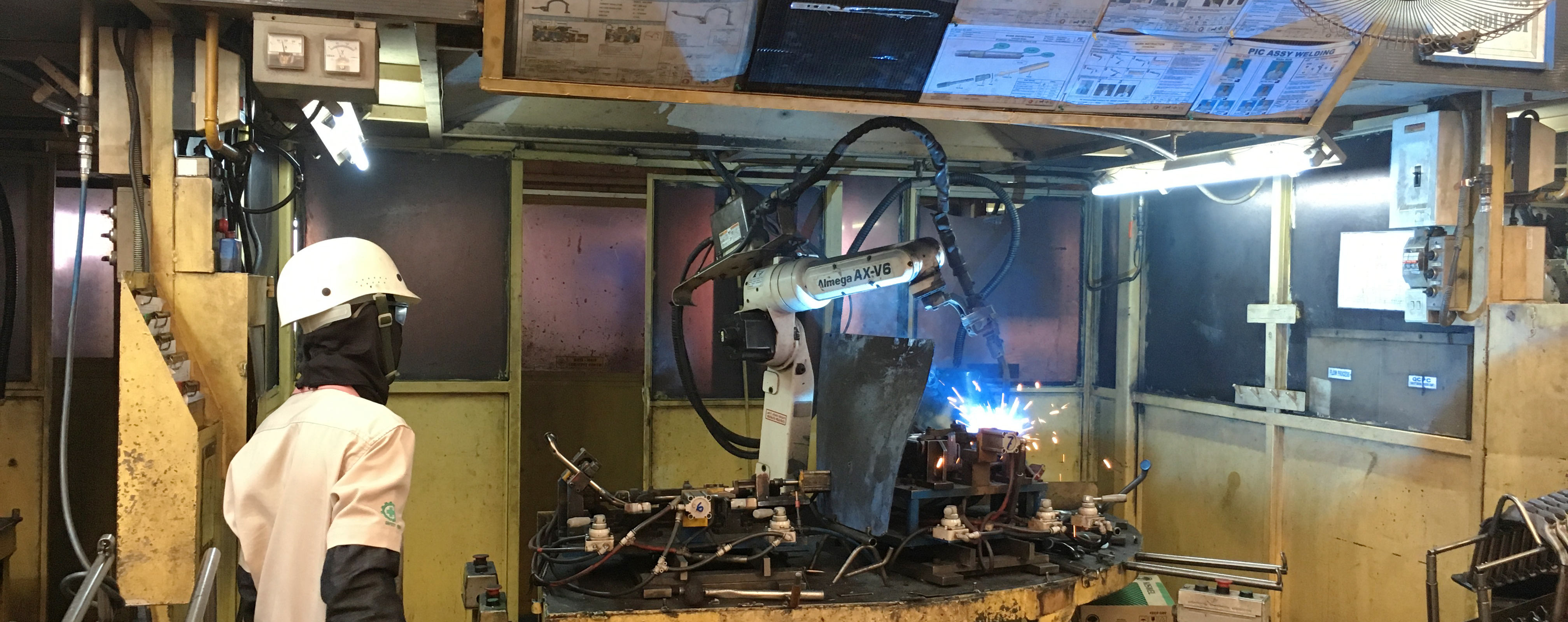
A fixtured part is different from a carried part. When a table holds the workpiece and the robot carries a welding torch, the workpiece is not flange payload. Process contact, cable drag and other external forces can still load the robot.
Services supported along the arm or from an overhead system need to be assessed according to their actual support and routing. Do not add the entire floor-to-tool cable length as a rigid flange load, or assume its mass captures every force it applies. For gripping principles and retention checks, see the cobot gripper guide.
Calculate the tooling and workpiece mass budget
Enter the robot payload rating for the configuration you are considering and the mass of each carried item. Use kilograms throughout and enter zero for an item that is absent. Each item should appear once.
This calculation shows the tooling subtotal, total load and difference from the entered rating. It does not read a manufacturer’s load curve or approve a robot, gripper or safety configuration.
- Tooling and services subtotal
- Total load, including workpiece(s)
- Difference: entered rating − total load
- Nominal workpiece budget: rating − tooling
Worked mass example: 1.20 kg tool + 0.35 kg adapter + 0.20 kg sensor + 0.25 kg services = 2.00 kg tooling. Add a 6.00 kg part to obtain an 8.00 kg total. Against an entered 12.00 kg rating, the difference is 4.00 kg. These illustrative values are not a robot recommendation.
About planning reserve: if your project reserves capacity for measured uncertainty or future tooling, document that allowance separately. A blanket 20% reserve is not a manufacturer’s load limit, and no reserve makes an unverified center of gravity acceptable.
Center of gravity, moment and inertia are different checks
Two tools with the same mass can load the wrist differently. To understand why, separate the position of the combined mass, the turning effect of a force, and resistance to rotational acceleration.
Find the combined center of gravity
The center of gravity (CoG) is a three-dimensional point for the entire carried assembly. Specify every component’s CoG in the same flange coordinate system, including signs and units. For ordinary robot load calculations in a uniform gravity field, calculate each combined coordinate as a mass-weighted average.
In this simplified axial example, all component centers lie on the flange’s Z axis, with X = Y = 0. The listed Z values are absolute coordinates from the flange, not lengths to add together.
Illustrative inputs. Scroll sideways to see the calculation column.
| Component | Mass (kg) | Z from flange (mm) | Mass × Z (kg·mm) |
|---|---|---|---|
| Adapter assembly | 0.50 | 20 | 10 |
| Complete gripper | 1.50 | 80 | 120 |
| Workpiece | 6.00 | 180 | 1,080 |
| Total | 8.00 | Combined Z = 151.25 mm | 1,210 |
The loaded CoG is [0, 0, 151.25] mm because 1,210 ÷ 8 = 151.25. With the part released, the 2.00 kg tool assembly has Z = (10 + 120) ÷ 2 = 65 mm. The payload state therefore changes in both mass and CoG. The mass-weighted method is explained by OpenStax.
Use the perpendicular lever arm for gravity moment
The magnitude of the static gravity moment about the flange center is M = m × g × d⊥, where d⊥ is the perpendicular distance from that point to the line of action of gravity through the combined CoG. Use mass in kg, g ≈ 9.81 m/s² and distance in metres to obtain N·m.
An 8 kg load with a 0.14 m perpendicular lever arm creates about 10.99 N·m. The same 0.14 m CoG distance aligned vertically below the flange produces zero gravity moment about that point in this idealized static model. It still applies a downward force and can load the other robot joints.
The general relationship is M = m × g × r × sin θ. Here r is the distance from the flange center to the combined CoG, and θ is the angle between that position vector and gravity. OpenStax’s torque definition explains the perpendicular-distance requirement. These diagrams show mechanics, not a manufacturer’s payload curve.
Check inertia in the controller’s reference frame
Rotational inertia describes how mass is distributed around an axis. A wide or long tool can require more torque to accelerate in rotation even when its mass and CoG match those of a compact tool. A single CoG distance cannot describe that distribution.
Export the assembled load’s inertia using the reference point, axis directions and units required by the robot. For example, UR’s SW10.12 script reference specifies CoG in metres and inertia in kg·m², with the inertia origin at the payload CoG and axes aligned to the flange. A CAD tensor about another origin needs the appropriate transformation; copying its numbers unchanged can be wrong.
Mechanics reference: OpenStax, rotational inertia and the parallel-axis theorem.
Three jobs that need different load cases
These are illustrative mass budgets. They identify what to check next; they are not approved robot configurations.
Welding a fixtured part
Torch and collision unit: 3.20 kg
Bracket and adapter: 0.60 kg
Flange-supported services: 0.40 kg
Total: 4.20 kg
The table holds the workpiece. Check torch CoG, cable forces, access angles and the actual welding path.
Machine tending
Gripper: 0.90 kg
Plate and fingers: 0.35 kg
Services: 0.20 kg
Heaviest part: 6.00 kg
Total: 7.45 kg
A 10 kg rating leaves 2.55 kg by mass. The gripper’s retention capability and the combined load geometry still need validation.
Palletizing boxes
Vacuum tool and frame: 3.50 kg
Carried hoses and valves: 0.40 kg
Maximum box: 12.00 kg
Total: 15.90 kg
Check the farthest placement and top pallet layer. Box dimensions, CoG, grip retention and acceleration can constrain the design.
A dual gripper can carry two parts at once
In a machine exchange, one gripper may hold a raw part while the other removes a finished part. If the complete dual-tool assembly is 2.50 kg and each part is 4.00 kg, the load states are 2.50 kg empty, 6.50 kg with one part and 10.50 kg with both. Selecting a 10 kg robot from the one-part condition misses the heaviest state.
The two single-part states may also have different CoG coordinates. Record both, plus the fully loaded condition and any tool-change state.
How to check the manufacturer’s payload curve
A payload curve defines an allowed combination of load and geometry for a particular robot and set of conditions. It is not a universal formula for derating any cobot.
- Select the exact document. Match the model, hardware revision and software where relevant. Check mounting, tool orientation and any special payload mode.
- Read the axis definitions and notes. A total CoG distance, a horizontal offset and a flange-axis coordinate are different quantities. Do not substitute one for another.
- Evaluate the complete load. Use the combined mass and CoG for each load state. Check any additional stated inertia, wrist moment or motion limits.
- Validate the required motion. Assess the real poses and cycle time using the manufacturer’s tools and the assembled application.
Manufacturer example: the UR8 Long SW10.12.1 maximum-payload page distinguishes the normal CoG curve from expanded-load conditions for downward-oriented operation. Its stated horizontal-offset and reach conditions matter. That provision cannot be transferred to a different robot or an arbitrary wrist pose.
If your load falls outside the applicable boundary, revise the tooling, layout or robot selection. Simply slowing the program is not a substitute for an approved load configuration.

Reach and motion determine production performance
A load that is acceptable at rest still has to accelerate, rotate, stop and clear the fixtures. An extended arm changes joint loading; a wrist rotation changes inertial demand. Cable forces can also change through the path.
Check the most demanding locations, not just the pickup point: the far machine corner, the upper pallet layer, a rotated placement, or the approach needed to avoid a clamp. Validate the chosen mounting and its supporting structure for those motions.
Manufacturers may reduce available acceleration for particular payload conditions. This is one reason that a headline maximum speed cannot predict loaded cycle time. Use the exact robot, configured load data and planned safety functions in the path evaluation, then measure the actual cycle.
For production planning after that path is established, the automation cycle-time calculator helps translate cycle assumptions into capacity. It does not replace robot motion validation.
Configure the load that is actually on the robot
Controller payload data should follow the physical load. Define the empty tool, each picked-part configuration and each tool-change assembly. Apply the correct state when the physical transition occurs, using the manufacturer’s supported sequence.
UR’s payload command reference explicitly calls for updating the parameters when mass, CoG or inertia changes. Do not assume the controller automatically knows that a part has been picked up merely because a close-gripper command was sent.
Setting a payload is not proof of a successful pick.
It supplies a load model to the controller. If the application must confirm that a part is present, use suitable gripping feedback or another validated detection method. Grip confirmation and load configuration are separate functions.
Before production, compare the measured assembly with the approved mass properties, test all load states through the intended path, verify cycle time and investigate protective stops or torque warnings. Do not change safety limits merely to suppress symptoms of incorrect load data or an unsuitable mechanical design.
Keep tool drawings, mass-property records, robot settings and validated program revisions together. A longer finger, new sensor or heavier replacement part can require a new load assessment.
Payload approval does not make the cell safe
The complete application includes the robot, tool, part, fixtures, people and process. A heavy or sharp workpiece, trapping point, hot component or energized welding tool can require safeguards even when the robot arm provides collaborative safety functions.
ISO 10218-1:2025 addresses industrial robot safety. ISO 10218-2:2025 addresses industrial robot applications and cells. ISO/TS 15066:2016 covers collaborative industrial robot systems and their work environment; ISO currently lists it as published and to be revised.
Those titles do not establish compliance for a particular installation. Welding and laser processing introduce additional process hazards that must be assessed in the cell design. Guarding, interlocks and extraction depend on the actual application. The cobot safety-fence guide discusses that separate decision.
Sources and calculation basis
Manufacturer references below identify the software and model used for the examples. Use documentation matching the robot you are evaluating. All numerical application examples on this page are illustrative calculations.
- Universal Robots, PolyScope X SW10.14 — Payload: total flange load and CoG fields.
- Universal Robots, UR8 Long SW10.12.1 — Maximum Payload: CoG curves, conditional expanded loads and motion evaluation.
- Universal Robots, SW10.12 — set_target_payload: load-state changes, reference frame and units.
- OpenStax — Center of Mass, Torque and Rotational Motion: mechanics behind the worked examples.
- ISO 10218-1:2025, ISO 10218-2:2025 and ISO/TS 15066:2016: scope of robot and application safety documents.
Plan the tool, robot and laser process together
For a laser automation discussion with Oceanplayer Laser, share the part drawing, maximum carried mass, tool concept, estimated CoG, working positions and target cycle time. These details help define the application before an arm is shortlisted.
See the laser automation systems overview for integration options.
Discuss your automation application